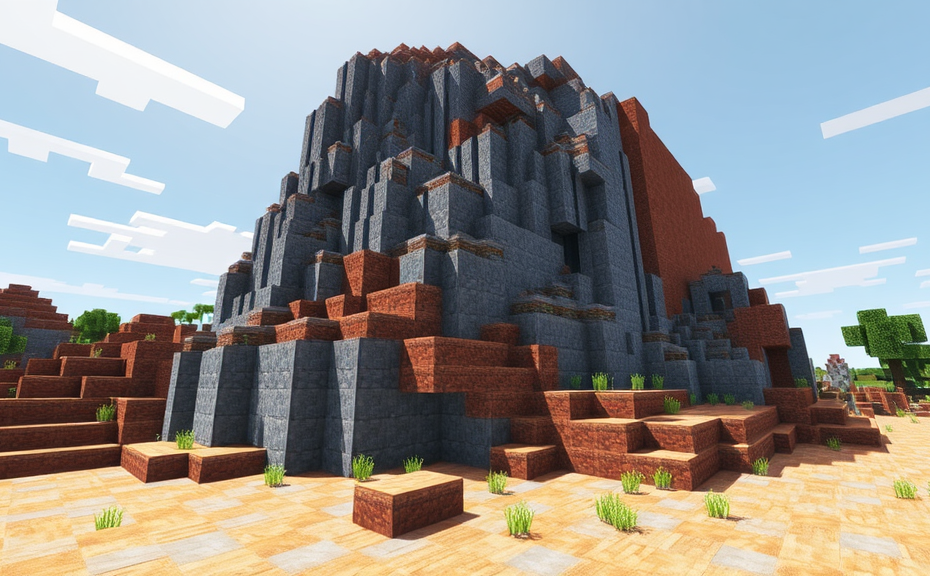
Understanding Minecraft Bedrock: Features and Benefits
In the vast world of Minecraft, players can choose between two main versions: Java Edition and Bedrock Edition. While both offer immersive gameplay, Bedrock Edition stands out with its cross-platform compatibility and simplified mechanics. If you’re curious about diving into the Bedrock version or want to enhance your current experience, understanding its features and benefits can be incredibly useful.
One of the most significant advantages of Minecraft Bedrock is its ability to play across multiple platforms. Whether you’re on Windows 10, Android, iOS, or even Xbox One and Nintendo Switch, you can seamlessly join friends regardless of their device. This cross-platform functionality makes it easier than ever to collaborate with friends, share worlds, and compete in multiplayer games. For instance, imagine building a massive fortress with friends on different devices, all working together in real-time.
Besides its platform flexibility, Bedrock Edition offers a more streamlined gameplay experience. The controls are simplified, making it easier for new players to dive into the game without feeling overwhelmed. For example, the inventory system is more intuitive, and the crafting process is more straightforward. This simplicity doesn’t mean the game lacks depth; instead, it provides a gentler learning curve for beginners while still offering plenty of challenges for seasoned players.
Minecraft Bedrock also introduces regular updates and new features more frequently compared to the Java Edition. These updates often include bug fixes, new items, and blocks, and even entire game modes like the Aquatic Update. Regular updates ensure that the game remains fresh and exciting, keeping the community engaged and active. For instance, the recent addition of new underwater biomes and structures has added a whole new layer of exploration and discovery to the game.
The Bedrock Edition’s world generation algorithms have been optimized to create more varied and interesting landscapes. This means you’ll encounter a wider range of biomes, structures, and terrain types during your adventures. Whether you’re exploring lush forests, vast deserts, or deep oceans, each world feels unique and full of surprises. This variety adds a new dimension to the gameplay, encouraging players to explore and discover new things every time they start a new world.
Another benefit of the Bedrock Edition is its improved performance and stability. The developers have worked tirelessly to optimize the game’s performance, resulting in smoother gameplay and fewer crashes. This is especially noticeable on lower-end devices where the Java Edition might struggle. By reducing lag and improving frame rates, Bedrock Edition ensures a more enjoyable gaming experience for everyone, regardless of their hardware specifications.
For educators and parents, Minecraft Bedrock offers additional tools and settings to make the game more accessible and safe. The Education Edition includes features like classroom mode, which allows teachers to control the environment and monitor student progress. Additionally, there are settings to restrict certain features, ensuring that younger players stay safe while enjoying the game. This makes it a valuable tool for educational purposes, allowing students to learn in a fun and interactive way.
Minecraft Bedrock Edition also supports custom maps and resource packs, allowing players to customize their gaming experience. You can download and install these packs to change the look and feel of the game, add new items, and even modify the game mechanics. This level of customization keeps the game fresh and exciting, as players can continually update their worlds and experiences. For example, you could transform your Minecraft world into a futuristic cityscape or a medieval kingdom with just a few clicks.
The Bedrock Edition fosters a strong and active community. With players from all over the world, you can find a wealth of resources, tutorials, and support online. From YouTube videos to forums and social media groups, there’s no shortage of places to learn tips, tricks, and even collaborate on large-scale projects. This community aspect adds another layer of enjoyment to the game, as you can connect with others who share your passion for Minecraft.
Minecraft Bedrock offers a robust and versatile gaming experience. Its cross-platform capabilities, simplified controls, frequent updates, improved performance, and strong community make it a compelling choice for both newcomers and experienced players alike. Whether you’re looking to build, explore, or simply have fun, Bedrock Edition has something to offer for everyone.
Building and Redesigning: Creative Modes in Minecraft Bedrock
Minecraft Bedrock Edition offers players a vast sandbox where creativity knows no bounds. Whether you’re a seasoned builder or new to the game, the creative mode in Minecraft Bedrock Edition provides an incredible platform to unleash your imagination. In this guide, we’ll explore how to build and redesign structures in Minecraft Bedrock Edition, offering tips and tricks to enhance your building experience.
To get started with building in Minecraft Bedrock Edition, first, ensure you are in creative mode. You can switch to creative mode by pressing Esc, selecting Settings, then navigating to Game Settings. Under the Game Mode section, select Creative. This mode grants you access to all blocks and items in the game, allowing you to focus solely on your creations without worrying about resources.
Choosing Your Building Site
Selecting the right location for your project is crucial. Consider the landscape and environment where you plan to build. For example, a castle might look more majestic on a hilltop, while a cozy cottage could fit perfectly in a forest clearing. Use the F3 key to bring up coordinates and find flat ground or specific elevations for your builds.
Planning Your Design
Before diving into construction, take some time to plan your design. Sketch out your ideas on paper or use digital tools like Minecraft Schematics to visualize your structure. Planning helps streamline the building process and ensures that your final creation aligns with your vision.
Gathering Materials
In creative mode, gathering materials is straightforward. Simply open your inventory, click on the Blocks tab, and choose the blocks you need. You can also use the search function to quickly locate specific blocks. Experiment with different combinations to see how they interact with each other in terms of aesthetics and functionality.
- Bricks: Ideal for walls and floors due to their durability.
- Wood: Perfect for adding a natural touch to your buildings.
- Glass: Great for windows and skylights to let light in.
- Stone: Useful for creating a rustic or medieval feel.
Using Commands for Advanced Builds
For more complex designs, leveraging commands can significantly speed up the building process. Enter /give @p minecraft:block_name in the chat box to instantly receive any block you need. Additionally, commands like /fill and /clone allow you to replicate structures quickly. For instance, /fill ~ ~ ~ ~10 ~10 ~10 stone fills a 10x10x10 area with stone blocks.
Decorating Your Structure
Once the basic structure is complete, it’s time to add those finishing touches. Decorative elements like paintings, banners, and carpets can transform a simple house into a masterpiece. Place torches for lighting, add flowers and trees for landscaping, and consider setting up redstone mechanisms for interactive features.
Redesigning Existing Structures
Redesigning existing structures can breathe new life into old builds. Start by removing parts of the structure that no longer serve your purpose. Replace them with updated designs or entirely new elements. Experiment with different color schemes, textures, and layouts to give your buildings a fresh look.
For instance, converting a plain wooden hut into a grand library involves replacing wooden planks with bookshelves and adding desks, chairs, and bookstands. This transformation not only enhances the visual appeal but also changes the function of the space.
Exploring Community Creations
Joining Minecraft communities and exploring user-generated content can inspire your own projects. Websites like Planet Minecraft offer a wealth of schematics, tutorials, and ideas. Engaging with these communities can also provide valuable feedback and suggestions for improving your builds.
Sharing Your Creations
Once you’ve completed your masterpiece, share it with the world! Upload your creations to platforms like Planet Minecraft or Minecraft Forum. Not only does this help others discover new ideas, but it also allows you to connect with fellow builders and receive constructive criticism.
Tips for Better Building
- Keep your builds symmetrical for a more polished look.
- Experiment with different block types to achieve unique textures.
- Use
Ctrl + Left Clickto duplicate blocks efficiently. - Save frequently to avoid losing progress.
With these tips and strategies, you’re well-equipped to embark on exciting building and redesigning projects in Minecraft Bedrock Edition. Whether you’re crafting a humble cottage or an elaborate fortress, remember that the joy lies in the process of creation itself. Happy building!
Multiplayer Adventures: Enhancing Gameplay with Minecraft Bedrock
Minecraft Bedrock Edition offers a versatile platform for players to dive into the vast world of Minecraft. With its cross-platform capabilities, it allows friends and family across different devices to join forces and embark on exciting multiplayer adventures. Whether you’re playing on Windows 10, iOS, Android, or even consoles like Xbox and Nintendo Switch, Bedrock Edition ensures a seamless experience. Let’s explore how you can enhance your gameplay by leveraging the features of Minecraft Bedrock.
Creating a Server
To start your multiplayer adventure, you’ll need to set up a server. This can be done through various methods depending on your preference. One popular option is to use a third-party hosting service like Aternos, which provides a straightforward interface for setting up a server in minutes. Alternatively, you can host your own server if you have the technical know-how. Hosting your own server gives you more control over settings and security, but it requires some initial setup and maintenance.
Choosing the Right Game Mode
Once your server is up and running, the next step is to choose the right game mode. Minecraft Bedrock supports several modes, including Survival, Creative, Adventure, and Spectator. Each mode offers a unique experience:
- Survival Mode: Perfect for those who enjoy a challenge. Players must gather resources, build shelters, and fend off hostile mobs.
- Creative Mode: Ideal for builders and artists. You have unlimited resources and the ability to fly, making it easier to craft elaborate structures.
- Adventure Mode: Designed for custom maps and adventure maps. It restricts block placement and destruction, focusing on exploration and interaction.
- Spectator Mode: Allows players to fly through blocks and observe the world without interacting, great for exploring or spectating.
Customizing Your Experience
Customization is key to enhancing your multiplayer experience. Minecraft Bedrock Edition lets you modify settings to suit your group’s preferences. For example, you can adjust difficulty levels, enable or disable PvP (Player vs. Player) combat, and even change the time of day. These adjustments ensure that everyone has a fun and balanced experience.
Adding Mods and Plugins
For an even richer experience, consider adding mods and plugins. While Bedrock Edition doesn’t support Java mods directly, there are numerous community-created addons available. These addons can add new blocks, items, and even entire dimensions to the game. They also offer new gameplay mechanics and challenges, keeping the game fresh and exciting.
- Resource Packs: Change the look and feel of the game by downloading resource packs. These can alter textures, sounds, and even music, giving your world a unique aesthetic.
- Behavior Packs: Modify game behavior by creating or downloading behavior packs. These allow you to tweak how certain blocks and entities function, providing a deeper level of customization.
Hosting Events and Tournaments
Minecraft Bedrock Edition is perfect for hosting events and tournaments. Whether it’s a building contest, a treasure hunt, or a survival challenge, the possibilities are endless. Organize these events through your server, inviting friends and family to participate. This not only enhances the gameplay but also fosters a sense of community among players.
Exploring Multiplayer Maps
One of the most exciting aspects of multiplayer gaming is exploring shared worlds. With Minecraft Bedrock, you can download and play on custom maps created by other players. These maps range from simple survival scenarios to intricate adventure maps with puzzles and hidden treasures. Exploring these maps together adds a layer of excitement and collaboration to your gaming sessions.
- Download Custom Maps: Visit websites like Planet Minecraft or Minecraft Maps to find a variety of custom maps tailored for multiplayer experiences.
- Create Your Own Maps: If you’re feeling creative, try designing your own map. Share it with your friends or upload it to a map-sharing site for others to enjoy.
Engaging with the Community
The Minecraft community is vibrant and welcoming. Engage with fellow players by joining forums, Discord servers, or social media groups dedicated to Minecraft. Sharing tips, tricks, and experiences can help you and your friends get the most out of the game. Plus, you might discover new ways to enhance your multiplayer adventures.
Minecraft Bedrock Edition opens up a world of possibilities for multiplayer gaming. From setting up a server to customizing game modes and exploring custom maps, there are countless ways to enhance your gameplay. By leveraging these features, you can create memorable experiences and foster a strong sense of community among your players. So gather your friends, fire up your server, and dive into the exciting world of Minecraft Bedrock.
Modding and Customization: Extending Minecraft Bedrock’s Potential
Minecraft Bedrock Edition offers a vast playground for creativity and exploration, but the fun doesn’t stop there. With modding and customization, players can extend the potential of their gaming experience, adding new dimensions to the already rich world of Minecraft. Whether you’re looking to enhance your gameplay with new features, add more blocks, or even introduce entirely new mechanics, modding and customization open up a world of possibilities.
Before diving into the world of mods, it’s essential to understand the basics. Mods, short for modifications, are user-created additions to the game that alter or add functionalities to Minecraft Bedrock Edition. These can range from simple texture packs that change the look of blocks and items to complex mods that introduce new game mechanics and systems. The process of installing mods varies depending on the platform, but generally, it involves downloading a mod file and placing it in the appropriate folder within the game directory.
To get started with modding in Minecraft Bedrock Edition, you’ll need to choose a modding platform that supports your device. One popular option is the Minecraft Marketplace, which offers a variety of official and community-created content, including texture packs, skins, and worlds. Another option is the Nexus Mods website, which provides a wide range of mods for both Java and Bedrock editions. However, it’s important to note that some mods might require additional software like the MC Edit Unified tool for Java edition, which isn’t available for Bedrock. For Bedrock, tools like BlockLauncher or Minecraft PE Mod Menu can help you manage and install mods.
One of the most exciting aspects of modding is the ability to create custom blocks and structures. Using tools like Nexus Mods or Planet Minecraft, you can find a plethora of resources that allow you to add new blocks, items, and even entire structures to your world. For instance, the Iron Golem Factory mod adds an automated system for creating Iron Golems, enhancing your base defense. Similarly, the Advanced Redstone mod introduces new redstone components and logic gates, allowing for more complex contraptions and mechanisms.
Customization extends beyond just blocks and items; it also includes altering the game’s mechanics. For example, the Day-Night Cycle Tweaks mod allows you to adjust the length of day and night cycles, providing more control over your gaming environment. Another great example is the More Villagers mod, which increases the number of villagers in your world, adding more opportunities for trading and interactions.
For those interested in more advanced customization, creating your own mods is a rewarding challenge. This requires a basic understanding of programming languages like Java or C#. Tools like ModCoderPack (MCP) can help simplify the process. However, it’s worth noting that creating mods for Bedrock is significantly more challenging due to the limited modding support compared to the Java edition. Nevertheless, with patience and practice, you can develop your own mods that bring unique elements to your Minecraft world.
While modding can greatly enhance your gaming experience, it’s important to proceed with caution. Always download mods from reputable sources to avoid malware and ensure compatibility with your version of Minecraft. Additionally, be aware that some mods may cause conflicts with each other, so it’s best to test them individually before combining multiple mods in your world.
Modding and customization in Minecraft Bedrock Edition offer a wealth of opportunities to tailor your gaming experience to your liking. From simple texture changes to complex gameplay modifications, the only limit is your imagination. By exploring these options, you can keep your Minecraft world fresh and exciting, extending its potential far beyond what the vanilla game offers.
Performance Tips: Optimizing Minecraft Bedrock for Better Gameplay
In the vast world of Minecraft Bedrock, players often find themselves seeking ways to enhance their gameplay experience. Whether you’re building grand structures, exploring vast landscapes, or battling fierce enemies, optimizing your game can significantly improve performance and make your adventures smoother and more enjoyable. Here are some tips to help you get the most out of Minecraft Bedrock.
Adjust Graphics Settings
One of the first steps to improving Minecraft Bedrock performance is tweaking the graphics settings. You can do this by navigating to the Settings menu within the game. Lowering the render distance can reduce lag, especially in areas with lots of blocks and entities. Additionally, reducing the graphics quality can help boost frame rates. Experiment with different settings to find the balance between visual appeal and performance.
Optimize Your Device’s Performance
To ensure your device runs Minecraft Bedrock smoothly, close any other apps that might be running in the background. This reduces the load on your device’s processor and memory, allowing more resources to be dedicated to the game. For mobile devices, consider closing all background apps and clearing the cache. On PC, disable unnecessary startup programs and keep your operating system updated.
Update Minecraft Bedrock
Regular updates often bring performance improvements and bug fixes. Make sure your version of Minecraft Bedrock is up to date. Developers frequently release patches that address performance issues, so staying current is key to getting the best experience possible.
Limit Resource Packs and Add-ons
While resource packs and add-ons can enhance the look and feel of Minecraft Bedrock, they can also impact performance. To optimize your gameplay, limit the number of resource packs and add-ons you use. If you notice lag or reduced frame rates, try disabling them one by one to identify which ones are causing the issue.
Manage Mob Spawning
Controlling mob spawning can also help improve performance. In the game settings, you can adjust the difficulty level and spawn limits for various mobs. Lowering the difficulty or adjusting spawn limits can reduce the number of entities in the game, leading to smoother gameplay. However, be mindful of the impact this may have on your overall experience.
Use Optifine (for PC)
If you’re playing on a PC, consider using Optifine, a mod that enhances the game’s performance and graphical capabilities. Optifine allows for better control over graphics settings and can significantly improve frame rates. However, remember that mods like Optifine require additional installation and may not be compatible with all versions of the game.
Check for Hardware Issues
Ensure your device meets the minimum requirements for running Minecraft Bedrock. Insufficient hardware can lead to poor performance. Check if your graphics card drivers are up to date and if your storage space is adequate. Upgrading your hardware, such as increasing RAM or getting a better GPU, can also enhance your gaming experience.
Utilize Chunk Unload Zones
In Minecraft Bedrock, chunks are sections of the world that are loaded around the player. By managing these chunks effectively, you can reduce lag. For instance, avoid building large structures near the edges of loaded chunks. When you move away from a chunk, it unloads, which can cause temporary lag when it reloads. Planning your builds and activities can help mitigate this issue.
Play in Peaceful Mode
Playing in peaceful mode eliminates hostile mobs, reducing the number of entities the game needs to manage. This can lead to smoother gameplay, especially in large-scale projects or when exploring vast biomes. While this mode may not suit everyone, it can be a useful strategy for optimizing performance during specific activities.
Use Fast Render Mode (Mobile)
On mobile devices, enabling fast render mode can help improve performance. This mode simplifies the rendering process, reducing the strain on your device’s processor. To access this option, go to the settings menu and select the fast render mode. Keep in mind that this may affect the visual quality, so it’s a trade-off between performance and aesthetics.
By implementing these tips, you can enhance your gameplay experience in Minecraft Bedrock. From adjusting graphics settings to optimizing your device’s performance, each step can contribute to a smoother, more enjoyable adventure. Whether you’re a seasoned player or new to the game, these strategies can help you get the most out of your time in the blocky world.
Conclusion
Minecraft Bedrock offers a versatile and engaging gaming experience that caters to both casual players and hardcore enthusiasts. Whether you’re diving into creative mode to build magnificent structures or teaming up with friends for multiplayer adventures, Bedrock Edition delivers on all fronts. With its robust modding capabilities and extensive customization options, the game allows you to tailor your experience to perfection. Plus, optimizing performance ensures smooth gameplay, no matter your device. Embracing Minecraft Bedrock means stepping into a world where creativity knows no bounds, and every session brings new opportunities for fun and discovery. So, whether you’re crafting a masterpiece or exploring vast landscapes, Bedrock Edition is your gateway to endless possibilities.