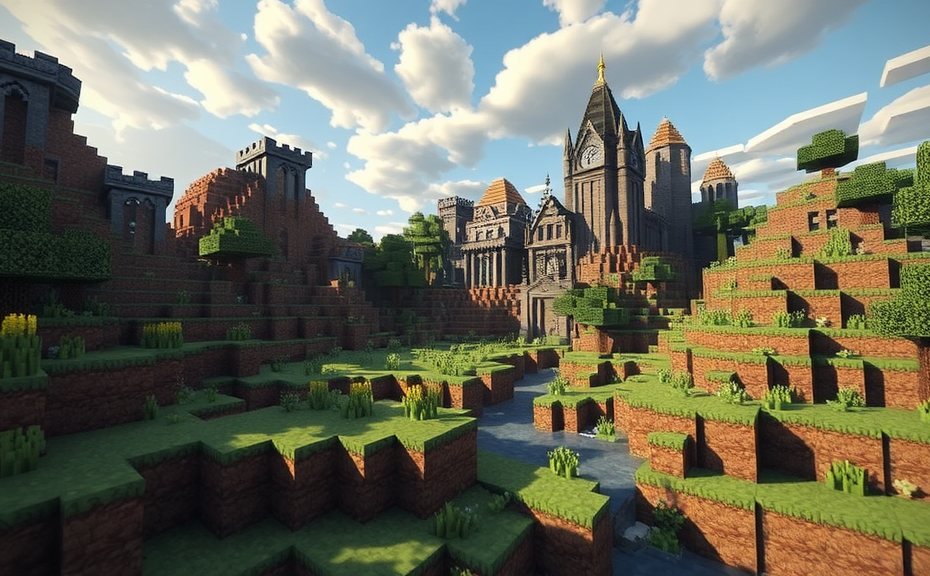
Safety Features and Parental Controls in Minecraft
Minecraft has become one of the most popular games among children, but parents often wonder about its safety features and how to manage their child’s experience effectively. Understanding these aspects can help ensure that your 7-year-old enjoys the game while staying safe.
Understanding the Game Environment
Minecraft offers two main modes: Survival and Creative. In Survival mode, players must gather resources, build structures, and fend off enemies. Creative mode allows unlimited resources and the ability to fly, making it more focused on building and exploration without the threat of danger. Both modes are generally safe, but parental controls can further enhance security.
Privacy Settings and Account Management
When setting up a Minecraft account for your child, consider privacy settings. Use a strong password and enable two-factor authentication to protect the account. Additionally, create a separate email address specifically for the Minecraft account. This helps prevent your child’s personal information from being exposed to potential threats.
- Create a separate email address for the Minecraft account.
- Enable two-factor authentication for added security.
- Use a strong password that includes a mix of letters, numbers, and symbols.
Parental Controls on Consoles and Computers
Many gaming platforms offer built-in parental controls. For example, on Xbox, you can set age restrictions, control online interactions, and monitor screen time. On computers, you can use family safety features provided by Microsoft or other operating systems. These controls allow you to restrict access to certain features and ensure that your child only plays in safe environments.
- Set age-appropriate restrictions on the gaming platform.
- Monitor and limit online interactions.
- Adjust screen time limits to ensure healthy play habits.
In-Game Safety Features
Minecraft includes several in-game safety features designed to protect younger players:
- Friend List: Parents can approve friend requests and manage the list of people their child can interact with.
- Family Sharing: This feature allows parents to share their game content with their children, ensuring they have access to appropriate resources.
- Report System: If your child encounters inappropriate behavior, they can report it to Mojang, the game’s developers. The report system helps maintain a safer community environment.
Community Guidelines and Reporting
The Minecraft community is vast, and while most players are friendly, there are instances of inappropriate behavior. Encourage your child to follow the community guidelines and report any incidents of harassment or bullying. Familiarize yourself with these guidelines so you can guide your child effectively.
- Encourage your child to follow community guidelines.
- Talk to your child about reporting inappropriate behavior.
- Stay informed about the latest updates and changes in community policies.
Supervision and Communication
Regular supervision and open communication are key to ensuring your child’s safety in the digital world. Spend time playing Minecraft with your child to understand their experiences and challenges. Discuss any concerns they might have and reinforce the importance of online safety.
- Spend time playing Minecraft with your child.
- Discuss any concerns and reinforce the importance of online safety.
- Stay involved in your child’s gaming activities to provide guidance.
Age Restrictions and Ratings
Minecraft is rated E10+ (Everyone 10+) by the Entertainment Software Rating Board (ESRB). This rating indicates that the game is suitable for players aged 10 and older due to mild violence and cartoon characters. However, many 7-year-olds can handle the game well, especially with parental supervision and controls in place.
- Minecraft is rated E10+ by the ESRB.
- Consider parental supervision and controls even if the rating suggests it’s suitable for older children.
Minecraft can be a fun and educational game for 7-year-olds when managed properly. By utilizing parental controls, understanding privacy settings, and maintaining open lines of communication, you can ensure that your child enjoys the game safely and responsibly. Remember, the key is to balance enjoyment with safety, making Minecraft a positive experience for both you and your child.
Educational Benefits of Playing Minecraft for Children
Minecraft has become a global phenomenon since its release, captivating children and adults alike with its blocky, open-world environment. While some may view it merely as a game, Minecraft offers numerous educational benefits that can help children develop essential skills. Let’s explore how playing Minecraft can contribute positively to a child’s growth.
Enhancing Creativity: One of the most significant advantages of Minecraft is its ability to foster creativity. The game allows players to build structures, create landscapes, and design intricate redstone circuits. This hands-on approach to building encourages children to think outside the box and unleash their imagination. Whether they’re constructing castles, farms, or entire cities, Minecraft provides a platform where creativity knows no bounds.
Developing Problem-Solving Skills: Minecraft presents players with various challenges that require critical thinking and problem-solving abilities. From navigating through dark caves filled with hostile mobs to designing efficient farms and managing resources, the game requires players to strategize and adapt. These experiences teach children valuable lessons about planning ahead, making decisions under pressure, and finding innovative solutions to problems.
Improving Spatial Awareness: The block-based nature of Minecraft helps children develop spatial awareness and understand three-dimensional concepts. By manipulating blocks and constructing buildings, players learn about geometry, architecture, and engineering principles. This hands-on experience can translate into better performance in subjects like math and science, as it reinforces concepts related to space, volume, and measurement.
Fostering Collaboration: Multiplayer modes in Minecraft enable children to collaborate with friends or other players online. Working together to build structures, share resources, and defend against enemies promotes teamwork and communication skills. These interactions teach children how to work effectively in groups, resolve conflicts, and appreciate diverse perspectives. Additionally, participating in community projects or joining servers dedicated to collaborative building further enhances these social skills.
Encouraging Digital Literacy: In today’s digital age, understanding technology is crucial. Minecraft introduces children to basic coding concepts through its command blocks and Redstone mechanics. Players can use commands to automate tasks, create custom game modes, or even program simple machines. This exposure to programming fundamentals lays the groundwork for future learning in computer science and related fields. Moreover, navigating the game’s interface and managing inventories also contribute to overall digital literacy.
Promoting STEM Education: Many educators incorporate Minecraft into their curriculum to teach STEM (Science, Technology, Engineering, and Mathematics) subjects. The game’s realistic physics engine allows players to experiment with concepts such as gravity, friction, and energy conservation. For instance, building bridges, designing roller coasters, or simulating ecosystems provides practical applications of scientific theories. Furthermore, Minecraft’s vast world offers opportunities for exploration and discovery, sparking curiosity and encouraging scientific inquiry.
Building Resilience: Minecraft can be challenging, especially when dealing with hostile mobs or losing progress due to unexpected events. However, these setbacks teach valuable life lessons about perseverance and resilience. Children learn that failure is a part of the process and that persistence often leads to success. Overcoming obstacles within the game can translate into real-life situations, helping children develop a growth mindset and bounce back from adversity.
Supporting Emotional Intelligence: Interacting with other players in multiplayer modes can help children develop emotional intelligence. They learn to express themselves, empathize with others, and manage their emotions during cooperative or competitive play. These experiences can enhance social-emotional learning, which is crucial for personal development and forming healthy relationships.
Providing Real-World Applications: Beyond the virtual world, Minecraft offers numerous real-world applications. Some schools use Minecraft to teach history by recreating ancient civilizations or historical events. Others utilize it for geography lessons, allowing students to explore different terrains and landmarks. Additionally, Minecraft can be used in art classes to create digital sculptures or in language arts to develop storytelling skills by narrating adventures within the game.
Educational Add-ons: To further enhance its educational value, Minecraft offers various add-ons and mods that align with specific learning objectives. Teachers and parents can find resources tailored to different subjects, including math puzzles, language exercises, and science experiments. These additions make learning more interactive and engaging while reinforcing key concepts in a fun and immersive way.
Creating a Balanced Approach: While Minecraft offers many educational benefits, it’s important to maintain a balanced approach. Setting time limits, encouraging physical activity, and promoting other hobbies ensures that children don’t become overly reliant on screen time. Parents and educators can guide children to use Minecraft as a tool for learning rather than a passive entertainment source.
: Minecraft is far more than just a video game; it’s a powerful educational tool that can significantly contribute to a child’s development. By enhancing creativity, fostering problem-solving skills, improving spatial awareness, promoting collaboration, encouraging digital literacy, supporting STEM education, building resilience, and supporting emotional intelligence, Minecraft provides a holistic learning experience. With careful guidance and moderation, parents and educators can harness the potential of Minecraft to enrich children’s educational journey.
Age-Appropriate Gameplay Modes in Minecraft
Minecraft has become a beloved game among children, but parents often wonder if it’s appropriate for their young ones. Understanding the different gameplay modes can help parents decide if Minecraft is suitable for their 7-year-old. Here’s a detailed look at age-appropriate gameplay modes in Minecraft.
Survival Mode: Survival Mode is the most common mode in Minecraft, where players must gather resources, build shelter, and fend off enemies. For a 7-year-old, this mode can be both educational and fun. It teaches valuable skills like resource management, planning, and problem-solving. However, it also includes elements like hostile mobs that might be too scary for some younger players. Parents can adjust settings to reduce difficulty, making it more manageable for kids.
- Day/Night Cycle: The day/night cycle in Survival Mode can be adjusted to ensure that the game is less frightening. Setting the game to daytime can eliminate the threat of night-time mobs, making it safer and more enjoyable for younger players.
- Peaceful Difficulty: Choosing the Peaceful difficulty level removes all hostile mobs, making the environment safer and less stressful. This setting is ideal for younger children who might find the presence of monsters too overwhelming.
- Reduced Mob Spawning: Parents can also limit mob spawning in certain areas by using commands or mods, further reducing the risk of encountering hostile creatures.
Creative Mode: Creative Mode offers a more relaxed experience where players have unlimited resources and don’t need to worry about health or hunger. This mode is perfect for young children who enjoy building and exploring without the pressure of survival. It allows them to unleash their creativity freely, building structures and landscapes without limitations.
- Unlimited Resources: With infinite blocks and items, children can focus on building and designing without worrying about running out of materials. This encourages experimentation and creativity.
- No Mobs: Since there are no hostile mobs in Creative Mode, it’s a safer environment for younger players. They can explore the vast world of Minecraft without fear of being attacked.
- Flying: Another feature that makes Creative Mode appealing is the ability to fly. This allows kids to easily reach high places and explore the world from new perspectives.
Adventure Mode: Adventure Mode is designed for players who want to play custom maps and adventure maps created by other users. This mode can be a bit more challenging for younger children due to its complexity and the puzzles involved. However, it can still be enjoyable with the right maps and guidance from parents or older siblings.
- Custom Maps: Many adventure maps are designed with younger players in mind, featuring puzzles and challenges that are easy to understand and complete. Parents can choose maps that are age-appropriate and provide support when needed.
- Guidance: Playing adventure maps with a parent or older sibling can enhance the experience. They can offer help and explanations, making the game more engaging and less frustrating for young players.
Education Mode: Education Mode is specifically designed for learning environments and can be a great option for 7-year-olds. It includes features like non-destructible blocks, which prevent accidental damage to important structures. This mode also introduces educational elements, such as coding and problem-solving tasks, which can be beneficial for young learners.
- Non-Destructible Blocks: In Education Mode, blocks cannot be destroyed accidentally, which can be reassuring for younger players who might worry about ruining their creations.
- Educational Elements: This mode incorporates learning activities that teach coding and problem-solving skills. These activities are designed to be fun and engaging, making learning a natural part of playing the game.
- Teacher Controls: Teachers or parents can control the game environment, ensuring that it remains safe and educational. They can set goals and monitor progress, providing guidance and support along the way.
Minecraft offers several gameplay modes that can be tailored to suit the needs of a 7-year-old. Survival Mode can be adjusted to make it less scary, while Creative Mode provides a stress-free environment for building and exploring. Adventure Mode can be enjoyed with the right maps and guidance, and Education Mode offers a blend of learning and fun. By choosing the right mode and adjusting settings, parents can ensure that Minecraft remains a safe and enjoyable experience for their young children.
How Minecraft Encourages Creativity and Problem-Solving Skills
Minecraft is more than just a video game; it’s a platform that encourages creativity and problem-solving skills in players of all ages. For children, especially those around 7 years old, Minecraft offers a unique environment where they can explore, build, and learn through play.
One of the key aspects of Minecraft that fosters creativity is its block-based building system. Players can gather resources like wood, stone, and ores, which they then use to craft tools, structures, and even entire worlds. This hands-on approach to construction allows children to experiment with different designs and ideas, helping them develop spatial awareness and planning skills. By experimenting with various combinations of blocks, young players can create anything from simple houses to complex redstone circuits that mimic real-world machines. This process not only enhances their creative thinking but also teaches them about cause and effect.
Problem-solving skills are another crucial area where Minecraft excels. The game presents players with challenges that require critical thinking and strategic planning. For example, when night falls, hostile mobs like zombies and skeletons spawn, forcing players to either find shelter or fight back. This scenario encourages children to think quickly and devise effective strategies to stay safe. Whether it’s building a shelter, crafting weapons, or setting traps, these activities help children develop decision-making abilities and resource management skills.
Minecraft also offers educational value through its expansive world. The game includes diverse biomes such as forests, deserts, and oceans, each with its own unique set of flora and fauna. This variety provides opportunities for children to learn about different environments and ecosystems. Additionally, the game’s survival mode introduces elements of agriculture and food production, as players must grow crops and raise animals to sustain themselves. These features can spark curiosity and lead to discussions about real-world topics like sustainability and environmental conservation.
Another aspect of Minecraft that promotes learning is its coding and automation capabilities. Through the use of redstone, a fictional material that behaves like electrical circuitry, players can create complex mechanisms and automated systems. This feature opens up avenues for teaching basic programming concepts and logical reasoning. Children can experiment with simple logic gates and build intricate contraptions, such as elevators, clocks, and even simple games. By engaging with these systems, they develop a deeper understanding of how technology works and how to solve problems through systematic thinking.
The multiplayer aspect of Minecraft also plays a significant role in fostering social skills and collaboration. Players can join servers and work together on large-scale projects, such as building towns or exploring dungeons. This cooperative gameplay encourages communication, teamwork, and negotiation skills. Children learn to collaborate effectively, share resources, and resolve conflicts in a safe and supportive environment. Multiplayer experiences also expose children to diverse perspectives and ideas, broadening their horizons and enhancing their interpersonal skills.
Minecraft’s endless possibilities make it a valuable tool for nurturing creativity and problem-solving skills. From building elaborate structures to navigating challenging scenarios, the game offers numerous opportunities for children to develop essential life skills. By engaging with Minecraft, young players can unleash their imagination, think critically, and work collaboratively, all while having fun in a digital sandbox.
Parents and educators can support this development by providing guidance and encouragement. Setting goals, discussing strategies, and sharing experiences can further enhance the learning process. By integrating Minecraft into educational activities, parents and teachers can create a balanced and enriching experience that combines entertainment with learning.
Minecraft is not just a game but a powerful platform for fostering creativity and problem-solving skills. Its open-ended nature, coupled with its educational and collaborative elements, makes it an ideal tool for children to explore, learn, and grow. By embracing Minecraft, children can embark on a journey of discovery that nurtures their cognitive and social development.
Balancing Screen Time: Guidelines for Young Players
Minecraft has become one of the most popular games among children, offering a vast sandbox world where creativity and exploration thrive. However, parents often wonder if it’s appropriate for younger players, especially those around 7 years old. This article aims to provide guidance on whether Minecraft is suitable for young children and how to manage their screen time effectively.
Understanding Minecraft’s Appeal
Minecraft’s simple graphics and open-ended gameplay appeal to many children. It allows them to build structures, explore landscapes, and even engage in some basic survival elements. For a 7-year-old, these activities can be both educational and entertaining, promoting problem-solving skills, creativity, and spatial reasoning.
Educational Benefits
- Encourages creativity through building and designing projects.
- Improves spatial awareness and geometry skills.
- Teaches basic coding concepts with the Redstone feature.
- Promotes collaboration when playing multiplayer modes.
Setting Age-Appropriate Boundaries
While Minecraft can be beneficial, it’s important to set boundaries to ensure a healthy balance between gaming and other activities. Here are some guidelines:
Screen Time Limits
Establish clear limits on daily screen time. The American Academy of Pediatrics recommends no more than one hour per day of high-quality programming for children aged 2 to 5, and consistent limits for older children. For a 7-year-old, consider limiting screen time to 60-90 minutes per day.
Supervision and Monitoring
Monitor your child’s activity within the game. You can do this by joining their multiplayer sessions or periodically checking their single-player worlds. This ensures they are not encountering inappropriate content or behaviors.
Quality Over Quantity
Focus on the quality of playtime rather than the duration. Encourage your child to engage in creative projects or educational challenges within the game. For instance, challenge them to build a replica of a famous landmark or solve puzzles using Redstone mechanics.
Balance with Physical Activities
Ensure that screen time doesn’t overshadow physical activities. Encourage outdoor play, sports, and other non-screen activities. This helps maintain a healthy lifestyle and promotes overall development.
Communication and Discussion
Talk openly with your child about their gaming experiences. Discuss the positive aspects of the game and address any concerns they might have. This builds trust and keeps lines of communication open.
Parental Controls and Settings
Utilize parental controls available in Minecraft. These settings can restrict access to certain features, limit multiplayer interactions, and monitor in-game purchases. Make sure these controls are set according to your comfort level.
Choosing the Right Version
Minecraft offers different versions suitable for various age groups. The Education Edition is designed specifically for classroom use and includes additional learning resources and controls. The Bedrock Edition, which is the standard version, is generally more accessible but requires supervision to ensure safe play.
Integrating Minecraft into Learning
Minecraft can be a powerful tool for learning. Many schools and educators use it to teach subjects like history, science, and math. Consider incorporating Minecraft into your child’s learning routine. For example, you could create a project where they build a model of a historical site or simulate a scientific experiment.
Community and Safety
Minecraft’s multiplayer mode can be a fun way for children to interact with friends. However, it’s crucial to ensure that these interactions are safe. Monitor who they are playing with and encourage them to only join servers recommended by trusted sources. Educate your child about online safety and the importance of not sharing personal information.
Minecraft can be a valuable and enjoyable experience for a 7-year-old, provided it is managed responsibly. By setting appropriate boundaries, monitoring their activities, and integrating the game into educational activities, you can help ensure that your child benefits from this engaging platform while maintaining a balanced lifestyle.
Conclusion
Minecraft offers a safe and educational environment for young players, with robust safety features and parental controls that allow parents to monitor and manage their child’s experience effectively. By engaging with age-appropriate gameplay modes, children can explore vast worlds, build incredible structures, and solve puzzles that foster creativity and problem-solving skills. These elements make Minecraft not just a game but a platform for learning and growth. To ensure a balanced approach, it’s essential to set guidelines around screen time, encouraging kids to enjoy Minecraft in moderation while also engaging in other activities like outdoor play and reading. When used thoughtfully, Minecraft can be a valuable tool for a seven-year-old’s development, providing both fun and educational value.