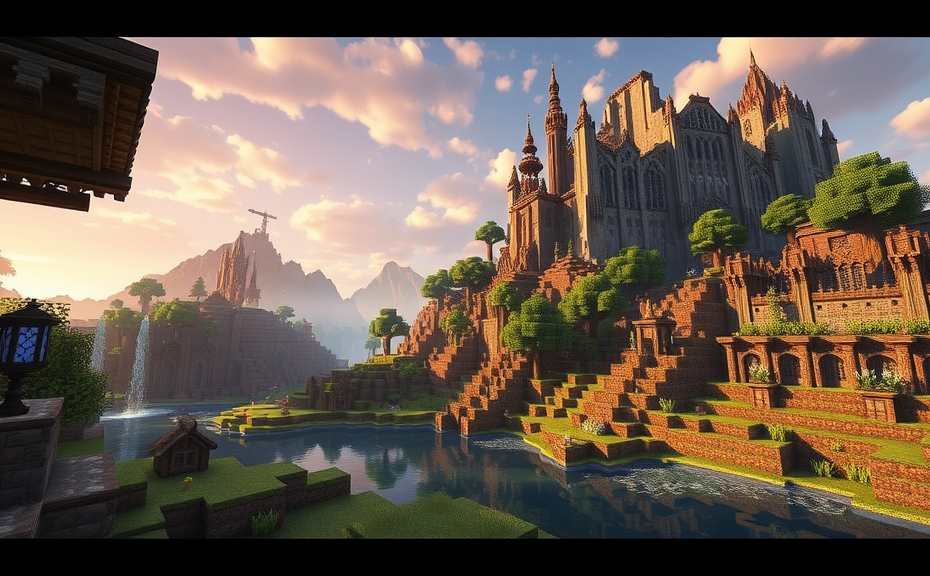
Understanding Minecraft: A Comprehensive Guide
Minecraft has become one of the most beloved games in the world since its release in 2009. It offers players a vast sandbox environment where they can build, explore, and survive. Whether you’re new to the game or looking to deepen your understanding, this guide aims to help you get started and excel in the Minecraft universe.
At its core, Minecraft is a game that challenges players to survive in a procedurally generated world filled with various biomes, creatures, and resources. You start with nothing more than your wits and your hands, and from there, you must gather materials, craft tools, and build structures to protect yourself from the dangers that lurk in the night.
Getting Started
When you first launch Minecraft, you’ll find yourself in a randomly generated world. Your initial goal is to gather basic resources like wood, stone, and dirt. Wood is particularly important because it allows you to craft a workbench, which is essential for making more advanced tools and items. Here’s a quick breakdown of the steps:
- Find some trees and punch them until they fall (yes, you read that right).
- Pick up the wood and place it in your inventory.
- Craft the wood into planks, then use the planks to create a workbench.
- Place the workbench down and open it to access more crafting options.
Survival Mode
Survival mode is the default mode when you start playing Minecraft. In this mode, you need to manage your hunger, health, and safety. Hunger is represented by a bar at the top of the screen, and you need to keep it full by eating food. Health is also represented by a bar, and you lose health when attacked by mobs or fall from great heights. To stay safe, you should build a shelter before nightfall, as hostile mobs like zombies and skeletons spawn in the dark.
Day and Night Cycle
Minecraft operates on a day and night cycle, which lasts about 20 minutes in real time. During the day, you can explore, gather resources, and build. However, when night falls, hostile mobs come out, and you need to be inside a shelter to avoid danger. Understanding and managing this cycle is crucial for survival.
Creative Mode
If you prefer to focus on building and exploring without worrying about survival, you can switch to Creative mode. In this mode, you have unlimited resources, fly, and can instantly place or destroy blocks. It’s perfect for designing elaborate structures, redstone circuits, or simply experimenting with different designs.
Exploring the World
Minecraft’s world is vast and filled with diverse biomes, each with its own unique features. From lush forests and expansive deserts to deep oceans and frozen tundras, there’s plenty to discover. Exploring these biomes not only provides new resources but also reveals hidden structures like abandoned mineshafts, strongholds, and temples.
Biomes and Structures
Each biome has its own set of resources and structures. For example, jungles are rich in cocoa beans and vines, while deserts contain desert wells and pyramids. Strongholds, which are key to finding the End portal, are often found underground in stronghold chunks. Familiarizing yourself with these structures can greatly enhance your gameplay experience.
Redstone and Command Blocks
One of the most fascinating aspects of Minecraft is its redstone system, which allows you to create complex mechanisms and even simple computers. Redstone is a mineral that can be mined and used to create circuits, levers, and other components. With redstone, you can build automatic farms, trapdoors, and even functioning clocks and calculators.
Command Blocks
For those who want even more control over their Minecraft world, command blocks offer powerful commands that can be used to modify the game environment. These blocks can be used to teleport players, change the weather, or even spawn custom mobs. However, they require knowledge of Minecraft commands and can be complex to use effectively.
Modding Minecraft
Another way to extend Minecraft’s capabilities is through mods. Mods are user-created additions that can add new items, blocks, mobs, and even entirely new dimensions to the game. Popular mod packs like Forge and Fabric allow you to install and manage these mods easily, opening up a whole new world of possibilities.
Community and Multiplayer
Minecraft’s vibrant community is one of its biggest strengths. Whether you’re playing solo or joining a server, you can connect with other players from around the world. Multiplayer servers offer a variety of experiences, from survival challenges to creative building competitions. Joining a server can be a great way to meet new people and share your creations.
Servers and Communities
There are countless Minecraft servers catering to different interests and playstyles. Some focus on survival, others on role-playing, and still others on creative building. Many servers also host events and contests, providing opportunities to compete and win rewards. Engaging with these communities can enrich your gaming experience and help you learn new tips and tricks.
Creating Your Own Server
If you’re interested in hosting your own server, you can do so with relatively little effort. There are numerous guides and tutorials available online that walk you through the process step-by-step. Hosting your own server gives you complete control over the rules, plugins, and overall experience, allowing you to create a unique space for you and your friends.
Minecraft offers endless possibilities for exploration, creativity, and fun. Whether you’re a seasoned player or just starting out, there’s always something new to discover. By understanding the basics of survival, exploring different modes, and engaging with the community, you can fully immerse yourself in this captivating world.
Creative Building and Redstone Engineering in Minecraft
Minecraft is a sandbox video game that has captured the hearts of millions around the world. It’s a place where creativity knows no bounds and players can build almost anything their minds can imagine. One of the most exciting aspects of Minecraft is creative building, which allows players to gather unlimited resources and craft anything they desire without the constraints of survival mode. Whether you’re constructing grand castles, intricate cities, or detailed landscapes, creative mode offers a limitless canvas for your architectural dreams.
In creative mode, you can fly, which opens up new possibilities for designing structures. You can build floating islands, towering skyscrapers, and sprawling underground caverns. The ability to fly also makes it easier to reach high places and explore vast landscapes, providing a different perspective on your builds. With the creative inventory, you have access to every block in the game, making it simple to experiment with different designs and combinations. You can quickly swap between blocks, adjust your creations, and see how they look in real-time. This instant feedback loop is invaluable when trying out new ideas and concepts.
Redstone engineering is another fascinating aspect of Minecraft that adds a layer of complexity and excitement to the game. Redstone is a material that behaves like electrical wires, allowing players to create complex circuits and mechanisms. Understanding the basics of redstone is essential for anyone looking to delve into this area. Redstone dust, redstone torches, levers, buttons, and pistons are some of the fundamental components. When placed correctly, these elements can power doors, activate traps, and even create functional computers within the game. For instance, you can design a simple door that opens automatically when you approach it, or a light system that turns on and off based on certain conditions.
To get started with redstone, you need to understand the concept of redstone power. Redstone power can come from redstone torches, redstone blocks, and certain types of pressure plates. Once you have a source of power, you can use redstone dust to transmit that power through your circuit. Redstone repeaters and comparators are crucial for controlling the flow of power and timing events. For example, you can set up a sequence where one event triggers another after a delay, creating a chain reaction. These mechanics allow for the creation of intricate puzzles, automated farms, and even simple games.
One popular application of redstone is the construction of redstone clocks. These devices generate a signal that repeats at regular intervals, making them useful for automating processes. You can create a clock that controls the lighting of a room, ensuring that it’s always bright enough for comfortable gameplay. Another interesting project is the redstone calculator, which uses logic gates to perform basic arithmetic operations. While this might seem like a fun hobby, it also provides a hands-on way to learn about binary systems and digital logic.
For those interested in more advanced projects, you can build redstone computers. These are fully functional machines that can run simple programs and perform calculations. They often involve a combination of redstone circuits, command blocks, and sometimes even external hardware. Building a redstone computer requires a deep understanding of the game’s mechanics and a lot of patience. However, the sense of accomplishment when you finally see your creation working is incredibly rewarding.
Whether you’re a beginner or an experienced player, there’s always something new to discover in Minecraft. Creative building and redstone engineering offer endless opportunities for creativity and problem-solving. From building majestic structures to crafting intricate mechanisms, these features keep the game fresh and exciting. So, dive in and start exploring the limitless possibilities that await you in the world of Minecraft.
Common Redstone Components
- Redstone Dust: Used to connect redstone components and transmit signals.
- Redstone Torches: Provide a constant power source.
- Levers: Can be flipped to turn redstone circuits on or off.
- Buttons: Short-term switches that can activate redstone circuits.
- Pistons: Used to push blocks, useful for creating moving parts in machines.
Tips for Effective Redstone Engineering
- Plan Your Design: Sketch out your circuit before building it in-game.
- Test Incrementally: Build and test small sections of your circuit to identify issues early.
- Use Repeaters: To control signal strength and timing.
- Explore Online Resources: There are many tutorials and communities dedicated to helping players learn redstone engineering.
- Be Patient: Complex redstone projects can take time, so don’t rush the process.
Survival Strategies and Multiplayer Adventures in Minecraft
Minecraft has become a global phenomenon, offering players a vast sandbox universe where creativity meets survival. Whether you’re a seasoned player or a newcomer, mastering survival strategies and enjoying multiplayer adventures can significantly enhance your experience. Let’s dive into some essential tips and tricks that can help you thrive in the blocky world of Minecraft.
Understanding the Basics
Before diving into survival strategies, it’s crucial to understand the basic mechanics of Minecraft. You need to gather resources like wood, stone, and food to survive your first night. Crafting tools, building shelter, and staying alert to hostile mobs are fundamental steps. Knowing how to navigate through the day-night cycle and manage hunger bars is key to surviving those initial moments.
Building Your First Shelter
Your first priority should be constructing a shelter. Look for a flat area with plenty of nearby resources. A simple dirt hut can serve as a temporary home. Make sure to light up the interior with torches to prevent mobs from spawning inside. As you progress, consider upgrading to a more robust structure made of stronger materials like cobblestone or even obsidian.
Gathering Resources Efficiently
Efficiency in gathering resources can save you a lot of time and effort. Start by crafting a wooden pickaxe to mine stone, which will allow you to craft better tools and armor. Prioritize iron over gold; iron is more durable and versatile. Always keep an eye out for coal for torches and redstone for advanced contraptions. Remember to store your resources in chests to avoid losing them to accidental destruction.
Advanced Survival Techniques
Once you’ve mastered the basics, it’s time to level up your survival game. Here are some advanced strategies:
- Fortifying Your Base: Build a moat around your base filled with water to slow down incoming mobs. Add traps like mob spawners or lava traps for added security.
- Farming Food: Establish farms for crops like wheat, carrots, and potatoes. Fishing can also provide a steady supply of food. Consider breeding animals like cows, pigs, and chickens for meat.
- Exploring Caves: Caves are rich in resources but dangerous. Bring torches, weapons, and armor. Always mark your path to avoid getting lost.
- Managing Hunger: Keep an eye on your hunger bar. Consuming cooked food increases its effectiveness. Always carry cooked meat or bread to maintain energy levels.
Joining Multiplayer Servers
Minecraft becomes even more exciting when played with friends. Joining multiplayer servers allows you to collaborate, compete, and explore together. Some popular servers include Hypixel, Mineplex, and Wynncraft. These servers offer a variety of game modes, from survival and creative to mini-games and RPG elements.
- Setting Up a Server: If you prefer a private experience, setting up your own server can be rewarding. Choose a hosting service, install necessary plugins, and invite your friends. Customizing the server with unique rules and features can make it even more enjoyable.
- Communication: Effective communication is key in multiplayer. Use in-game chat or external platforms like Discord to coordinate efforts. Assign roles like builder, miner, or defender to streamline tasks.
Expanding Your Skills
As you progress, focus on expanding your skill set. Learning to farm rare resources, build complex structures, and craft advanced items can open up new dimensions of gameplay. Engage in trading with other players to acquire hard-to-find items. Participate in community events and challenges to stay motivated and connected.
- Redstone Mastery: Redstone is Minecraft’s equivalent of electricity. Mastering redstone circuits can lead to the creation of complex mechanisms like automatic farms, doors, and even calculators.
- Exploring Dungeons: Dungeons scattered throughout the world contain valuable loot. Equip yourself with powerful weapons and armor before venturing in. Always be prepared for boss fights in strongholds and fortresses.
Staying Safe Online
While playing online, ensure your safety. Use strong passwords and enable two-factor authentication. Be cautious about sharing personal information. Report any suspicious activity to the server administrators. Enjoying the game safely is as important as having fun.
With these survival strategies and multiplayer adventures, you’re well-equipped to conquer the blocky world of Minecraft. Whether you’re building a sprawling empire, exploring vast caverns, or teaming up with friends, the possibilities are endless. Happy crafting!
Modding Minecraft: Expanding Your Gaming Experience
Minecraft has captivated millions of players around the world with its blocky landscapes and endless possibilities for creativity. One of the most exciting aspects of Minecraft is the ability to mod the game, which stands for modifying. Modding allows players to expand their gaming experience by adding new features, blocks, creatures, and even entirely new dimensions to the game. In this article, we’ll explore what modding Minecraft is, why it’s so popular, and how you can get started.
Before diving into modding, it’s important to understand the basics. Mods are essentially add-ons that modify the game’s code, allowing for changes to the gameplay mechanics, visuals, and overall experience. These modifications can range from simple changes like new textures to more complex additions like new biomes, structures, and even entire game modes. Modding can significantly enhance your gameplay by offering fresh challenges and experiences that keep the game exciting over time.
Why Mod Minecraft?
There are several reasons why players choose to mod Minecraft. First, mods introduce a vast array of new content that the vanilla version of the game doesn’t offer. Whether you’re looking to build elaborate redstone contraptions, explore new dimensions, or simply enjoy enhanced graphics, there’s a mod out there for you. Additionally, modding fosters a sense of community among players. Many mods are created by enthusiasts who share their creations online, often collaborating with others to improve and expand their work. This collaborative environment encourages innovation and keeps the game dynamic.
Getting Started with Modding
To start modding Minecraft, you’ll need to download and install a modding tool called Forge. Forge acts as a platform that simplifies the process of installing and managing mods. Once you have Forge installed, you can browse the vast library of mods available on websites like CurseForge or Planet Minecraft. When choosing a mod, consider what you want to achieve in your gameplay. Do you want to focus on building and architecture? Maybe you prefer exploring new dimensions or adding new creatures to your world. With Forge installed, downloading and installing a mod is as simple as clicking a few buttons.
Popular Mods to Try
- Optifine: Enhances the game’s performance and adds HD textures, making the world look more vibrant and detailed.
- Biomes O’ Plenty: Adds over 80 new biomes to the game, expanding the variety of environments you can explore.
- Thaumcraft: Introduces a magical element to the game, allowing players to gather and use magical resources to craft new items and tools.
- Tinkers’ Construct: Reduces the complexity of crafting weapons and tools while adding a new layer of depth to the process, making it more rewarding.
- The Twilight Forest: Adds a whole new dimension filled with unique creatures, structures, and challenges, providing a fresh experience.
Benefits of Modding
Modding Minecraft offers numerous benefits beyond just adding new content. It enhances the replay value of the game, keeping it fresh and exciting for long-time players. Mods can also introduce educational elements, such as teaching players about coding and problem-solving. For those interested in game development, modding Minecraft provides a hands-on way to learn about game mechanics and coding principles. Additionally, the sense of community and collaboration within the modding scene can be incredibly rewarding, fostering friendships and shared experiences.
Challenges and Considerations
While modding Minecraft is a rewarding experience, it does come with some challenges. One of the biggest hurdles is compatibility. Not all mods work together seamlessly, and sometimes updates to the game or other mods can cause conflicts. It’s essential to stay updated on the latest versions of your mods and the game itself to avoid issues. Additionally, some mods can impact performance, especially if they require high system requirements. Before installing a mod, check its compatibility and system requirements to ensure a smooth experience.
Modding Minecraft opens up a world of possibilities, transforming the game from a simple sandbox into a rich, customizable experience. From enhancing visuals and gameplay mechanics to introducing entirely new dimensions and creatures, mods offer something for every type of player. Whether you’re looking to spice up your gameplay, learn new skills, or simply enjoy the company of a thriving community, modding Minecraft is a fantastic way to extend your enjoyment of this beloved game. So, dive in, explore the vast library of mods, and discover the endless adventures that await!
Educational Benefits and Uses of Minecraft
Minecraft has become more than just a popular video game; it’s a powerful tool for education. Teachers and parents alike are finding innovative ways to integrate Minecraft into learning environments, helping students develop a range of skills from critical thinking to creativity. Here’s how Minecraft can be beneficial in educational settings.
One of the most significant educational benefits of Minecraft is its ability to enhance spatial reasoning and problem-solving skills. Players must navigate through a three-dimensional world, placing blocks and building structures. This process requires planning, foresight, and strategic thinking, all of which are crucial skills for academic success and real-world challenges. For instance, when constructing a bridge or a house, players must consider factors like stability, material availability, and structural integrity, mirroring real-world engineering problems.
Minecraft also fosters creativity in young learners. The game allows players to build virtually anything they can imagine, from simple shelters to complex redstone contraptions. This freedom to create encourages imagination and innovation. Educators can leverage this by assigning projects where students design their own virtual worlds or recreate historical landmarks, thereby blending art and history lessons with gaming.
Collaboration is another key aspect of Minecraft that enhances the learning experience. Many activities in the game require teamwork, whether it’s building a community or working together to defeat monsters. These collaborative efforts teach children valuable social skills such as communication, leadership, and cooperation. In classrooms, teachers can organize group projects where students work together to achieve common goals, reinforcing the importance of teamwork in achieving success.
The game also introduces basic programming concepts through its Redstone feature. Redstone is akin to electrical wiring in the Minecraft world, allowing players to create circuits and simple machines. This hands-on approach to learning coding principles helps demystify complex concepts and makes them accessible to younger audiences. By manipulating these digital circuits, students can learn about logic gates, circuit design, and even basic algorithms, laying the foundation for more advanced computer science studies later on.
Moreover, Minecraft serves as an excellent platform for teaching subjects like math and science. The game’s mechanics involve calculations related to resource management, geometry, and physics. For example, understanding how to calculate the amount of materials needed for construction or predicting the trajectory of projectiles can reinforce mathematical and scientific concepts. Teachers can create lesson plans around these aspects, making abstract theories tangible and engaging.
Another educational benefit is the cultural and historical knowledge that can be imparted through Minecraft. There are numerous mods and resources available that allow players to explore different historical periods or fictional realms. By immersing themselves in these environments, students gain a deeper understanding of various cultures, historical events, and geographical features. This interactive method of learning can be particularly effective in capturing the interest of students who might otherwise find traditional methods boring.
Minecraft promotes digital literacy and online safety. As players interact within the game’s community, they learn about online etiquette, responsible behavior, and the importance of privacy. Educators can guide students through these experiences, teaching them how to navigate the digital world safely and responsibly. This exposure to online communities prepares students for future interactions in both academic and professional settings.
Minecraft offers a multitude of educational benefits that extend beyond mere entertainment. From enhancing spatial reasoning and fostering creativity to promoting collaboration and teaching basic programming, the game provides a versatile platform for educators to engage students in meaningful learning experiences. By integrating Minecraft into curricula, teachers can create dynamic, interactive, and enjoyable lessons that resonate with today’s tech-savvy generation.
Conclusion
Minecraft offers a vast universe where creativity meets survival, transforming simple blocks into masterpieces and crafting tools to thrive in a pixelated world. Whether you’re designing intricate redstone contraptions or teaming up with friends in multiplayer modes, the game’s versatility ensures endless possibilities. Modding opens new dimensions, allowing you to customize your experience with countless add-ons. Beyond entertainment, Minecraft serves as a valuable educational tool, fostering skills like problem-solving and spatial reasoning. Its enduring popularity stems from its ability to engage players across ages and interests, making it more than just a game—it’s a community and a platform for learning and innovation. Dive into Minecraft and unlock a world where imagination and strategy come together in harmony.