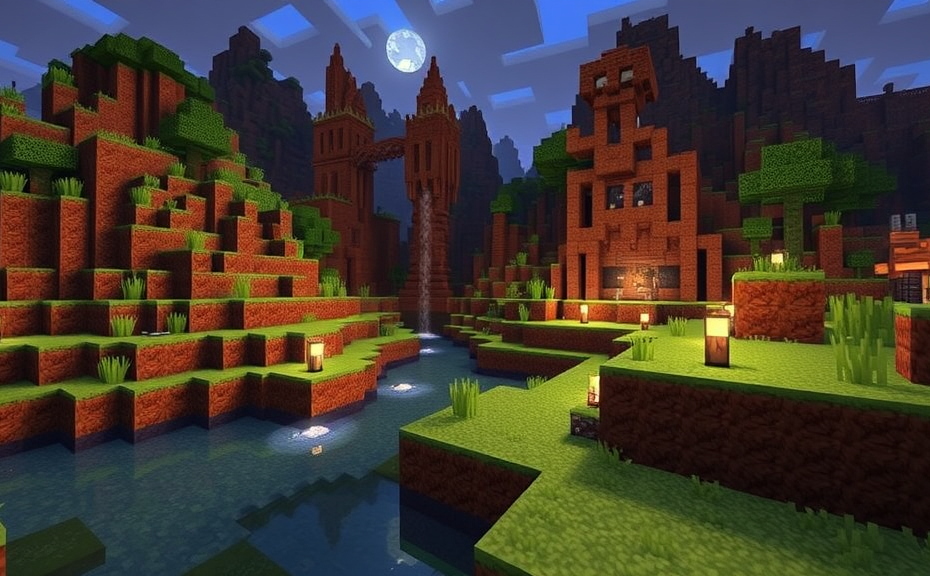
Minecraft has become one of the most popular games worldwide, captivating players with its vast open world and endless possibilities. However, some players find themselves feeling nauseous after playing for extended periods. If you’re experiencing this issue, you’re not alone. Here’s why playing Minecraft might make you feel nauseous and what you can do about it.
One of the main reasons Minecraft can cause nausea is due to motion sickness. This condition, also known as cyber-sickness, occurs when there’s a disconnect between what your eyes see and what your body feels. In Minecraft, this can happen especially when you’re exploring vast landscapes or moving quickly through the game environment. Your eyes perceive rapid movement, but your inner ear, which helps control balance, doesn’t sense the same level of motion. This mismatch can lead to feelings of dizziness and nausea.
To alleviate this, try adjusting the settings within the game. Reducing the speed at which you move or limiting the distance you travel in a single session can help. You might also consider turning off the fast-paced elements like sprinting or reducing the field of view (FOV). These adjustments can help reduce the sensory conflict that triggers motion sickness.
Another factor contributing to nausea could be the visual style of Minecraft. The blocky graphics and frequent changes in perspective can be disorienting for some players. This is particularly true if you’re already prone to motion sickness in real life. To ease this, take regular breaks while playing. Giving your eyes and brain time to rest can help prevent fatigue and reduce the likelihood of feeling nauseous.
Additionally, consider the lighting and contrast in your gaming environment. Bright, flickering lights or high contrast settings can exacerbate motion sickness. Make sure your screen brightness is comfortable and adjust the game’s settings to avoid overly bright or dark areas. Creating a balanced and comfortable gaming environment can significantly improve your experience.
If you’re still experiencing discomfort, it might be helpful to consult a healthcare professional. They can offer advice tailored to your specific situation and might suggest strategies like taking breaks more frequently or using anti-nausea medication if necessary. It’s important to prioritize your health and comfort while enjoying your favorite games.
For those who enjoy playing Minecraft but find the nausea a barrier, consider alternative ways to engage with the game. Shorter play sessions spread throughout the day can be less taxing on your system than longer marathons. You might also explore other aspects of the game, like building structures or crafting items, which don’t require as much movement and can be done in a stationary manner.
Remember that everyone’s experience with games is different. What works for one person might not work for another. Experiment with different settings and approaches until you find what makes your gaming experience enjoyable without causing discomfort. Whether it’s adjusting the FOV, taking more frequent breaks, or changing your gaming environment, finding the right balance is key.
By understanding the causes of your discomfort and implementing these strategies, you can continue to enjoy Minecraft without the unpleasant side effects. Remember, the goal is to have fun and relax, so don’t hesitate to make changes that enhance your overall experience.
If you’re feeling nauseous while playing Minecraft, it could be due to motion sickness caused by the game’s rapid movements and visual style. Adjusting in-game settings, taking regular breaks, and optimizing your gaming environment can help mitigate these effects. If symptoms persist, consulting a healthcare professional can provide additional support. With the right adjustments, you can continue to explore and enjoy the vast world of Minecraft without feeling uncomfortable.
Playing video games can be a fun and immersive experience, but for some people, certain games like Minecraft can trigger feelings of nausea. If you find yourself feeling queasy after spending time in the blocky world of Minecraft, there are several factors that might contribute to this discomfort.
One common reason for experiencing nausea while playing Minecraft is motion sickness. Although Minecraft doesn’t have fast-paced movements or sudden camera changes like many other games, the constant visual stimulation and the act of navigating through a 3D environment can still cause disorientation. This disorientation can lead to symptoms similar to motion sickness, including dizziness and nausea.
Another factor could be the screen refresh rate. If your monitor or TV has a low refresh rate, it can cause flickering or lag, which can increase the likelihood of feeling nauseous. Ensuring that your device is set to a higher refresh rate can help alleviate these symptoms. For instance, setting your screen to 60Hz or higher can make a noticeable difference.
Your gaming setup also plays a crucial role. Sitting too close to the screen or in an uncomfortable position can exacerbate feelings of nausea. Make sure your screen is at a comfortable distance—typically about an arm’s length away—and that your seating position supports good posture. Additionally, taking regular breaks to stretch and rest your eyes can help reduce the strain that might contribute to nausea.
- Adjusting Game Settings: Tweaking the settings within Minecraft can also help. Reducing the field of view (FOV) can make the game feel less overwhelming and decrease the sense of disorientation. You can usually adjust the FOV in the game’s options menu.
- Reducing Screen Brightness: High screen brightness can intensify the effects of motion sickness. Lowering the brightness of your screen or adjusting the color temperature can make the game more comfortable to play.
- Using Anti-Nausea Filters: Some players find relief by using anti-nausea filters or overlays. These tools alter the colors and contrast of the screen, making it easier on the eyes and potentially reducing the risk of nausea.
If you’re still experiencing nausea despite these adjustments, it might be helpful to consult with a healthcare professional. They can offer personalized advice and rule out any underlying conditions that might be contributing to your symptoms.
Understanding why Minecraft makes you feel nauseous involves considering various aspects of both the game and your personal gaming habits. By making small adjustments to your gameplay experience, you can often mitigate these symptoms and enjoy the game without discomfort. Remember, the key is to find a balance that works best for you.
Taking proactive steps to address the issue can greatly enhance your gaming experience. Whether it’s tweaking the settings, improving your gaming environment, or seeking professional advice, finding the right solution can make all the difference. Enjoy the creative and adventurous world of Minecraft without the unwanted side effects.
Playing video games can be a fun and immersive experience, but for some people, certain games can cause discomfort. One common issue that players may encounter is motion sickness, which can be particularly challenging when playing games with first-person perspectives or fast-paced movements. Minecraft, while generally known for its relaxed and creative gameplay, can sometimes trigger feelings of nausea in players.
Minecraft’s blocky world and smooth camera movements might seem simple enough, but they can still affect players who are sensitive to visual stimuli. The game’s environment is made up of blocks that move smoothly as you walk around, and the camera pans and tilts as you interact with the world. For some individuals, these movements can disrupt the brain’s ability to reconcile the visual input with the body’s sense of balance, leading to feelings of nausea.
One key factor that contributes to motion sickness in Minecraft is the discrepancy between what your eyes see and what your body feels. When you’re moving through the game’s expansive landscapes, your eyes perceive continuous motion, but your body remains stationary. This mismatch can confuse the brain and trigger symptoms like dizziness and nausea. Additionally, the game’s dynamic lighting and changing environments can exacerbate this effect, making it harder for your brain to adjust.
If you find yourself feeling nauseous while playing Minecraft, there are several strategies you can try to alleviate the discomfort. First, adjusting the settings within the game can help. Try reducing the field of view (FOV) to a lower setting. A narrower FOV can minimize the amount of movement you see on the screen, which may reduce the feeling of motion sickness. Similarly, lowering the sensitivity settings can also help by slowing down the camera movements and making the overall experience less jarring.
Another approach is to take frequent breaks. If you start to feel queasy, pause the game and step away for a few minutes. Engage in other activities that don’t involve rapid eye movements or intense visual stimuli, such as reading a book or taking a short walk. This can help reset your sensory system and prevent the buildup of nausea.
Some players find relief by using over-the-counter medications designed to combat motion sickness. Antihistamines like Dramamine can be effective in reducing symptoms, but they often come with side effects like drowsiness. It’s important to consult with a healthcare provider before taking any medication to ensure it’s safe and appropriate for you.
For those who prefer natural remedies, ginger is a popular option. Ginger has been shown to help alleviate nausea and can be consumed in various forms, such as ginger tea, ginger candies, or even fresh ginger root. Adding a small piece of ginger to your diet before playing might help mitigate the effects of motion sickness.
Consider playing the game in a different way. Instead of exploring the vast open spaces, try focusing on building structures or playing in creative mode where the pace is slower and less likely to induce nausea. This can provide a more comfortable gaming experience while still allowing you to enjoy the game’s creative aspects.
If you find that playing Minecraft makes you feel nauseous, understanding the causes and implementing some of these strategies can help you manage the symptoms. Adjusting the game settings, taking regular breaks, and trying natural remedies like ginger can make your gaming experience more enjoyable. Remember, everyone’s tolerance levels are different, so finding what works best for you may require some experimentation.
Playing video games can be a thrilling experience, but for some people, certain games can trigger feelings of nausea. Minecraft, despite its simple and charming graphics, is one game that has been known to cause motion sickness or nausea in players. If you find yourself feeling queasy while playing Minecraft, you’re not alone. Let’s explore why this happens and what you can do to alleviate these symptoms.
Minecraft is a sandbox game where players explore, build, and survive in a blocky world. While the game’s visuals are relatively simple, the constant movement and perspective changes can affect your vestibular system, which is responsible for balance and spatial orientation. When your eyes see movement but your body doesn’t feel it, it can lead to a mismatch between visual and sensory input, causing discomfort or nausea.
Understanding Motion Sickness in Gaming
Motion sickness, also known as cyber sickness, occurs when there’s a conflict between the information your brain receives from your eyes and inner ear. In Minecraft, this can happen when you’re moving rapidly through the game world or when you’re looking at fast-moving objects or landscapes. Even though the graphics are minimalistic, the rapid changes in perspective can still trigger these sensations.
Common Symptoms of Motion Sickness While Playing Minecraft
- Dizziness
- Nausea
- Sweating
- Fatigue
- Headaches
If you experience these symptoms, it’s important to take breaks and give your body time to adjust. Gradually increasing the duration of play can sometimes help your body adapt over time.
Tips to Reduce Nausea While Playing Minecraft
There are several strategies you can try to minimize the effects of motion sickness when playing Minecraft:
- Adjust the Graphics Settings: Lowering the graphics settings can reduce the amount of detail and movement your eyes have to process, potentially easing the strain on your vestibular system.
- Change Your Play Style: Instead of running around the world, try building or exploring in short bursts. This can help reduce the frequency of sudden movements that might trigger nausea.
- Take Breaks: Regular breaks are crucial. Every 30 minutes, step away from the screen for a few minutes to allow your eyes and inner ear to recalibrate.
- Adjust Your Screen Position: Make sure your screen is at eye level and a comfortable distance away. This can help reduce eye strain and disorientation.
- Use Anti-Nausea Accessories: Some people find relief with anti-nausea wristbands or other accessories designed to help manage motion sickness.
Exploring Alternative Play Styles
If you find that playing in first-person mode is particularly challenging, consider switching to third-person view. This can help you maintain a more stable reference point and reduce the disorienting effects of rapid movement.
Another approach is to limit your exposure to fast-paced elements like minecarts or boats. Opt for slower activities like farming, mining, or building large structures. These activities tend to be less jarring and can provide a more relaxed gaming experience.
When to Seek Medical Advice
While occasional mild nausea may be manageable, persistent or severe symptoms warrant a visit to a healthcare provider. They can offer personalized advice and rule out any underlying conditions that might be contributing to your discomfort.
In some cases, motion sickness can be managed with medication. Over-the-counter options like Dramamine can help, but it’s best to consult with a doctor before starting any new treatment regimen.
Community Support and Resources
Many gamers face similar challenges, and there are online communities and forums where you can share experiences and tips. Platforms like Reddit or specialized gaming forums can be valuable resources for finding solutions tailored to your needs.
Remember, everyone’s experience is different. What works for one person might not work for another. Experiment with different techniques and approaches until you find what helps you most comfortably enjoy your Minecraft sessions.
By understanding the causes of your discomfort and trying out various strategies, you can continue to enjoy the creative and adventurous aspects of Minecraft without the unpleasant side effects. Whether you’re building a grand castle or tending to a bustling farm, the key is to find a balance that works for you.
Conclusion
If you find yourself feeling nauseous while playing Minecraft, understanding the root causes can help you manage and potentially alleviate these symptoms. Whether it’s due to motion sickness, visual strain, or disorientation from the game’s environment, taking breaks, adjusting settings, or even trying different gaming positions might offer some relief. Remember, prioritizing your comfort and health is crucial, especially if you’re passionate about gaming. Exploring other games or activities can also be a good alternative until you find a solution that works best for you. With a few adjustments and mindful play, you can continue enjoying your favorite game without the discomfort.