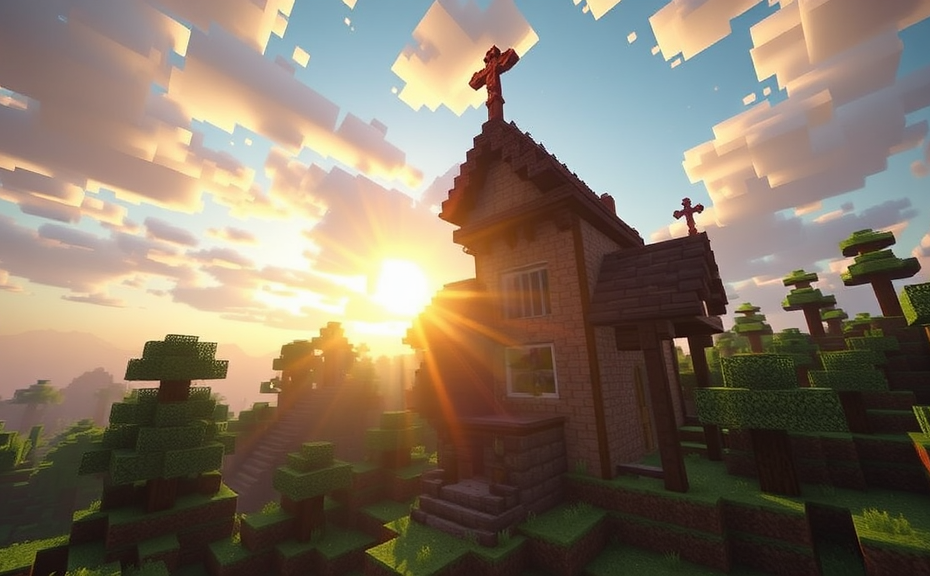
Minecraft can be an incredibly immersive game, but for some players, it might cause feelings of motion sickness. If you’ve experienced dizziness, nausea, or disorientation while playing Minecraft, you’re not alone. These symptoms can be frustrating, especially when you want to enjoy the game without feeling unwell. Let’s dive into why Minecraft might make you feel this way and explore some strategies to help you play more comfortably.
One reason Minecraft can trigger motion sickness is due to its unique visual style. The game features blocky graphics and a first-person perspective, which can sometimes confuse your brain. When you move your character around the world, your eyes see a lot of movement, but your body doesn’t experience the corresponding physical sensations. This mismatch between what your eyes see and what your body feels can lead to motion sickness, much like you might experience when reading in a car.
The fast-paced action in Minecraft can also contribute to these symptoms. Whether you’re sprinting across vast landscapes or rapidly turning to face enemies, quick movements can exacerbate feelings of dizziness. For players who are particularly sensitive to motion, even simple actions like mining blocks or building structures can induce discomfort.
Another factor is the lack of a fixed point of reference. Unlike many other games with detailed environments, Minecraft’s blocky design doesn’t offer the same level of visual cues. This can make it harder for your brain to process the movement, leading to a sense of disorientation. Additionally, the constant changes in elevation and terrain can add to the confusion, making it difficult for your body to adjust.
To reduce the chances of feeling motion sick while playing Minecraft, consider adjusting the settings. Lowering the render distance can help by reducing the amount of movement your eyes have to track. This setting controls how far into the distance the game renders blocks, so decreasing it can make the environment less overwhelming. You can find this option in the Video Settings menu under “Render Distance.”
Another helpful adjustment is to enable smooth camera movement. This feature makes the camera transitions smoother rather than jerky, which can help minimize dizziness. To access this setting, go to the Video Settings menu and look for “Smooth Camera.” Enabling it can make the gameplay experience more comfortable for those prone to motion sickness.
If changing the settings doesn’t fully alleviate your symptoms, taking frequent breaks can also be beneficial. Playing for extended periods without rest can intensify feelings of nausea. Try to take short breaks every 30 minutes or so to give your brain a chance to reset. During these breaks, you can stretch, walk around, or do something else that doesn’t involve screen time.
Adjusting your physical setup can also make a difference. Make sure your gaming area is well-lit and free from glare. Position your screen at eye level and ensure there’s enough space around you to move comfortably. Sitting in a supportive chair and maintaining good posture can help reduce the likelihood of motion sickness.
If you find that your motion sickness persists despite these adjustments, it might be worth consulting a healthcare professional. They can offer personalized advice and potentially prescribe medication to help manage your symptoms.
Minecraft’s unique visual style and fast-paced action can trigger motion sickness in some players. By tweaking the game settings, taking regular breaks, and optimizing your physical environment, you can enhance your gaming experience and reduce discomfort. Remember, the goal is to have fun and enjoy the game without feeling unwell. With these tips, you can hopefully continue to explore the blocky worlds of Minecraft with greater comfort and enjoyment.
Playing Minecraft can be an exciting adventure, but for some players, it might lead to feelings of motion sickness. If you find yourself feeling dizzy or nauseous while playing, you’re not alone. Motion sickness in video games is a common issue, and Minecraft is no exception. Here’s why Minecraft might make you feel motion sick and what you can do to alleviate those symptoms.
Minecraft’s blocky world and first-person perspective can be disorienting for many players. The game’s fast-paced camera movements, especially when sprinting or riding minecarts, can trigger motion sickness. Your brain expects certain visual cues based on your body’s physical sensations, and when these don’t match up, it can cause discomfort. This mismatch between what your eyes see and what your body feels is known as sensory conflict, a key factor in motion sickness.
Understanding Sensory Conflict
Sensory conflict occurs when your senses send mixed signals to your brain. In Minecraft, your eyes perceive rapid movement through the game environment, but your body doesn’t experience the corresponding physical sensations. This discrepancy can confuse your brain and lead to feelings of nausea and dizziness. It’s similar to how some people feel queasy in cars or boats, where the visual input doesn’t align with the body’s sense of motion.
Common Symptoms of Motion Sickness
- Feeling dizzy or lightheaded
- Nausea or vomiting
- Cold sweats
- Headaches
If you experience these symptoms while playing Minecraft, it’s likely due to motion sickness. Understanding these symptoms can help you identify the issue and take steps to manage it.
Adjusting Game Settings
One way to reduce motion sickness is by adjusting the game settings. Lowering the render distance can help. A closer view can minimize the rapid changes in scenery, reducing the sensory conflict. Additionally, turning off dynamic lighting and particle effects can also help, as these can contribute to the disorienting visual experience.
Tips for Reducing Motion Sickness
- Lower the render distance in the game settings
- Turn off dynamic lighting and particle effects
- Take frequent breaks during gameplay
- Play in a well-lit room to reduce eye strain
Taking breaks is crucial. Playing for extended periods without rest can exacerbate symptoms. Try to take short breaks every 30 minutes to give your brain a chance to reset.
Alternative Play Styles
Changing how you play Minecraft can also help. Switching to third-person mode can reduce the disorienting effects of the first-person perspective. Third-person mode allows you to see your character, which can help your brain better understand the movements and reduce sensory conflict.
Third-Person Mode Advantages
- Reduces sensory conflict
- Provides a clearer view of your surroundings
- Makes it easier to navigate and avoid obstacles
Exploring the world in third-person mode can be a more comfortable experience for those prone to motion sickness.
Physical Solutions
Some players find relief by using over-the-counter medication designed to prevent motion sickness. Products like Dramamine can help reduce symptoms, but it’s important to consult with a healthcare provider before taking any new medication.
Medication Considerations
- Consult a healthcare provider before use
- Follow dosage instructions carefully
- Avoid driving or operating heavy machinery after use
While medication can be helpful, it’s not a long-term solution. It’s best used in conjunction with other methods to manage motion sickness effectively.
Adapting Your Environment
Your physical environment can also play a role in mitigating motion sickness. Playing in a well-lit room can help reduce eye strain and make the experience more comfortable. Positioning your screen at eye level and maintaining a comfortable viewing distance can also alleviate symptoms.
Environmental Tips
- Play in a well-lit room
- Position your screen at eye level
- Maintain a comfortable viewing distance
By making these adjustments, you can create a more comfortable gaming environment and reduce the likelihood of motion sickness.
Seeking Professional Help
If motion sickness persists despite trying various solutions, consider consulting a healthcare professional. They can offer personalized advice and explore underlying issues that may be contributing to your symptoms.
Professional Advice
- Consult a healthcare provider for persistent symptoms
- Discuss potential underlying health conditions
- Explore alternative treatment options
Professional guidance can provide additional tools and strategies to manage motion sickness effectively.
Motion sickness in Minecraft is a common issue caused by sensory conflict between visual input and physical sensation. By adjusting game settings, changing play styles, and adapting your environment, you can significantly reduce symptoms. Taking proactive steps can make your gaming experience more enjoyable and comfortable.
Playing Minecraft can be an exciting adventure, but for some players, it might cause discomfort, particularly motion sickness. If you’ve experienced dizziness, nausea, or headaches while exploring the blocky world of Minecraft, you’re not alone. These symptoms can disrupt the gaming experience and even prevent you from enjoying the game altogether. Let’s dive into why Minecraft might make you feel motion sick and explore some strategies to help you enjoy the game more comfortably.
Motion sickness, also known as kinetosis, occurs when there’s a mismatch between what your eyes see and what your body feels. In Minecraft, this can happen because the game involves a lot of fast-paced movement and intricate camera angles. When you move your character around the vast landscapes, your eyes perceive rapid changes in scenery, but your body remains stationary. This discrepancy can confuse your brain, leading to feelings of dizziness and nausea.
One of the key factors contributing to motion sickness in Minecraft is the first-person perspective. When you play in first-person mode, your field of vision is limited to what your character sees, which can amplify the effects of motion sickness. The rapid changes in view as you navigate through the world can make it difficult for your brain to process the visual input, leading to discomfort. Additionally, the game’s smooth camera movements, designed to enhance immersion, can sometimes exacerbate these symptoms.
If you find yourself feeling motion sick while playing Minecraft, adjusting the settings can make a significant difference. Try switching to third-person mode. This change can help reduce the intensity of the visual stimuli and give your brain a clearer sense of where your character is in relation to the environment. Another option is to lower the sensitivity settings in your control options. Reducing the speed at which the camera moves can help minimize the disorienting effect of quick changes in view.
Opting for a more stable gaming environment can also alleviate symptoms. Playing in a well-lit room with minimal distractions can help your brain better process the visual information from the game. Additionally, taking regular breaks can prevent the buildup of discomfort. Every 20 minutes or so, pause the game and look away from the screen for a few seconds. This break allows your eyes and brain to reset, reducing the likelihood of motion sickness.
For those who still experience motion sickness despite these adjustments, consider using anti-motion sickness aids. Over-the-counter medications like Dramamine can help reduce symptoms, but it’s important to consult with a healthcare provider before taking any new medication. Some players also find relief from wearing special glasses designed to combat motion sickness, although their effectiveness varies.
Remember that everyone’s tolerance for motion sickness is different. What works for one person might not work for another. Experiment with different settings and techniques to find what best suits your needs. By understanding the causes of motion sickness in Minecraft and implementing these strategies, you can enhance your gaming experience and enjoy the vast, blocky world without the discomfort.
- Switch to third-person mode to reduce visual stimuli.
- Lower sensitivity settings to minimize disorienting camera movements.
- Create a stable gaming environment with minimal distractions.
- Take regular breaks to allow your eyes and brain to reset.
- Consider using over-the-counter medications or special glasses.
Remember, the goal is to have fun and immerse yourself in the world of Minecraft without the hindrance of motion sickness. With the right adjustments and strategies, you can continue to explore and build in this pixelated universe comfortably. Happy mining!
In the vibrant world of Minecraft, players often find themselves engrossed in building, exploring, and surviving. However, some users report feeling motion sickness while playing, which can be quite frustrating. If you’re one of those players who experience this issue, understanding why Minecraft makes you motion sick can help you find ways to enjoy the game more comfortably.
Minecraft’s unique gameplay involves a first-person perspective where you control a character and navigate through a blocky, three-dimensional world. This setup can sometimes trigger motion sickness, especially if you’re sensitive to visual stimuli or changes in depth perception. When your eyes perceive movement through the game, but your body remains stationary, it can cause a disconnect between what your eyes see and what your inner ear feels, leading to symptoms like dizziness, nausea, or headaches.
Understanding Motion Sickness in Games
Motion sickness in video games, including Minecraft, occurs due to a conflict between sensory inputs. Your eyes tell your brain that you’re moving, but your inner ear, which helps with balance, doesn’t detect any movement. This discrepancy can confuse your brain, causing the symptoms of motion sickness. It’s similar to feeling queasy when reading in a car or experiencing seasickness on a boat.
Symptoms and Triggers
- Dizziness: A sensation of spinning or lightheadedness.
- Nausea: Feeling sick to your stomach, sometimes accompanied by the urge to vomit.
- Headaches: Tension or pain in the head area.
- Fatigue: Feeling tired or worn out after playing.
Triggers for motion sickness can vary from person to person. Some players may experience it during fast-paced activities, while others might feel it during slow exploration. Factors like screen size, brightness, and the speed at which the game environment moves can also play a role.
How to Alleviate Motion Sickness
If you find yourself feeling motion sick while playing Minecraft, there are several strategies you can try to reduce these symptoms:
- Adjust the Game Settings: Lowering the graphics settings or reducing the field of view (FOV) can help. A narrower FOV can make the game feel less disorienting.
- Take Breaks: Regular breaks can give your brain a chance to readjust and reduce the buildup of motion sickness symptoms.
- Change Your Environment: Playing in a well-lit room and sitting at a comfortable distance from the screen can help. Avoid playing in dimly lit areas, as this can exacerbate symptoms.
- Use Anti-Motion Sickness Techniques: Techniques like focusing on a fixed point in the game or using over-the-counter motion sickness medication before playing can be helpful.
Alternative Perspectives
One effective way to mitigate motion sickness is to switch to a third-person perspective. In Minecraft, this isn’t always possible, but some mods or alternative versions of the game offer different camera angles. Using a third-person view can reduce the visual cues that trigger motion sickness.
Exploring Other Minecraft Experiences
If you still struggle with motion sickness, consider trying other Minecraft-related activities that don’t involve the same level of movement. For example, you could focus on building projects in creative mode or exploring educational resources and mods that offer a more static experience.
Remember, everyone’s sensitivity to motion sickness is different. What works for one person might not work for another. Experiment with various settings and techniques to find what helps you most comfortably enjoy the game.
Tips for Long-Term Enjoyment
To ensure you can enjoy Minecraft over the long term without motion sickness, it’s important to maintain a balanced approach. Set realistic playtime limits and prioritize breaks to avoid prolonged exposure to potentially triggering visuals. Additionally, staying hydrated and maintaining a healthy diet can also contribute to reducing motion sickness symptoms.
Community Support and Resources
The Minecraft community is vast and supportive. Many players share their experiences and tips online, so don’t hesitate to seek advice from forums, Reddit, or social media groups dedicated to Minecraft. You might find solutions that others have discovered to manage motion sickness effectively.
By understanding the causes of motion sickness in Minecraft and implementing practical solutions, you can continue to explore and build in this captivating world without discomfort. Whether you’re mining for resources, constructing elaborate structures, or embarking on exciting adventures, Minecraft offers endless possibilities to enjoy—once you’ve found a way to play that suits you best.
Conclusion
Understanding why Minecraft triggers motion sickness can help you manage and enjoy the game better. If you find yourself feeling queasy, adjusting settings like render distance, reducing screen brightness, and using a mouse instead of touch controls can make a significant difference. Taking regular breaks also helps prevent fatigue and discomfort. For those severely affected, trying alternative games or exploring mods that reduce motion intensity might be beneficial. Remember, everyone’s experience is unique, so experimenting with different solutions can lead you to a more comfortable gaming environment. Embrace the creative world of Minecraft, but do so in a way that keeps you engaged and well, feeling great.