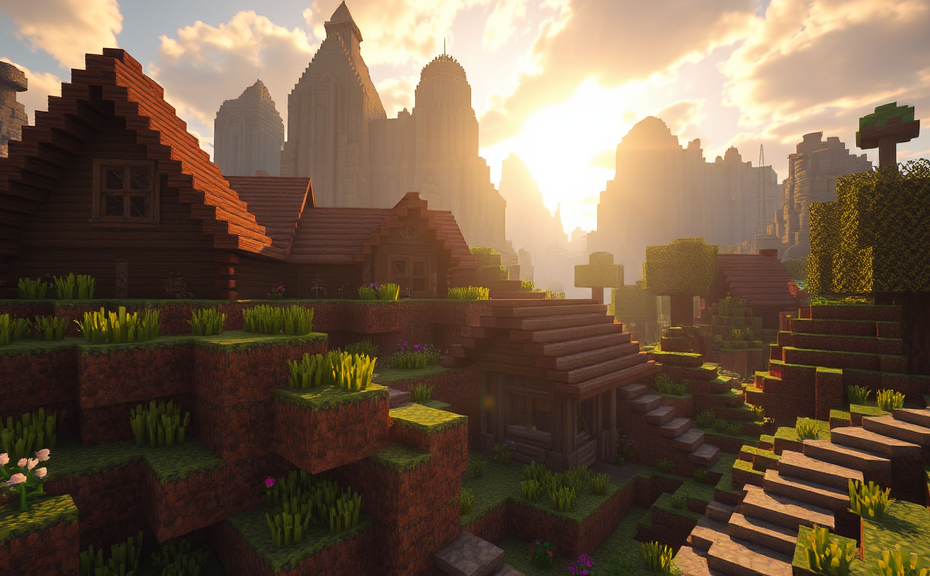
Why Minecraft Can Induce Dizziness and Motion Sickness
Minecraft can be a fascinating game, offering endless possibilities for creativity and exploration. However, some players experience dizziness or motion sickness while playing, which can be quite frustrating. If you’ve ever felt dizzy after spending time in the blocky world of Minecraft, you’re not alone. Let’s dive into why this happens and explore some strategies to help you enjoy the game without these uncomfortable side effects.
One of the main reasons Minecraft can cause dizziness is due to the way the game presents its environment. Minecraft uses a first-person perspective, where you control your character’s movements directly. This can sometimes lead to a disconnect between what you see and what your body feels, especially when you’re moving rapidly through the world. When your eyes perceive movement but your inner ear doesn’t, it can trigger symptoms of motion sickness.
The rapid changes in visual cues in Minecraft can also contribute to feelings of dizziness. As you navigate through different biomes, structures, and landscapes, your eyes are constantly adjusting to new visual stimuli. This constant change can overwhelm your visual system, leading to discomfort.
In addition to the visual aspects, the controls in Minecraft can also play a role. The game requires quick reflexes and precise movements, which can be challenging if you’re already feeling dizzy. Navigating through tight spaces or rapidly changing environments can exacerbate the problem, making it harder to maintain balance and coordination.
Strategies to Reduce Dizziness
If you find yourself feeling dizzy while playing Minecraft, there are several steps you can take to alleviate these symptoms:
-
Adjust Your Settings: One of the simplest ways to reduce dizziness is by tweaking the game’s settings. Lowering the sensitivity in the controls can make it easier to move around without feeling disoriented. You might also want to try reducing the field of view (FOV) to a more comfortable level. Experiment with different settings to find what works best for you.
-
Take Breaks: It’s important to take regular breaks while playing. Spending too much time in one session can intensify feelings of dizziness. Try to take short breaks every 30 minutes or so to give your eyes and brain a chance to rest. This can help prevent fatigue and reduce the likelihood of motion sickness.
-
Change Your Perspective: If the first-person view is causing issues, consider switching to a third-person perspective. While this may alter the gameplay experience, it can help reduce the disconnect between your visual and physical senses. You can also try adjusting the camera angle to find a more comfortable position.
-
Improve Your Environment: Your physical environment can also affect how you feel while playing. Make sure you’re in a well-lit room and avoid playing in dimly lit areas. Additionally, ensure you have enough space around you to move comfortably. Sitting in a comfortable chair and maintaining good posture can also help reduce dizziness.
-
Play in Short Sessions: Instead of marathon gaming sessions, opt for shorter, more frequent playtimes. This can help prevent overstimulation and reduce the risk of motion sickness. By breaking up your playtime into manageable chunks, you can still enjoy the game without overwhelming your senses.
Tips for Enjoying Minecraft Without Dizziness
If you want to continue enjoying Minecraft without experiencing dizziness, here are some additional tips:
-
Stay Hydrated: Keeping hydrated is crucial for overall health and can help mitigate symptoms of motion sickness. Drink plenty of water before and during gameplay to stay refreshed.
-
Practice Relaxation Techniques: Techniques like deep breathing or mindfulness can help calm your nervous system and reduce stress. Taking a few moments to practice these techniques before diving into the game can make a big difference.
-
Use Anti-Motion Sickness Gear: There are various products available that can help reduce motion sickness. Items like wristbands or patches designed to alleviate nausea can be useful if you experience severe symptoms.
-
Play with Friends: Playing with friends can make the experience more enjoyable and less stressful. Social interaction can distract from the discomfort of motion sickness and make the game more fun.
-
Try Different Game Modes: Some players find that certain game modes are less likely to induce dizziness than others. Experiment with creative mode or survival mode to see which one suits you better.
Remember, everyone’s experience with Minecraft can be different. What works for one person may not work for another. It’s important to listen to your body and find the strategies that help you most effectively. Whether you’re building grand structures, exploring vast landscapes, or engaging in epic battles, the key is to enjoy the game in a way that keeps you comfortable and engaged.
By understanding the factors that contribute to dizziness in Minecraft and implementing these strategies, you can continue to enjoy the game without the unwanted side effects. So, grab your pickaxe, adjust your settings, and dive back into the blocky world with confidence!
Strategies to Reduce Dizziness While Playing Minecraft
Minecraft can be a thrilling and immersive experience, but for some players, it might lead to feelings of dizziness. Whether it’s due to the fast-paced gameplay, the constantly moving landscapes, or the blocky graphics, these sensations can detract from the fun. Fortunately, there are several strategies you can employ to reduce dizziness while playing Minecraft. Let’s dive into some effective approaches.
One of the most common reasons for feeling dizzy in Minecraft is motion sickness. This can occur when the visual input doesn’t match the physical sensations you’re experiencing. To mitigate this, you can adjust the settings within the game to help stabilize the view. Go to the Options menu and select Video Settings. Here, you can lower the Fov (Field of View) slider. A narrower field of view can make the environment less disorienting. Additionally, turning off Smooth Camera can help stabilize the view, making it less jarring.
Adjust Your In-Game Settings
Another setting to tweak is View Bobbing. This feature simulates the natural movement of the camera as you walk or run. For some players, this can enhance immersion, but for others, it can contribute to dizziness. Disabling view bobbing can help create a more stable and comfortable gaming environment.
- Field of View (Fov): Lower this to reduce the sense of motion.
- Smooth Camera: Turn this off for a steadier view.
- View Bobbing: Disable this feature to minimize disorientation.
Take Regular Breaks
Playing for extended periods without breaks can exacerbate dizziness. It’s important to give your eyes and brain a rest. Set a timer for every 30 minutes to take a five-minute break. During these breaks, look away from the screen, stretch, and perhaps even go for a short walk. This can help reduce eye strain and prevent dizziness from building up.
Optimize Your Gaming Environment
Your physical environment can also play a significant role in how you experience the game. Make sure you’re playing in a well-lit room to avoid straining your eyes. Position your screen so that it is at eye level and a comfortable distance away—typically about an arm’s length. Avoid playing in dark rooms, as this can increase eye strain and contribute to feelings of dizziness.
Adjust Screen Resolution and Brightness
Ensure your screen resolution is set appropriately for your monitor. A resolution that’s too high can cause eye fatigue. Similarly, adjust the brightness of your screen to a comfortable level. Too much brightness can strain your eyes, leading to discomfort and dizziness.
- Screen Resolution: Set it to a comfortable level for your monitor.
- Brightness: Adjust it to a comfortable level to avoid eye strain.
Choose Your Gameplay Mode Wisely
Different modes in Minecraft can have varying effects on your sensory experience. Survival mode, with its fast-paced action and constant changes, might be more likely to induce dizziness. Consider playing in Creative mode instead. This mode allows you to build and explore without the pressure of survival, which can significantly reduce the chances of feeling dizzy.
Use Peripheral Vision Techniques
Training yourself to use peripheral vision can also help alleviate dizziness. When you feel disoriented, try shifting your focus to objects around the edges of the screen rather than concentrating on the center. This technique can help reduce the intensity of the visual stimuli that might be causing the dizziness.
Play with Headphones Instead of Speakers
Using headphones instead of speakers can also make a difference. Headphones provide a more controlled audio experience, helping you focus more on the sounds and less on the visuals. This can sometimes make the game feel less overwhelming and reduce the likelihood of dizziness.
Consider Using Anti-Dizziness Filters
Some players find relief by using anti-dizziness filters or mods. These tools can alter the visual output of the game to reduce motion blur and other disorienting elements. While not all mods are created equal, experimenting with different ones can help you find one that works best for you.
Consult a Medical Professional
If you frequently experience dizziness while playing Minecraft, it might be worth consulting a medical professional. Persistent dizziness could be a sign of an underlying condition that needs attention. A doctor can provide guidance and potentially recommend treatments or lifestyle changes to help manage these symptoms.
Minecraft can indeed make you feel dizzy, but there are multiple strategies you can implement to mitigate this issue. From adjusting in-game settings to optimizing your gaming environment, taking regular breaks, and considering medical advice, these steps can help ensure you have a more enjoyable and comfortable gaming experience. By applying these tips, you can focus more on the fun and creativity of Minecraft and less on the discomfort of dizziness.
Understanding the Causes of Dizziness in Video Games Like Minecraft
In the world of video games, experiencing dizziness can be quite common, especially with titles like Minecraft that involve a lot of movement and exploration. If you’ve found yourself feeling dizzy while playing Minecraft, there are several reasons why this might be happening. Understanding these causes can help you manage and even prevent the dizziness, allowing you to enjoy the game more fully.
Minecraft’s vast, blocky landscapes and dynamic camera movements can contribute significantly to feelings of dizziness. When you’re navigating through the game’s expansive environments, the constant change in perspective and the fast-paced actions can disorient your senses. This disorientation can lead to a mismatch between what your eyes see and what your body feels, which is a common cause of dizziness.
One key factor is the motion sickness some players experience when playing first-person games. This condition, often referred to as cyber sickness, occurs because the visual stimuli in the game do not match the physical sensations your body experiences. For example, if you’re running around in Minecraft and your character moves quickly, but your body remains stationary, this disconnect can trigger feelings of nausea and dizziness.
To mitigate these effects, consider adjusting the game settings. Lowering the sensitivity of the camera movements can help reduce the intensity of the visual changes, making it easier for your brain to keep up with what your eyes are seeing. Additionally, enabling smooth camera movement instead of a jerky one can also make a significant difference. This smoother transition can help your brain process the visual information more smoothly, reducing the likelihood of dizziness.
Another strategy is to take frequent breaks. Playing for extended periods without rest can exacerbate the symptoms of dizziness. Taking short breaks every 30 minutes or so can give your eyes and brain a chance to recalibrate, helping to prevent the onset of dizziness. During these breaks, try to focus on something other than screens—looking out a window or simply closing your eyes can be beneficial.
If you find that dizziness persists despite these adjustments, it might be helpful to explore alternative ways to play Minecraft. Some players have found success by switching to a third-person view, which can provide a more stable frame of reference and reduce the risk of dizziness. This change in perspective can make the game feel less disorienting, as you’ll be able to see more of the environment around your character.
- Adjust the camera sensitivity settings in Minecraft.
- Enable smooth camera movement.
- Take regular breaks while playing.
- Switch to a third-person view for a more stable experience.
It’s also worth considering the lighting conditions in your gaming environment. Playing in a dimly lit room can exacerbate dizziness and eye strain. Make sure your gaming area is well-lit, as this can help reduce the strain on your eyes and potentially lessen the dizziness you experience.
Your overall health and hydration levels can also play a role in how you react to the game. Dehydration and fatigue can make you more susceptible to motion sickness and dizziness. Ensuring you’re well-hydrated and rested before diving into a gaming session can help minimize these symptoms.
If you continue to experience severe dizziness despite trying these strategies, it might be a good idea to consult a healthcare professional. While occasional dizziness is relatively common, persistent or severe symptoms could indicate an underlying issue that requires medical attention.
By understanding the potential causes of dizziness in Minecraft and implementing these strategies, you can enhance your gaming experience and reduce the likelihood of feeling dizzy. Remember, the goal is to enjoy the game without discomfort, so don’t hesitate to experiment with different settings and approaches until you find what works best for you.
Alternatives to Minecraft for Players Sensitive to Motion Sickness
Minecraft has captivated millions of players around the world with its blocky, open-world environment. However, some players find themselves feeling dizzy or experiencing motion sickness while playing. If you’re one of them, there are several alternatives to Minecraft that might suit your preferences and help avoid those uncomfortable feelings.
1. Terraria
Terraria is a 2D sandbox game that shares some similarities with Minecraft but offers a different gameplay experience. Instead of the first-person perspective, Terraria uses a top-down view, which can be easier on the eyes and reduce feelings of dizziness. Players explore, build, and fight monsters in a procedurally generated world filled with various biomes and creatures. The game also features crafting, mining, and building elements, making it a great alternative for those who enjoy Minecraft-like activities.
- Top-Down Perspective: Reduces motion sickness for many players.
- Crafting and Building: Offers similar gameplay mechanics to Minecraft.
- Combat and Exploration: Provides an engaging experience with different challenges.
2. Starbound
Starbound is another 2D sandbox game that takes place in space. It features a side-scrolling view, which can be less disorienting than the first-person perspective in Minecraft. In Starbound, players explore planets, gather resources, and build structures. The game includes a vast universe to discover, with multiple biomes and alien species, providing endless opportunities for exploration and creativity.
- Side-Scrolling View: Easier on the eyes compared to first-person games.
- Space Exploration: Offers a unique setting and new challenges.
- Resource Gathering and Crafting: Similar to Minecraft’s core mechanics.
3. Don’t Starve
Don’t Starve is a survival game set in a dark, mysterious world. Unlike Minecraft, it uses a cartoonish art style and a top-down perspective, which can be more comfortable for players prone to motion sickness. Players must manage their hunger, health, and sanity while exploring a hostile environment filled with dangerous creatures and supernatural phenomena. The game’s focus on survival and resource management provides a different challenge from Minecraft’s creative mode.
- Top-Down Perspective: Helps reduce motion sickness.
- Survival Elements: Adds a layer of complexity and challenge.
- Cartoon Art Style: Provides a visually distinct experience.
4. RimWorld
RimWorld is a colony-building simulation game that combines strategy and storytelling. It features a top-down view, which can be easier on the eyes compared to Minecraft’s first-person perspective. Players manage a group of survivors who crash-land on a distant planet. They must build shelters, gather resources, and defend against threats like wild animals and rival factions. The game’s complex simulation system and narrative-driven gameplay offer a unique experience that differs from Minecraft.
- Top-Down Perspective: Reduces motion sickness for many players.
- Colony Management: Focuses on strategic planning and resource allocation.
- Narrative-Driven Gameplay: Provides a rich story and character development.
5. Valheim
Valheim is a Norse-inspired survival game that blends exploration, combat, and base-building elements. While it does feature a first-person perspective, the game’s focus on exploration and combat can be less disorienting than Minecraft’s more open-ended gameplay. Players must gather resources, craft weapons, and build structures to survive in a procedurally generated world inspired by Norse mythology. The game’s atmospheric design and challenging enemies offer a different kind of adventure.
- First-Person Perspective: With a focus on exploration and combat.
- Norse Mythology Setting: Provides a unique and immersive world.
- Combat and Resource Gathering: Adds depth to the gameplay experience.
6. Oxygen Not Included
Oxygen Not Included is a colony-building simulation game where players manage a group of astronauts who must survive in a hostile environment. The game features a top-down view, which can be easier on the eyes compared to Minecraft’s first-person perspective. Players must manage resources like oxygen, food, and water while building and maintaining a sustainable colony. The game’s complex systems and emphasis on resource management provide a unique challenge.
- Top-Down Perspective: Reduces motion sickness for many players.
- Resource Management: Focuses on strategic planning and optimization.
- Colonization Simulation: Offers a deep and engaging gameplay experience.
Each of these games offers a unique experience that can cater to players who feel dizzy or experience motion sickness while playing Minecraft. Whether you prefer a top-down view, a side-scrolling perspective, or a focus on survival and resource management, there’s an alternative out there that can provide the same level of fun and creativity without the discomfort.
Enhancing Your Gaming Experience by Adjusting Minecraft Settings
Have you ever found yourself getting frustrated while playing Minecraft because the game makes you dizzy? Whether it’s the fast-paced action or the intricate world-building, adjusting your Minecraft settings can significantly enhance your gaming experience. Here are some tips and tricks to help you optimize your gameplay and reduce any discomfort.
Adjusting Graphics Settings
Minecraft offers various graphics options that can impact your visual experience. If you find the game too overwhelming, try lowering the graphics settings. Navigate to Options > Video Settings and adjust the Render Distance. A shorter render distance means fewer chunks are loaded around your character, which can reduce lag and make the game feel smoother. Additionally, you can lower the Graphics Mode to Fancy or Fast, depending on your preference. Slower computers might benefit more from the Fast mode, which simplifies textures and shadows for better performance.
Optimize View Distance
To further enhance your experience, consider tweaking the view distance. In Video Settings, you’ll find an option to change the render distance. Reducing this can help minimize dizziness by limiting the amount of terrain that shifts rapidly as you move. For instance, setting the render distance to Short or Far can make a noticeable difference.
Reduce Motion Blur and Clouds
Some players find motion blur and clouds disorienting. You can disable these effects in the Video Settings. Turn off Motion Blur and Clouds to create a more stable environment. These adjustments can help prevent the rapid changes in scenery that may cause dizziness.
Tweaking Gameplay Settings
The gameplay settings in Minecraft can also affect how you experience the game. Go to Options > Game Settings to explore different options. One useful adjustment is changing the Mouse Sensitivity. If you find the camera movement too jarring, lowering the sensitivity can make the controls feel more manageable. Experiment with different levels to find what feels most comfortable.
Manage Difficulty Levels
Another way to enhance your gaming experience is by adjusting the difficulty level. Navigate to Options > Game Settings and select the Difficulty tab. Lowering the difficulty can reduce the intensity of the game, making it less stressful and potentially less dizzying. You can choose from Peaceful, Easy, Normal, or Hard. Peaceful mode eliminates hostile mobs entirely, which can make the game feel less chaotic.
Enable or Disable HUD Elements
The Heads-Up Display (HUD) can sometimes clutter the screen and distract you. To declutter your view, go to Options > Video Settings and toggle off elements like the Health Bar, Hunger Bar, and Experience Bar. Removing these can give you a cleaner view of the world around you, reducing visual overload and helping you stay focused.
Customizing Control Settings
Controlling how you interact with the game can also alleviate dizziness. In Options > Controls, you can customize key bindings and camera movements. For example, changing the Jump Key or Sneak Key can help you manage sudden movements more comfortably. Additionally, you can adjust the Smooth Camera option to reduce abrupt camera shifts, making the game feel more fluid.
Adjust Mouse Sensitivity
Moving the mouse too quickly can exacerbate dizziness. In Options > Controls, you can fine-tune the Mouse Sensitivity. Start by lowering the sensitivity and gradually increase it until you find a comfortable balance. This adjustment can make the game feel more controlled and less dizzying.
Utilize Third-Party Mods
If you’re still experiencing dizziness, consider using third-party mods designed to enhance comfort. Mods like Optifine offer additional graphical settings and optimizations that can make the game run smoother. Other mods, such as Smooth Camera, can adjust camera movements to reduce sudden jolts. However, ensure that these mods are compatible with your version of Minecraft before installing them.
Final Tips for a Better Experience
Remember, everyone’s tolerance for certain game elements differs. What works for one person might not work for another. Experiment with different settings until you find a combination that suits you best. Taking breaks during long gaming sessions can also help reduce eye strain and dizziness.
By tweaking these settings, you can tailor Minecraft to your preferences, making the game more enjoyable and less likely to induce dizziness. Happy crafting!
Conclusion
Navigating the virtual landscapes of Minecraft can indeed be a thrilling adventure, but it’s clear that motion sickness and dizziness can dampen the fun. By understanding why these symptoms occur—often due to the disconnect between visual cues and physical movement—you can take proactive steps to mitigate them. Simple adjustments like changing game settings, taking regular breaks, and trying alternative games designed with motion sensitivity in mind can significantly enhance your gaming experience. Whether you’re a seasoned player or a newcomer, finding the right balance ensures that everyone can enjoy the creative and expansive world of Minecraft without discomfort. So, embrace these strategies, explore the vast realms, and continue building your adventures in this blocky universe.