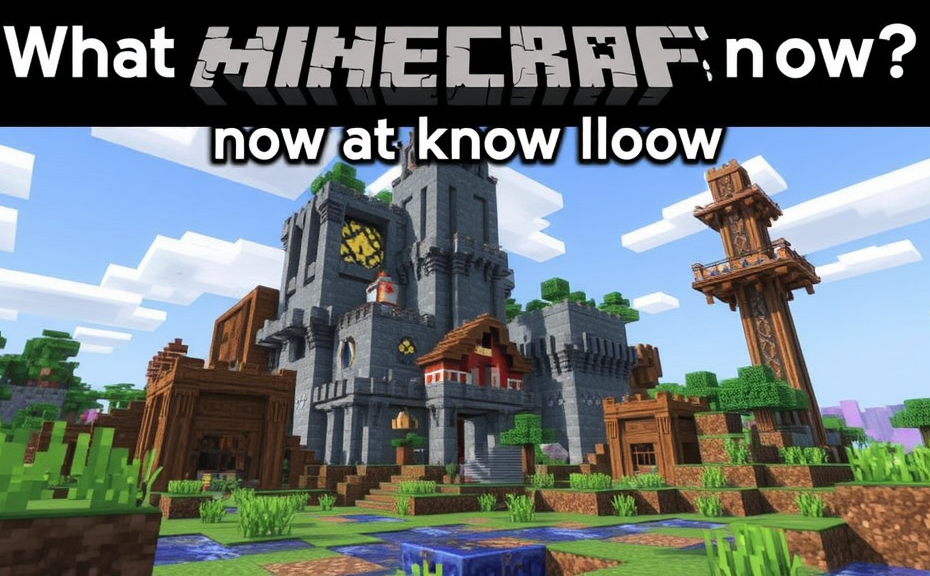
What Parents Need to Know About Minecraft’s Educational Benefits
Minecraft has become one of the most popular games among children, but it’s more than just a game. It offers numerous educational benefits that can help kids develop critical skills while having fun. Here’s what parents need to know about the educational advantages of Minecraft.
Understanding Minecraft’s Educational Value
Minecraft is essentially a sandbox video game where players can build with a variety of different blocks in a 3D procedurally generated world. This open-ended environment encourages creativity and problem-solving, making it an excellent tool for learning. Players must gather resources, craft tools, and survive in a virtual world filled with challenges. This process teaches children valuable lessons in planning, resource management, and strategic thinking.
Creative and Critical Thinking Skills
One of the most significant educational benefits of Minecraft is its ability to foster creative and critical thinking. The game allows players to design and construct their own worlds, which requires them to think creatively and logically. They must consider how different structures fit together, how materials interact, and how to solve problems that arise during construction. These activities stimulate the brain, helping children develop spatial reasoning and problem-solving skills that are essential in many academic areas.
Mathematical and Scientific Concepts
Minecraft also provides a platform for learning mathematical and scientific concepts in a practical way. For instance, building structures requires understanding measurements, geometry, and proportions. Players can measure distances, calculate angles, and apply basic algebraic principles to complete tasks. Moreover, the game introduces basic scientific concepts through its interactive elements. For example, players learn about the properties of different materials and how they behave under various conditions, fostering an early interest in science and engineering.
Collaboration and Social Skills
Minecraft supports multiplayer modes, allowing children to play and work together in shared worlds. This feature promotes collaboration and social interaction, teaching kids important communication and teamwork skills. Children learn to negotiate, share resources, and resolve conflicts as they work towards common goals. These experiences are invaluable in developing interpersonal skills that are crucial for success in both academic and professional environments.
Programming and Computational Thinking
For those interested in technology, Minecraft offers opportunities to learn programming and computational thinking. The game includes a modding feature that allows players to create custom modifications using coding languages like Java. This hands-on approach to programming helps children understand fundamental concepts such as algorithms, loops, and conditional statements. By experimenting with these tools, kids can enhance their logical reasoning and problem-solving abilities, preparing them for future careers in tech fields.
History and Cultural Awareness
Minecraft can also serve as a gateway to history and cultural awareness. With various mods and add-ons available, players can explore historical settings and civilizations. For example, there are mods that recreate ancient Egyptian pyramids or medieval castles. Engaging with these virtual environments can spark curiosity about real-world history and cultures, encouraging children to learn more about the past and appreciate diversity.
Encouraging Balanced Play
While Minecraft offers many educational benefits, it’s important for parents to ensure that playtime remains balanced. Setting time limits, monitoring content, and encouraging other activities like outdoor play and reading can help maintain a healthy balance between screen time and other developmental activities.
Parental Involvement
Parents can enhance their child’s experience by getting involved in the game themselves. Playing alongside their children can provide opportunities for bonding and for parents to guide their kids through challenging situations within the game. Additionally, discussing the concepts learned in Minecraft can reinforce educational value and encourage further exploration of related topics.
Minecraft is much more than a simple video game. Its open-ended gameplay and diverse features make it a powerful educational tool. From fostering creativity and critical thinking to teaching math, science, and programming, Minecraft offers numerous benefits for children’s development. By understanding these advantages and supporting their child’s engagement with the game, parents can help maximize its educational potential while ensuring a balanced approach to gaming.
Ensuring Safety: Online Risks and How to Protect Your Child in Minecraft
Parents often find themselves navigating the digital world alongside their children, especially when it comes to popular games like Minecraft. While Minecraft offers a creative and educational environment, it’s important for parents to understand the potential online risks and how to protect their children effectively. Here’s a guide to help ensure safety while your child enjoys playing Minecraft.
Minecraft is a sandbox game where players can build with a variety of different blocks in a 3D procedurally generated world. While it promotes creativity and problem-solving skills, it also exposes children to various online interactions. Understanding these risks is crucial for parents who want to keep their children safe.
Understanding Online Risks
In Minecraft, players can interact with others through chat features, multiplayer servers, and in-game purchases. These interactions can pose several risks:
- Chat Risks: Players can send messages to each other. Inappropriate or harmful messages can be sent through chat.
- Multiplayer Servers: Joining public servers can expose children to strangers. Some servers may have poor moderation, leading to unsafe environments.
- In-Game Purchases: Children might accidentally spend real money on in-game items or currency.
- Data Privacy: Personal information shared within the game can be misused if not properly managed.
Protecting Your Child
Fortunately, there are several steps parents can take to mitigate these risks:
- Set Up Parental Controls: Many gaming platforms offer parental control options. For example, Microsoft Family Safety allows you to set age-appropriate restrictions on Minecraft. You can limit screen time, block inappropriate content, and monitor activity.
- Monitor Chat Interactions: Keep an eye on chat logs to ensure conversations remain appropriate. Teach your child to report any suspicious or offensive messages.
- Choose Safe Multiplayer Options: Encourage your child to play on family-friendly servers or those recommended by trusted sources. You can also set up a private server for your family to enjoy together.
- Manage In-Game Purchases: Set up a separate account for in-game purchases and monitor transactions regularly. Consider disabling in-app purchases entirely if necessary.
- Teach Internet Safety: Educate your child about the importance of not sharing personal information online. Discuss the dangers of talking to strangers and the significance of reporting any uncomfortable interactions.
Additional Tips for Safer Gameplay
- Regular Check-Ins: Have regular conversations with your child about their gaming experiences. Ask them about the people they interact with and the content they encounter.
- Use Real Names: Encourage your child to use a pseudonym instead of their real name when playing online. This adds an extra layer of protection.
- Stay Updated: Keep yourself informed about the latest updates and changes in Minecraft. New features can introduce new risks, so staying current helps you better protect your child.
By understanding the potential risks and taking proactive measures, parents can help ensure a safer and more enjoyable experience for their children in the vast world of Minecraft. Remember, open communication and vigilance are key components in keeping your child safe online.
Minecraft is a fantastic tool for fostering creativity and learning, but it’s essential to be aware of the online landscape. With the right precautions and ongoing support, you can help your child navigate this exciting digital world responsibly.
Building a Better Gaming Experience: Tips for Parents to Enhance Their Child’s Gameplay
Parents often find themselves navigating the digital landscape alongside their children, especially when it comes to popular games like Minecraft. Understanding how to enhance your child’s gaming experience can turn screen time into a valuable learning opportunity. Here are some tips to help you build a better gaming experience for your kids.
Set Clear Boundaries
Establishing clear boundaries around gameplay can help manage expectations and ensure a healthy balance. Discuss with your child the amount of time they can spend playing each day and set specific times during which gaming is allowed. This helps prevent excessive screen time and ensures other important activities like homework, chores, and outdoor play aren’t neglected.
Choosing the Right Device
Ensure your child has access to a device that supports Minecraft comfortably. Whether it’s a computer, tablet, or console, the performance of the device can significantly impact the gaming experience. A laggy or underpowered device can lead to frustration and a less enjoyable experience. Consider investing in a device that can handle Minecraft smoothly, providing a seamless and immersive gameplay environment.
Monitor In-Game Purchases
Minecraft offers various in-game purchases, including skins, add-ons, and additional worlds. It’s crucial to monitor these purchases to avoid unexpected expenses. Set up parental controls on the device to restrict in-app purchases. You can also discuss with your child the importance of budgeting and saving money for items they truly want, rather than impulsively buying everything that catches their eye.
Encourage Creative Play
Minecraft is not just about survival; it’s also a platform for creativity. Encourage your child to explore creative mode where they can build without limitations. This mode allows them to unleash their imagination and develop problem-solving skills. Building structures, designing landscapes, and crafting intricate designs can be both fun and educational. Engage with your child’s creations and show interest in their projects to foster a sense of accomplishment and pride.
Join Multiplayer Servers
Minecraft offers multiplayer servers where players can interact, collaborate, and compete. Joining these servers can enhance your child’s social skills and teamwork abilities. However, it’s important to vet these servers first to ensure they are safe and appropriate. Look for community-driven servers that promote positive interactions and constructive gameplay. Participating in multiplayer experiences can teach valuable lessons about cooperation and communication.
Integrate Learning Opportunities
Minecraft can be a powerful tool for learning. Encourage your child to use the game to explore math concepts, such as geometry and measurements, or even historical periods by building replicas of famous landmarks. You can also introduce coding through mods and plugins, helping them understand basic programming principles. These educational aspects can make gaming a more enriching experience.
Stay Involved
Staying involved in your child’s gaming experience shows support and interest. Watch them play occasionally, ask about their progress, and share in their achievements. This engagement can strengthen your relationship and give you insight into their interests and challenges within the game. Being present also allows you to address any concerns or issues promptly.
Create Family Challenges
Organize family challenges or competitions to make gaming a group activity. For example, challenge your child to build a specific structure within a given timeframe, or create a scavenger hunt within the game. These activities can be fun and competitive, fostering a sense of teamwork and shared enjoyment. Plus, they provide opportunities for bonding and creating lasting memories.
Teach Digital Citizenship
Teaching your child about digital citizenship is essential. Discuss the importance of being respectful to others online, understanding privacy settings, and recognizing potential scams or inappropriate behavior. Emphasize the value of positive interactions and responsible gaming practices. This education can help them navigate the online world safely and responsibly.
Enhancing your child’s Minecraft experience involves setting clear boundaries, choosing the right device, monitoring in-game purchases, encouraging creative play, joining multiplayer servers, integrating learning opportunities, staying involved, creating family challenges, and teaching digital citizenship. By following these tips, you can help your child enjoy a safer, more enriching gaming experience that fosters creativity, learning, and family bonding.
Understanding Minecraft’s In-Game Economy and Virtual Items
Minecraft is a game that has captured the imagination of millions around the world, offering a vast sandbox where players can build, explore, and survive. One of the fascinating aspects of Minecraft is its in-game economy and the variety of virtual items available. Understanding these elements can enhance the gaming experience and help parents guide their children effectively.
The in-game economy in Minecraft revolves around resources, tools, and items that players collect, craft, and trade. Resources like wood, stone, iron, and gold are fundamental and can be found scattered throughout the world. Players must gather these materials to craft essential tools and weapons, which in turn help them survive and thrive in the game. For example, a wooden pickaxe is needed to mine stone, while an iron pickaxe is necessary for mining obsidian.
Tools and weapons are categorized into tiers based on the materials used to craft them. Wood, stone, iron, diamond, and netherite are the primary materials, each providing increasing durability and efficiency. Tools crafted from better materials last longer and perform tasks faster, making them valuable assets. Weapons, especially swords, are crucial for defending against hostile mobs like zombies and skeletons. Parents should encourage their children to experiment with different materials to understand the importance of resource management.
Crafting is a core mechanic in Minecraft, allowing players to convert raw materials into useful items. The crafting table, which requires four pieces of wood to create, is essential for converting basic resources into more complex items. From simple torches and furnaces to elaborate redstone contraptions, the possibilities are endless. Players can also craft armor to protect themselves from damage, enhancing their chances of survival. Understanding the crafting system helps players optimize their resources and prepare for various challenges.
Trading is another significant aspect of Minecraft’s economy, particularly in the updated versions featuring villagers. Villagers are NPCs (non-player characters) who inhabit villages and offer services like trading. Players can exchange emeralds, which are rare and valuable green gems, for items such as food, weapons, and tools. This system encourages exploration and interaction within the game world, fostering a sense of community and cooperation. Parents can introduce their children to the concept of trading, teaching them the value of negotiation and fair exchanges.
Emeralds, the currency of Minecraft, are obtained through trading, farming, or mining. They are rare and highly sought after, making them a valuable commodity. Players can use emeralds to purchase rare and powerful items from villagers, enhancing their gameplay experience. However, acquiring emeralds requires effort and strategy, promoting a deeper engagement with the game. Parents can help their children understand the value of hard work and strategic planning by guiding them through the process of earning and using emeralds.
Virtual items in Minecraft extend beyond tools and weapons. Players can collect and use items like dyes, seeds, and books to customize their gameplay experience. Dyes come in various colors and can be used to color wool, banners, and terracotta blocks, adding a creative element to building. Seeds are used to grow crops, ensuring a steady supply of food. Books can be crafted into enchantment tables, allowing players to imbue their tools and armor with special abilities, further enhancing their capabilities.
Parents should familiarize themselves with these virtual items to better support their children’s gameplay. Understanding the mechanics of Minecraft’s economy and the utility of different items can help parents guide their children through the game’s challenges. It also provides an opportunity to teach important life skills like resource management, strategic thinking, and fair play.
Minecraft’s in-game economy and virtual items are integral to the gameplay experience. By understanding these elements, parents can better engage with their children’s interests and help them navigate the game’s complexities. Whether through crafting, trading, or managing resources, Minecraft offers a rich and rewarding experience that can benefit players of all ages.
Choosing the Right Version of Minecraft: A Guide for Parents
Minecraft has become one of the most popular games among children, offering a vast sandbox world where players can build, explore, and survive. As a parent, understanding the different versions available can help you choose the right one for your child. Here’s a guide to help you navigate through the various options.
Understanding the Versions:
Minecraft comes in several flavors, each designed with different features and age-appropriateness in mind. Here’s a breakdown of the main versions:
- Minecraft Java Edition: This is the original version of the game, primarily aimed at experienced players who enjoy modding and customizing their gameplay. It’s not recommended for younger children due to its complexity and the potential for exposure to mature content from mods.
- Minecraft Bedrock Edition: Available on multiple platforms including Windows 10, Xbox, PlayStation, Nintendo Switch, and mobile devices, this version is more accessible for a wide range of ages. It includes cross-play capabilities, allowing friends on different platforms to play together.
- Minecraft Education Edition: Designed specifically for schools and educational purposes, this version offers additional tools and features to enhance learning. It’s great for kids who want to learn coding or participate in educational activities within the Minecraft world.
Key Features to Consider:
When choosing a version, consider the following key features:
- Age Appropriateness: Determine which version aligns best with your child’s age and maturity level. The Bedrock Edition is generally suitable for younger children, while the Java Edition might be better for older teens who are interested in more advanced gameplay.
- Platform Compatibility: Check which devices your family uses regularly. The Bedrock Edition is versatile and works across multiple platforms, making it easier for siblings and friends to play together.
- Parental Controls: Look for versions that offer robust parental controls. The Bedrock Edition allows you to set time limits, control chat settings, and manage in-game purchases, providing peace of mind.
- Educational Value: If you’re looking for a version that also serves an educational purpose, the Education Edition could be a good choice. It includes features like in-game coding, which can be a fun way for kids to learn programming skills.
Setting Up the Game:
Once you’ve chosen the right version, setting up the game is relatively straightforward:
- Download and install the game from the official Minecraft website or app store.
- Create a Microsoft account if you don’t already have one. This is necessary for logging into the game and accessing multiplayer features.
- Set up parental controls through the Microsoft Family Safety app. You can manage screen time, restrict access to certain content, and monitor your child’s activity.
Getting Started:
Helping your child get started in Minecraft can be both exciting and overwhelming. Here are some tips:
- Start Simple: Begin with creative mode to let your child explore and build without the pressure of survival. This mode allows unlimited resources and no enemies.
- Join Multiplayer Servers: Encourage your child to join multiplayer servers with friends. This can foster social interaction and teamwork.
- Explore Together: Play with your child to help them understand the mechanics and encourage creativity. This can also be a great bonding experience.
Maintaining Balance:
It’s important to ensure that your child doesn’t spend too much time playing Minecraft. Set reasonable limits on screen time and encourage other activities like outdoor play, reading, or hobbies.
: Choosing the right version of Minecraft is crucial for ensuring that your child has a positive and safe gaming experience. By considering factors like age appropriateness, platform compatibility, and educational value, you can make an informed decision that aligns with your family’s needs and values.
Conclusion
Navigating the world of Minecraft with your child can be both exciting and educational. By understanding its educational benefits, you can help them learn new skills and foster creativity. Ensuring their safety online is crucial, so stay informed about potential risks and take steps to protect them. Enhancing their gameplay experience involves setting boundaries and offering guidance, while also letting them explore freely. Familiarizing yourself with the in-game economy and virtual items helps you support their interests better. Choosing the right version of Minecraft ensures that they get the most out of their gaming experience. With these insights, you’re well-equipped to guide your child through the vibrant world of Minecraft, making it a safe and enriching adventure for them.