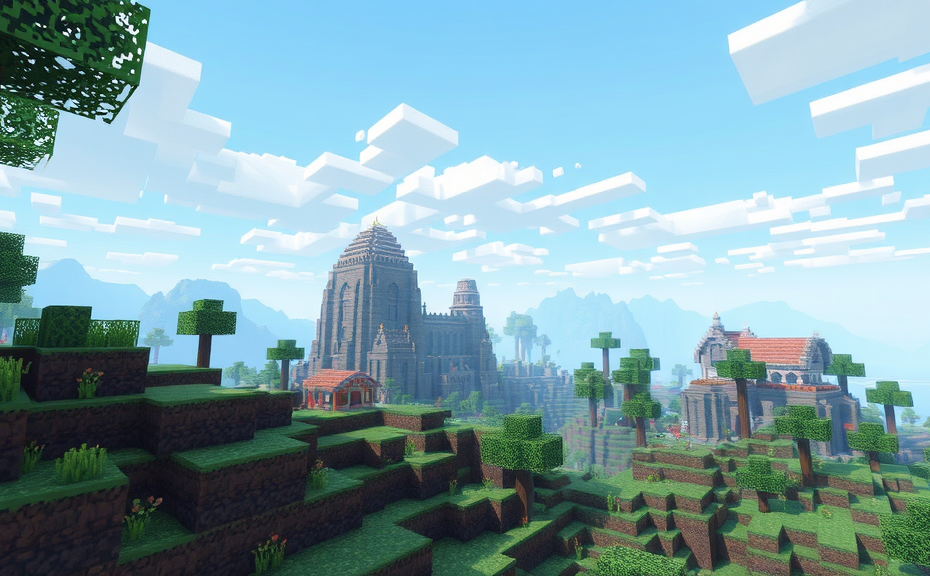
When you dive into the world of Minecraft, you might come across the term “mod loader.” It’s a powerful tool that can significantly enhance your gameplay experience. A mod loader, also known as a modding platform, is essentially a software component that allows you to install and manage modifications (mods) in your Minecraft game. These mods can introduce new features, items, structures, and even change the way the game functions.
To understand how a mod loader works, it’s helpful to think of it like a bridge between the original Minecraft game and the custom content you want to add. Without a mod loader, installing and managing these mods would be a cumbersome process. With a mod loader, you can easily download and apply mods, making your Minecraft experience more diverse and customizable.
Popular Mod Loaders in Minecraft
There are several popular mod loaders available for Minecraft, each with its own set of features and compatibility levels. Here are a few notable ones:
- Forge: One of the most widely used mod loaders, Forge supports a vast array of mods and offers robust tools for mod developers.
- Fabric: Known for its lightweight nature and speed, Fabric has gained popularity among players who prefer a streamlined experience.
- LiteLoader: This mod loader is known for its compatibility with older versions of Minecraft and its ability to integrate seamlessly with other mods.
How to Install a Mod Loader
Installing a mod loader involves a few steps, but once you get the hang of it, it becomes quite straightforward. Here’s a general guide:
- Download the Mod Loader: Visit the official website of the mod loader you wish to use. Make sure to download the correct version compatible with your Minecraft version.
- Install Java: Most mod loaders require Java to run. If you don’t have Java installed, download and install the latest version.
- Run the Installer: Open the downloaded installer file and follow the on-screen instructions to install the mod loader.
- Launch Minecraft with the Mod Loader: After installation, start Minecraft through the launcher. You should see an option to choose which mod loader to use.
- Install Mods: Once the mod loader is installed, you can begin downloading and installing mods. Many mods come with installation instructions that you need to follow carefully.
Benefits of Using a Mod Loader
Using a mod loader opens up a world of possibilities in Minecraft. Here are some key benefits:
- Enhanced Gameplay: Mods can introduce new biomes, mobs, blocks, and items, making the game more exciting and challenging.
- Customization: You can tailor your Minecraft experience to your preferences by selecting and configuring different mods.
- Community Support: Many mod loaders have active communities that provide support, tutorials, and updates.
- Development Opportunities: For those interested in coding, mod loaders offer a platform to develop and share your own mods.
While mod loaders offer numerous advantages, it’s important to exercise caution. Installing too many mods or incompatible ones can lead to crashes or instability in the game. Always ensure that the mods you choose are compatible with your version of Minecraft and the mod loader you are using.
Tips for Safe Modding
To ensure a smooth modding experience, consider these tips:
- Backup Your World: Before installing mods, make a backup of your Minecraft world. This way, if something goes wrong, you can restore your world to its previous state.
- Read Instructions Carefully: Each mod comes with specific installation instructions. Follow them closely to avoid issues.
- Stay Updated: Keep your mod loader and mods updated to the latest versions. Developers often release updates to fix bugs and improve compatibility.
- Join Communities: Engage with modding communities to stay informed about the latest developments and troubleshooting tips.
A mod loader is a valuable tool that can greatly enrich your Minecraft experience. By providing access to a wide range of modifications, it allows you to customize the game according to your preferences. Whether you’re looking to explore new dimensions, add innovative mechanics, or simply enhance the aesthetics, a mod loader can help you achieve your goals. Just remember to approach modding responsibly and keep your game stable and enjoyable.
Mod loaders in Minecraft open up a world of possibilities for players who want to customize their gaming experience. These tools allow you to install and manage mods, which are modifications created by the community to change or enhance various aspects of the game. From new blocks and items to entirely new dimensions, mod loaders can transform how you play Minecraft.
To understand mod loaders better, let’s first look at why they are needed. Minecraft, like many games, has a core set of features developed by its creators. However, the game’s open nature and the support from the developer mean that players can extend these features through mods. Mods can add new functionalities, fix bugs, or even introduce entirely new gameplay mechanics. But because mods need to interact with the core game files, a special tool called a mod loader is necessary to handle these changes smoothly.
The most popular mod loader for Minecraft is Forge. Forge acts as a bridge between the game and the mods, ensuring that all mods work together without causing conflicts. Once you have Forge installed, you can download and install other mods, and Forge will take care of managing them. Another widely used mod loader is Fabric, which offers a more lightweight approach compared to Forge. It’s designed to be simpler and faster, making it a preferred choice for some players.
Installing a mod loader is straightforward but requires careful steps. First, you need to download the installer for the mod loader you choose, such as Forge or Fabric. Then, you run the installer, which will guide you through the process of setting it up. After the mod loader is installed, you can download individual mods and place them in a designated folder. Most mod loaders come with a user-friendly interface that simplifies this process. Always ensure you download mods and the mod loader from trusted sources to avoid any security risks.
One of the key benefits of using a mod loader is the vast array of mods available. These mods can add everything from new biomes and structures to custom items and blocks. For example, the “Biomes O’ Plenty” mod introduces over 80 new biomes, each with its own unique features and resources. Another popular mod is “Optifine,” which enhances the game’s performance and graphical quality, making the world look more detailed and smoother.
Using a mod loader also allows you to create custom game experiences tailored to your preferences. You might prefer a survival-focused game with added challenges, or perhaps you enjoy exploring new dimensions and encountering different creatures. With a mod loader, you can mix and match mods to create a world that fits your interests perfectly. This customization extends beyond gameplay; some mods offer new textures, sounds, and even music, giving you control over how the game looks and feels.
However, it’s important to note that not all mods are compatible with each other. This is where the mod loader comes in handy, as it helps manage these interactions. Some mod loaders, like Forge, have a large library of supported mods, making it easier to find compatible ones. Others, like Fabric, focus on efficiency and may have fewer mods available initially, but they are known for being more stable and less resource-intensive.
For those new to modding, there are several resources available to help you get started. Official forums, YouTube tutorials, and dedicated websites offer step-by-step guides and troubleshooting tips. Engaging with the Minecraft modding community can also be incredibly helpful. Many modders are enthusiastic about sharing their creations and helping others get started with mod loading.
A mod loader in Minecraft is an essential tool for players looking to expand their gaming experience. Whether you’re interested in exploring new dimensions, adding new items, or simply enhancing the game’s performance, a mod loader opens the door to endless possibilities. By choosing the right mod loader and carefully selecting compatible mods, you can tailor Minecraft to suit your exact preferences, turning a simple game into a rich and immersive world full of adventures.
Remember, while mod loaders can significantly enhance your gameplay, they require some setup and maintenance. Always ensure you download mods from reputable sources and keep your mod loader updated to avoid compatibility issues. With the right approach, mod loaders can transform Minecraft into a game that keeps evolving and surprising you with new content.
So, if you’re ready to dive into the world of mods and discover what a mod loader can do for you, start by choosing a reliable mod loader and explore the vast collection of mods available. Happy modding!
In the vast world of Minecraft, players are always seeking new ways to enhance their gaming experience. One tool that has gained significant popularity among enthusiasts is a mod loader. But what exactly is a mod loader in Minecraft?
A mod loader is essentially a piece of software designed to facilitate the installation and management of modifications, or mods, in Minecraft. Mods are custom additions created by the community that alter the game’s functionality, add new features, or even completely change how the game is played. Without a mod loader, installing these mods would be much more complicated, requiring manual editing of game files.
One of the most popular mod loaders is Forge. It provides a standardized platform that allows developers to create mods that can coexist with each other. This means you can install multiple mods without worrying about conflicts. Another widely used mod loader is Fabric, which focuses on providing a lightweight alternative to Forge while still offering robust modding capabilities.
To get started with a mod loader, you first need to download and install it. For example, with Forge, you visit the official website and download the installer. Once installed, you can then proceed to install individual mods. Most mods come with detailed installation instructions, but generally, you’ll download the mod file (often ending in .jar or .zip) and place it in the correct folder within your Minecraft directory.
Why Use a Mod Loader?
You might wonder why you should use a mod loader at all. The answer lies in the sheer variety of enhancements it brings to the game. Mods can add new blocks, items, structures, mobs, and even entire dimensions to explore. They can also introduce new gameplay mechanics, such as advanced farming systems, automated mining, or even complete overhauls of the game’s economy and crafting system.
For instance, the mod “Biomes O’ Plenty” adds dozens of new biomes to explore, each with its own unique flora and fauna. Or consider “IndustrialCraft,” which introduces complex machinery and automation, transforming Minecraft into a more industrial-focused survival game. With a mod loader, you can mix and match these mods to create a tailored experience that suits your preferences.
Popular Mod Loaders
Beyond Forge and Fabric, there are several other mod loaders available. Quilt is another promising project aiming to streamline the modding process further. It aims to combine the best features of both Forge and Fabric, offering a modern and efficient way to manage mods.
It’s important to note that while mod loaders greatly simplify the process of adding mods, they also require careful management. Installing too many mods or incompatible ones can lead to crashes or instability. Always ensure you’re downloading mods from reputable sources and read user reviews and compatibility notes before installing.
Getting Started with Mod Loaders
If you’re new to mod loading, it’s a good idea to start with a few basic mods to get familiar with the process. Many mod packs, like the popular FTB (Feed The Beast) series, offer pre-configured collections of mods that work together seamlessly. These packs often come with detailed setup guides, making them ideal for beginners.
Once you’re comfortable with the basics, you can dive deeper into the world of mod loading. Joining communities and forums dedicated to Minecraft modding can provide valuable insights and support. Websites like CurseForge and Planet Minecraft are great resources for finding and discussing mods.
Tips for Managing Mods
- Keep your mod loader updated: Regular updates ensure compatibility with the latest versions of Minecraft and other mods.
- Backup your saves: Before making major changes, back up your worlds to avoid losing progress.
- Read mod descriptions: Check compatibility and system requirements to avoid potential issues.
- Join modding communities: Engage with other players to learn tips and tricks and stay updated on the latest developments.
Using a mod loader in Minecraft opens up a world of possibilities, allowing you to customize your experience in ways that were never possible before. Whether you’re looking to explore new biomes, build complex machines, or simply enhance your survival experience, a mod loader is an essential tool for any adventurous Minecraft player.
In the vast world of Minecraft, players are always looking for ways to enhance their gaming experience. One popular method is through the use of mod loaders. But what exactly is a mod loader in Minecraft?
A mod loader is essentially a tool that allows players to install and manage modifications, or mods, in the game. Mods are custom additions created by the community that can change almost every aspect of the game. From adding new blocks and items to introducing entirely new gameplay mechanics, mods offer endless possibilities for customization and creativity.
One of the most widely used mod loaders is Forge. It acts as a bridge between the game and the various mods you might want to install. Forge simplifies the process of installing and managing these mods, making it easier for players to experiment with different combinations and find the perfect setup for their adventures.
To get started with a mod loader like Forge, you first need to download the appropriate version for your Minecraft version. Once installed, you can then browse the vast library of available mods and select the ones you want to add to your game. After downloading the mods, you place them in a designated folder within the mod loader’s directory. The mod loader then takes care of integrating these mods into your game, ensuring they work together smoothly.
Another popular mod loader is Fabric. While it serves a similar purpose to Forge, Fabric is designed with a more lightweight approach. It focuses on providing a faster and more efficient way to integrate mods, making it a preferred choice for players who prioritize performance.
Using a mod loader opens up a world of possibilities. For example, you might want to explore a mod that adds a completely new dimension to the game, complete with its own set of challenges and rewards. Or perhaps you’re interested in a mod that introduces advanced technology, allowing you to build complex machinery and automation systems. The options are nearly limitless, and each mod can significantly alter how you play and interact with the Minecraft universe.
However, it’s important to note that not all mods are compatible with each other. Some may conflict, causing issues or crashes. This is where the mod loader comes in handy, as it helps manage these potential conflicts and ensures a smoother gaming experience. Additionally, some mods require specific versions of Minecraft, so it’s crucial to check compatibility before installation.
For those new to modding, there’s a bit of a learning curve involved. It’s essential to understand how to properly install and manage mods to avoid common pitfalls. Many communities and forums exist to help newcomers navigate this process, offering tutorials and troubleshooting tips. Engaging with these communities can also provide valuable insights and recommendations for the best mods to try out.
When choosing a mod loader, consider what you want to achieve in your Minecraft experience. If you’re looking for a wide range of mods and a robust community support system, Forge might be the right choice. On the other hand, if you prioritize performance and a streamlined experience, Fabric could be more suitable.
Remember, the key to enjoying mods is experimentation. Don’t be afraid to mix and match different mods to create a unique and personalized gaming environment. Whether you’re building an intricate redstone circuit, exploring a new dimension, or simply adding new cosmetic elements to your world, mod loaders open the door to endless possibilities in Minecraft.
A mod loader in Minecraft is a powerful tool that empowers players to customize and expand their gaming experience. By providing a platform for installing and managing mods, it transforms Minecraft into a highly flexible and customizable sandbox game. With the right mod loader and a bit of creativity, the only limit is your imagination.
Minecraft, the popular sandbox game, offers players a vast world to explore and create in. One of the ways players can enhance their experience is by using mod loaders. A mod loader is essentially a tool that allows you to install and run modifications, or mods, which are custom additions created by the community. These mods can change almost every aspect of the game, from adding new blocks and items to introducing entirely new mechanics and dimensions.
To understand what a mod loader is, it’s helpful to know how it works within the game. Mod loaders like Forge, Fabric, and Liteloader are designed to integrate with Minecraft’s core files, enabling them to manage and run multiple mods simultaneously without causing conflicts. Each mod loader has its own strengths and is suited for different types of gameplay enhancements. For instance, Forge supports a wide range of mods, making it a versatile choice for those looking to add numerous features. Fabric, on the other hand, is known for being lightweight and efficient, ideal for players who want a smoother performance while still enjoying a variety of mods.
One of the key benefits of using a mod loader is the ability to customize your Minecraft experience. Mods can introduce new biomes, creatures, and even entire worlds, providing endless possibilities for adventure and creativity. They can also streamline gameplay by adding useful utilities or tweaking existing mechanics to make the game more challenging or accessible. Whether you’re looking to build elaborate structures, embark on epic quests, or simply enjoy a different take on the classic survival mode, mod loaders open up a world of opportunities.
Installing a mod loader is generally straightforward but requires some caution. First, you need to download the mod loader from a reputable source. Once downloaded, follow the installation instructions provided by the mod loader’s documentation. It’s crucial to back up your Minecraft saves before proceeding, as mods can sometimes cause unexpected issues. After installing the mod loader, you can then proceed to download and install individual mods. Many mod websites offer detailed instructions and compatibility lists to help you choose the right mods for your setup.
It’s important to note that while mod loaders greatly expand the game’s potential, they can also present challenges. Some mods may not be compatible with each other, leading to crashes or other issues. Additionally, the sheer number of available mods can be overwhelming, making it difficult to choose which ones to install. To avoid these problems, it’s advisable to do thorough research and read reviews before adding new mods to your game. Joining communities dedicated to modded Minecraft can also be incredibly helpful, as experienced players often share tips and troubleshooting advice.
For those interested in diving deeper into modding, learning the basics of how mod loaders work can be beneficial. Understanding the underlying technology can help you troubleshoot issues more effectively and even create your own mods. There are numerous tutorials and resources available online that can guide you through the process, from basic coding concepts to advanced techniques.
Mod loaders also play a significant role in multiplayer environments. While some servers restrict mods to maintain a uniform experience, others embrace them to create unique gameplay modes. If you’re planning to join a modded server, ensure that the mods you have installed are compatible with the server’s setup. Many servers provide lists of required and optional mods, making it easier to prepare your client accordingly.
Mod loaders in Minecraft are powerful tools that can transform your gaming experience. By carefully selecting and managing mods, you can tailor the game to your preferences and discover new adventures. Whether you’re a casual player looking for a bit of extra flair or a hardcore gamer seeking new challenges, mod loaders offer a way to extend the life of this beloved game indefinitely.
- Benefits of using a mod loader:
- Customize your Minecraft experience
- Add new blocks, items, and mechanics
- Streamline gameplay with useful utilities
- Create elaborate structures and embark on epic quests
- Join modded multiplayer servers for unique gameplay modes
- Challenges and considerations:
- Potential compatibility issues between mods
- The need for backups before installation
- The importance of researching mods before installation
- Learning the basics of mod loaders for troubleshooting
Mod loaders in Minecraft are transformative tools that can significantly enhance your gaming experience. By understanding how they work and taking necessary precautions, you can explore a world of customization and creativity. Happy modding!
Conclusion
Exploring the world of Minecraft mods opens up a vast array of possibilities, allowing players to customize their gaming experience in ways never imagined. By choosing the right mod loader, such as Forge or Fabric, you can access a multitude of mods that enhance gameplay, add new features, and even introduce entirely new dimensions. Remember, while mod loaders like Forge and Fabric simplify the process, they also come with responsibilities, such as ensuring your game remains stable and secure. Always download mods from reputable sources and keep your mod loader updated. With the right approach, a mod loader can transform your Minecraft world into an endless frontier of creativity and fun, making every adventure uniquely yours.