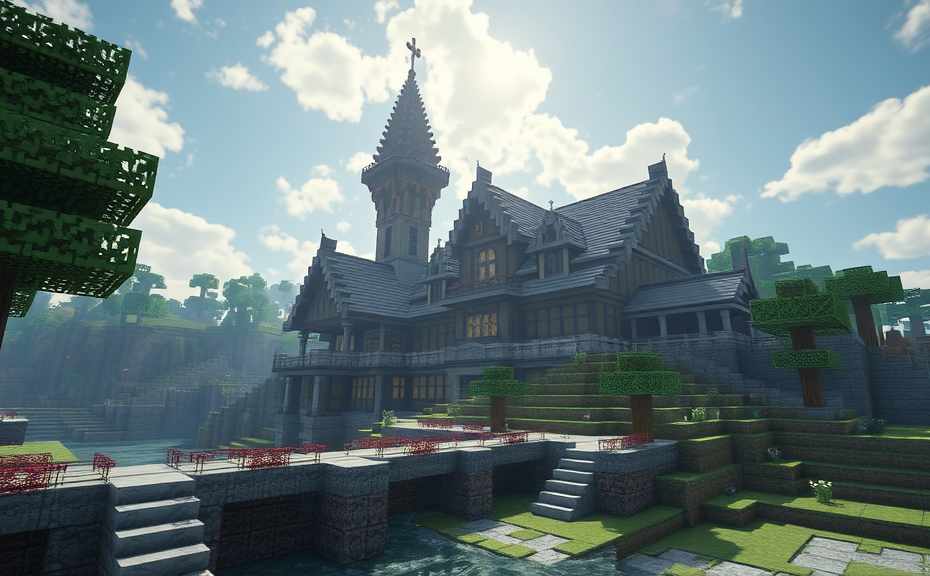
Creative Minecraft Builds: From Castles to Skyscrapers
Building Tips for Beginners: Simple Structures to Master
Redstone Mechanics in Complex Builds: Automating Your Minecraft World
Minecraft offers a vast sandbox world where creativity meets mechanics, allowing players to build complex structures and automate them with redstone. Redstone, the game’s version of electrical wiring, can be used to create intricate mechanisms that add a layer of depth and functionality to your builds. Whether you’re building a sprawling city or a simple farm, understanding redstone mechanics can significantly enhance your gameplay experience.
At its core, redstone allows you to create circuits that power various elements within your Minecraft world. From doors that open automatically to farms that harvest crops without player intervention, the possibilities are endless. To get started, let’s dive into some basic components of redstone mechanics:
Understanding Redstone Basics
- Redstone Dust: Acts like wire, connecting redstone components and carrying signals over distances.
- Redstone Torches: Provide a constant signal unless powered by another redstone component.
- Redstone Repeater: Extends the range of redstone signals and can also be used to delay signals.
- Redstone Comparators: Used to compare or subtract signal strength, and can detect items or blocks.
With these basics under your belt, you can start building more complex systems. For instance, you can create a simple redstone door that opens when you step on a pressure plate. This involves laying down redstone dust from the pressure plate to the door, which is powered by a redstone torch. When you step on the plate, it breaks the circuit, causing the door to open.
Advanced Redstone Mechanisms
Once you’ve mastered the basics, you can move on to more advanced mechanisms. One such mechanism is the redstone clock. A redstone clock is a circuit that toggles a signal on and off repeatedly. This can be useful for powering devices that need to cycle on and off, such as automatic farm machinery.
- Simple Clock: Use two redstone torches and some redstone dust to create a basic clock.
- Repeater Clock: Utilize redstone repeaters to extend the duration of each pulse, creating a slower clock.
Another advanced mechanism is the redstone contraption. These are complex machines that perform specific tasks. For example, you could build an automated farm that harvests crops and collects them into chests. This would involve setting up pistons to push harvested crops into hoppers, which then transport them into chests.
Building an Automated Farm
Let’s walk through the process of building an automated farm. First, you need to set up the farm area with rows of crops. Next, place pistons along one side of each row. When triggered, these pistons will push the crops into a collection channel.
- Set Up Crops: Plant your crops in neat rows.
- Add Pistons: Place sticky pistons along one side of each crop row.
- Install Hoppers: Place hoppers beneath the pistons to collect the crops.
- Create Collection Channel: Build a channel for the hoppers to transport the crops to a central location.
- Build Storage: Place chests at the end of the collection channel to store the harvested crops.
To trigger the pistons, you can use a redstone clock or a lever. This setup ensures that once you activate it, your farm will continuously harvest and store crops without further player intervention.
Adding Security Features
While automated systems are convenient, they can also be vulnerable. Adding security features is crucial to protect your automated systems from unauthorized access or damage.
- Trap Doors: Use trap doors to hide entrances to your automated systems.
- Pressure Plates: Place pressure plates at strategic locations to detect intruders.
- Redstone Locks: Implement redstone locks that require a specific sequence to deactivate.
For example, you might place a pressure plate near the entrance to your automated farm. When someone steps on it, it triggers a series of redstone mechanisms that alert you or lock down the system temporarily.
Expanding Your Build
As you become more proficient with redstone mechanics, you can expand your builds to include more sophisticated features. Consider adding an automated defense system that activates when enemies approach. You could use dispensers filled with arrows or snowballs, triggered by redstone mechanisms, to defend your base.
Another idea is to create an automated transportation system. Use minecarts and rails connected with redstone to transport materials between different parts of your world. This not only saves time but also adds a fun element to your builds.
Redstone mechanics in Minecraft offer endless opportunities to automate and enhance your builds. From simple farms to complex defense systems, mastering redstone can transform your gameplay experience. Start with the basics, then gradually move on to more advanced mechanisms. With practice and creativity, you can build incredible systems that make your Minecraft world come alive.
Community Showcase: The Best Minecraft Builds Online
Minecraft has captured the hearts of millions with its endless possibilities for creativity and building. From humble abodes to grand castles, players around the world showcase their architectural prowess through stunning builds. In this community showcase, we dive into some of the best Minecraft builds online, highlighting creativity, skill, and dedication.
Medieval Castles
One of the most popular types of builds in Minecraft are medieval castles. These structures often feature towering walls, intricate turrets, and sprawling courtyards. Players meticulously craft every detail, from the cobblestone foundations to the moss-covered roofs. Some notable examples include the Castle of the Red Dragon by ArchitectMinecraft, which boasts impressive moats and drawbridges, and the Grand Castle of the North by BuildMaster123, known for its majestic architecture and detailed interiors.
Castle of the Red Dragon
The Castle of the Red Dragon is a prime example of how medieval aesthetics can be translated into Minecraft. ArchitectMinecraft used a combination of stone blocks, red bricks, and intricate patterns to create a castle that looks both regal and intimidating. The attention to detail in the stonework and the meticulous placement of torches add to the atmosphere, making it feel like a true fortress from a fantasy realm.
Grand Castle of the North
The Grand Castle of the North, crafted by BuildMaster123, is another masterpiece that stands out in the Minecraft community. This castle features multiple floors, each with its own unique design elements. The interior is equally impressive, with grand halls adorned with chandeliers and detailed tapestries. The exterior is complemented by a vast courtyard and a series of gardens, creating a sense of grandeur and scale.
Modern Skyscrapers
For those who prefer contemporary designs, modern skyscrapers offer a different kind of challenge. These builds require precision and a keen eye for detail to achieve sleek lines and smooth surfaces. Notable examples include the Sky Tower by TowerBuilder and the Glass Spire by UrbanCraft. Both structures demonstrate the versatility of Minecraft and how it can be used to create stunning urban landscapes.
Sky Tower
The Sky Tower, built by TowerBuilder, is a marvel of modern architecture within Minecraft. It features a sleek, glass exterior with a steel frame, giving it a futuristic look. The tower rises high into the sky, with each floor meticulously crafted to maintain symmetry and balance. The top floor offers breathtaking views, making it a must-visit destination for any Minecraft explorer.
Glass Spire
The Glass Spire, created by UrbanCraft, is another impressive modern build. This structure is almost entirely made of glass, with a few key structural elements in metal. The spire’s transparent nature allows light to flood the interior, creating a serene and reflective environment. The attention to detail in the glasswork and the precision of the build make it a standout piece in the Minecraft community.
Underwater Cities
Another fascinating category of builds is underwater cities. These structures require a deep understanding of Minecraft’s mechanics and the ability to work in challenging environments. Noteworthy examples include the Atlantis City by AtlantisBuilder and the Coral Kingdom by SeaCraft. These builds showcase the potential of Minecraft to create immersive and visually stunning underwater worlds.
Atlantis City
The Atlantis City, built by AtlantisBuilder, is a breathtaking underwater city that captures the essence of a lost civilization. The city features domed buildings, intricate mosaics, and even a central palace. The use of blue and green blocks creates a cohesive underwater aesthetic, while the inclusion of coral and sea creatures adds to the realism. Exploring this city feels like diving into a mythical underwater kingdom.
Coral Kingdom
The Coral Kingdom, crafted by SeaCraft, is a vibrant and colorful underwater city. The buildings are adorned with corals and other sea life, making it a living ecosystem within Minecraft. The kingdom includes a variety of structures, from simple homes to grand palaces, all seamlessly integrated into the ocean floor. The attention to detail in the water effects and the overall design make it a captivating build.
Space Stations
For those with a penchant for science fiction, space stations offer a unique challenge. These builds require a blend of futuristic design and functional elements to create a believable extraterrestrial environment. Notable examples include the Galactic Outpost by AstronautCraft and the Celestial Colony by StarBuilder. These builds push the boundaries of what is possible in Minecraft, showcasing the platform’s versatility.
Ga
Galactic Outpost
The Galactic Outpost, built by AstronautCraft, is a sleek and modern space station that exudes a sense of technological advancement. The outpost features modular sections connected by corridors, allowing for easy navigation. The exterior is adorned with solar panels and communication dishes, adding to its sci-fi appeal. The interior is equally impressive, with control rooms, living quarters, and research labs, all designed with precision and care.
Celestial Colony
The Celestial Colony, created by StarBuilder, is a sprawling space station that serves as a hub for exploration and research. This colony includes a variety of modules, each with its own purpose, from agricultural pods to laboratories. The exterior is a mix of metallic and transparent materials, creating a striking visual contrast. The attention to detail in the station’s design and functionality makes it a standout build in the Minecraft community.
The world of Minecraft builds is vast and diverse, offering something for everyone. Whether you’re drawn to medieval castles, modern skyscrapers, underwater cities, or space stations, there’s no shortage of inspiration and creativity in the Minecraft community. These builds not only showcase the skills of individual creators but also highlight the collaborative spirit that thrives within the Minecraft community. So, whether you’re looking to explore existing builds or get inspired to create your own, the online community provides a wealth of resources and ideas.
Custom Texture Packs and Their Impact on Minecraft Builds
Minecraft players can significantly enhance their gaming experience by customizing their worlds with texture packs. These packs alter the look and feel of the game, offering a fresh visual appeal that can transform how players perceive and interact with their builds. Texture packs allow for a wide range of customization, from simple changes like new block textures to more elaborate modifications that redefine entire environments.
One of the most impactful ways texture packs influence Minecraft builds is through the enhancement of realism. Realistic texture packs, for example, can turn the pixelated blocks of Minecraft into detailed and lifelike elements. This change can make a player’s structures appear more authentic, which is particularly beneficial for those aiming to create detailed architectural designs or realistic landscapes. For instance, a medieval castle build might benefit greatly from a texture pack that provides stone blocks with weathered edges and mossy corners, enhancing the historical authenticity of the structure.
Another significant effect of texture packs is the ability to create thematic builds that align with specific aesthetics or settings. Fantasy-themed texture packs, for example, can transform a build into a magical realm. Blocks can be altered to resemble enchanted woods, mystical castles, or otherworldly landscapes. Players can create a whimsical village with cobblestone streets and glowing mushrooms, or perhaps a dark forest filled with eerie trees and glowing eyes. Such thematic alterations not only make the build visually appealing but also immerse players deeper into their creative process.
Texture packs also play a crucial role in improving the overall aesthetic appeal of builds, especially when used in combination with mods or resource packs. High-quality texture packs can elevate a build from basic to extraordinary. They can add intricate details to blocks, making them stand out individually and collectively. For instance, a modern cityscape build can be enhanced with metallic textures that give buildings a sleek, futuristic appearance. Similarly, a fantasy world can benefit from rich, vibrant colors and detailed foliage, making each element of the build pop with life.
The impact of texture packs extends beyond mere visuals; they can also affect gameplay mechanics. Some texture packs introduce new textures for blocks that have additional functions or properties. For example, a texture pack might replace the standard glass block with one that has a frosted appearance, adding a layer of complexity to transparency effects in builds. This can inspire players to think creatively about how these new textures can be integrated into their builds, leading to innovative solutions and more engaging gameplay experiences.
Moreover, texture packs can foster a sense of community among players. Sharing and discussing texture packs online can lead to collaborative builds where multiple players contribute their favorite packs to create a shared world. This communal aspect encourages players to explore different packs and experiment with various combinations, resulting in builds that are both visually stunning and conceptually rich. Players can share tips on how to best utilize certain packs, exchange ideas, and even collaborate on large-scale projects, thus enriching the overall Minecraft experience.
Choosing the right texture pack is essential for maximizing its impact on builds. Players should consider the theme of their build, the desired level of detail, and how the pack will complement other modifications they have installed. Experimentation is key—trying out different packs can reveal unexpected synergies that enhance the build in surprising ways. It’s also helpful to read reviews and seek recommendations from fellow players to find the best fit for your project.
Texture packs are a powerful tool in the arsenal of Minecraft builders. They offer endless possibilities for customization, allowing players to tailor their builds to their exact specifications. Whether aiming for realism, thematic immersion, or simply enhancing visual appeal, texture packs can transform ordinary builds into extraordinary works of art. By carefully selecting and applying these packs, players can take their creations to new heights, making their Minecraft experience truly unforgettable.
Conclusion
Exploring the vast world of Minecraft builds opens up endless possibilities for creativity and innovation. Whether you’re crafting majestic castles or futuristic skyscrapers, the game offers a platform where your imagination can run wild. For beginners, starting with simple structures can build confidence and skill, while mastering redstone mechanics adds a layer of complexity and automation to your builds. Engaging with the community showcases reveals a wealth of inspiration, proving that no idea is too big or too small. Custom texture packs further enhance the visual appeal, transforming ordinary builds into stunning works of art. With each block placed, you contribute to a dynamic and evolving landscape that’s uniquely yours. Dive into these elements, and you’ll find yourself not just building in Minecraft, but building a legacy.