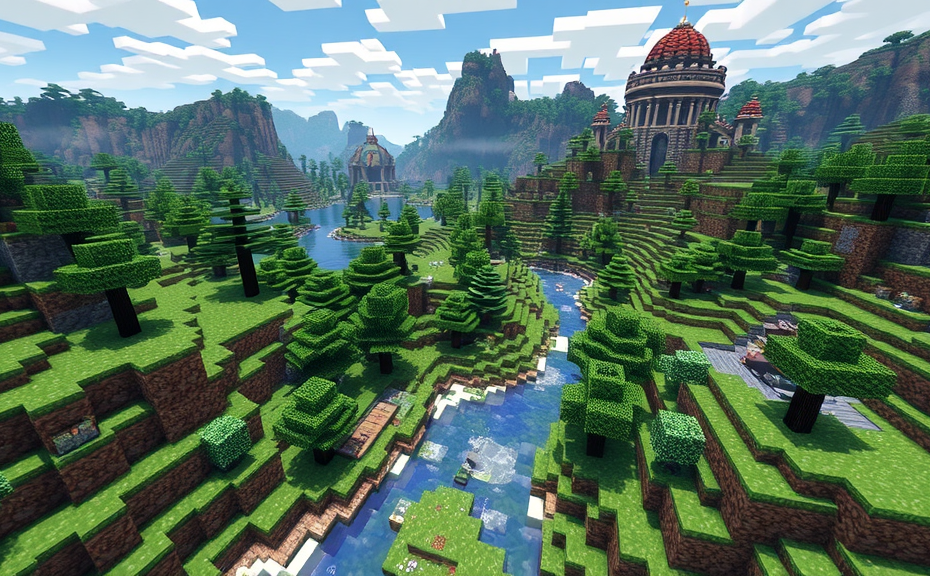
Choosing the Right Minecraft Server Software
Minecraft has become a global phenomenon, offering players endless opportunities for creativity and exploration. One of the most exciting aspects of the game is hosting your own server, which allows you to invite friends and other players to join your world. However, choosing the right Minecraft server software is crucial for a smooth and enjoyable experience. Let’s dive into the key factors to consider when selecting the perfect software for your Minecraft server.
When setting up a Minecraft server, one of the first decisions you’ll need to make is choosing between vanilla Minecraft and modded servers. Vanilla Minecraft uses the official Minecraft server software provided by Mojang, while modded servers incorporate additional modifications that can significantly alter gameplay. If you’re looking for a straightforward, unmodified experience, vanilla Minecraft is the way to go. On the other hand, if you want to add new features, items, and gameplay mechanics, a modded server might be more appealing. Popular modpacks like FTB Infinity Evolved or Feed The Beast offer a vast array of mods that can enhance your server experience.
Performance Considerations
Performance is another critical factor to consider. Different server software options may impact how smoothly your server runs. For example, if you plan to host a large number of players or incorporate resource-intensive mods, you’ll need a server that can handle the load. Vanilla Minecraft is known for its stability and low resource usage, making it ideal for smaller servers or those with fewer mods. However, if you’re planning a more ambitious setup, software like PaperMC or SpigotMC offers enhanced performance and additional features that can help manage larger player counts and more demanding mods.
Server Hosting Options
Another important consideration is where you’ll host your server. You can choose to host your server on your own hardware, which gives you full control over the environment but requires significant technical knowledge and resources. Alternatively, you can opt for a hosting service that provides dedicated servers for Minecraft. Hosting services like Apex Hosting or Shockbyte offer pre-configured setups, making it easier to get started quickly. They also handle maintenance and updates, freeing up time for you to focus on managing your community.
Community Management Tools
Effective community management is essential for maintaining a positive and engaging server environment. Many server software options come with built-in tools to help you manage your server more efficiently. For instance, plugins like EssentialsX or LuckPerms allow you to implement commands for teleportation, economy management, and user permissions. These tools can help streamline administrative tasks and ensure that your server runs smoothly. Additionally, some server software options integrate with external platforms like Discord, enabling seamless communication between your server and your community.
Security is another critical aspect of running a Minecraft server. You want to ensure that your server is protected against potential threats like unauthorized access, DDoS attacks, or malicious players. Vanilla Minecraft provides basic security features, but more advanced options like Pterodactyl Panel or Multicraft offer additional layers of protection. These panels often include features such as firewall management, automated backups, and intrusion detection systems. By investing in robust security measures, you can safeguard your server and provide a safer environment for your players.
Compatibility with Mods and Plugins
If you’re leaning towards a modded server, compatibility becomes a significant concern. Not all server software options support every mod out there. It’s essential to research whether the software you’re considering can run the mods you’re interested in. Popular choices like Forge or Fabric are widely supported across various server software options, making it easier to find compatible mods. Ensuring compatibility beforehand can save you a lot of frustration down the line.
Consider the cost implications of your choice. Running a Minecraft server can involve expenses related to hardware, hosting, and ongoing maintenance. While vanilla Minecraft is free to use, modded servers may require additional costs for purchasing modpacks or hosting services. It’s important to weigh these costs against the features and benefits each option provides. Some hosting providers offer tiered plans that can accommodate different budgets and server sizes.
Choosing the right Minecraft server software involves weighing multiple factors, including the type of experience you want, performance needs, hosting options, community management tools, security considerations, mod compatibility, and budget. By carefully evaluating these aspects, you can select the software that best fits your vision for your Minecraft server. Remember, the goal is to create an engaging and enjoyable experience for both you and your players. Happy building!
Setting Up Your Server Hosting Environment
In setting up your Minecraft server, the first step involves creating a robust hosting environment. This foundational setup ensures your server runs smoothly, handles player traffic efficiently, and remains accessible to players around the globe.
To start, choose the right hardware for your server. At a minimum, you’ll need a computer with a decent processor, ample RAM, and sufficient storage space. For a small group of players, a machine with an Intel Core i5 or AMD equivalent, 8GB of RAM, and a solid-state drive (SSD) is recommended. If you plan to host more than ten players, consider upgrading to a higher-end processor and increasing the RAM to 16GB or more. SSDs are preferred over traditional hard drives because they offer faster read and write speeds, which significantly improves server performance.
Choosing a Stable Operating System
Selecting the right operating system (OS) is crucial. Linux distributions like Ubuntu are popular choices due to their stability and low resource consumption. They also come with a wealth of server management tools and are generally easier to maintain. If you’re more comfortable with Windows, you can use it too, but ensure your server has enough resources to handle the OS overhead. Additionally, some server software, like Minecraft servers, run better on Linux, so you might want to consider this aspect when making your decision.
Server Software Installation
Once you have your hardware and OS set, install the necessary server software. For Minecraft, you can use Spigot, PaperMC, or Vanilla servers. Each has its own advantages; Spigot and PaperMC offer more plugins and performance optimizations, while Vanilla is simpler and more stable. Download the appropriate version from the official website and follow the installation guide provided. Make sure to configure the server properties correctly, including setting the maximum number of players, server MOTD (Message of the Day), and difficulty level.
Port Forwarding and Firewall Settings
Next, configure port forwarding on your router to allow incoming connections to your server. Log into your router’s admin panel and forward port 25565 (the default Minecraft server port) to your server’s local IP address. This step is essential for allowing players outside your local network to connect to your server. Additionally, adjust your firewall settings to allow traffic through port 25565. On both the server and client sides, ensure that firewalls do not block this communication.
Dynamic DNS (DDNS)
If your internet service provider assigns you a dynamic IP address, consider setting up a Dynamic DNS (DDNS). This service updates your domain name to point to your current IP address automatically. Services like No-IP or DynDNS can help you manage this process. Setting up DDNS makes it easier for players to find and join your server, especially if your IP address changes frequently.
Testing Your Setup
Before going live, test your server setup thoroughly. Invite a few friends to join and play to ensure everything works smoothly. Pay attention to lag, connection issues, and server stability. Address any problems you encounter during testing. This phase is critical to ensure a smooth experience for your players once the server goes public.
Consider investing in a dedicated hosting service if managing your own server becomes too cumbersome. Dedicated hosting providers offer robust infrastructure, high uptime, and technical support, which can be invaluable for maintaining a stable and enjoyable gaming environment. However, these services can be costly, so weigh the pros and cons based on your needs and budget.
By following these steps, you’ll create a reliable and efficient hosting environment for your Minecraft server, ensuring that your community enjoys a seamless gaming experience. Remember, the key to a successful server lies in thorough preparation and ongoing maintenance.
Configuring Your Minecraft Server for Optimal Performance
Minecraft servers can be a lot of fun, especially when you get to invite friends over and explore new worlds together. However, setting up a server that runs smoothly and efficiently requires some thought and planning. Here’s how to configure your Minecraft server for optimal performance.
First things first, you need to ensure your server hardware is up to the task. The minimum requirements for running a Minecraft server are fairly modest, but if you want to host a server with multiple players, you’ll need more powerful hardware. Look for a server with at least 8GB of RAM, a quad-core processor, and plenty of storage space. More RAM allows the server to handle more players and larger worlds. A faster processor ensures smooth gameplay even with lots of players. And don’t forget about storage; a server with limited storage won’t be able to store large worlds or many player files.
Optimize Your Server Settings
Once you have your hardware sorted out, it’s time to dive into the configuration files. The main file you’ll be tweaking is the server.properties. Open this file with a text editor and start making changes. For example, set max-players to the maximum number of players you expect to have on your server at once. If you plan to host a small group of friends, you might set this to 10. For a larger community, you could go higher. Another important setting is view-distance, which determines how far players can see in chunks. A higher view distance means better visuals but also more strain on the server. A setting of 8-10 chunks is usually a good balance between performance and visual quality.
Adjusting Plugins and Mods
Plugins and mods can add a lot of fun to your server, but they can also slow it down if not managed properly. Only install plugins and mods that are essential to your server’s experience. Remove any that are outdated or no longer used. Regularly update the ones you do use to their latest versions. This not only improves performance but also helps with security. Also, consider using lightweight plugins that don’t consume too much memory. There are several plugin managers available, like EssentialsX, which offer a range of features without significantly impacting performance.
Network Configuration
Your network setup plays a crucial role in server performance. Ensure that your server has a stable, high-speed internet connection. Fiber-optic connections are ideal, offering both speed and reliability. If you’re hosting the server from home, make sure your router supports port forwarding. This allows incoming traffic to reach your server. Configure your router to forward port 25565 (the default Minecraft port) to your server’s IP address. Additionally, consider using a dynamic DNS service if your ISP assigns a new IP address frequently. This way, players can connect using a memorable domain name instead of remembering an IP address.
Security Measures
Security is another aspect to consider. Protect your server from unauthorized access by setting strong passwords and limiting access to admin commands. Use plugins like PermissionsEx or LuckPerms to manage user permissions effectively. These tools allow you to assign roles and permissions based on player behavior, ensuring that only trusted users can perform administrative tasks. Regularly back up your server files and world data. This ensures that you can restore your server quickly in case of any issues.
Regular Maintenance
Keeping your server running smoothly requires regular maintenance. Periodically restart your server to clear out memory leaks and other issues. Schedule these restarts during off-peak hours to minimize disruption. Monitor your server’s performance using tools like Multicraft or Pterodactyl. These tools provide real-time metrics on CPU usage, memory consumption, and disk I/O, helping you identify potential bottlenecks. Keep your server software and plugins updated to the latest versions. Developers often release updates that fix bugs and improve performance.
Configuring your Minecraft server for optimal performance involves choosing the right hardware, optimizing settings, managing plugins and mods, ensuring a solid network setup, implementing security measures, and performing regular maintenance. By following these steps, you can create a fun, stable, and enjoyable environment for you and your friends to enjoy.
Managing Your Server with Essential Plugins
Minecraft servers can become vibrant communities with the right plugins, enhancing gameplay, managing players, and adding new features. Here’s how you can effectively manage your Minecraft server with essential plugins.
Essential Plugins for Managing Players
- EssentialsX: A comprehensive plugin that provides a wide range of commands and features for player management. It includes essentials like teleportation, economy management, and informational commands.
- PermissionsEx (PEX): Helps in managing user permissions efficiently. You can set up different groups with varying levels of access, making it easier to control who can do what on your server.
- BanManager: Provides robust tools for managing bans and kicks. It allows you to set temporary and permanent bans, and even manage appeals.
Plugins for Enhancing Gameplay
- WorldEdit: Streamlines the process of building and editing large structures. It offers powerful selection tools and quick commands for placing and removing blocks.
- LWC: LockCrafting is a plugin that allows players to protect their chests and other containers from unauthorized access. It’s great for preventing theft and maintaining a fair environment.
- Factions: Adds a layer of strategy to the game by allowing players to form factions and claim territories. This encourages community interaction and strategic gameplay.
Plugins for Customizing the Economy
- MythicMobs: While primarily used for adding custom mobs, it also supports custom economies. You can create unique in-game currencies and rewards for defeating these mobs.
- EconomyShop: Enables you to set up shops within the game where players can buy and sell items using the server’s economy. This adds depth to the game and encourages trading among players.
- EssentialsX Eco: Integrates seamlessly with EssentialsX and provides a robust economy system. You can manage currency transactions, taxes, and more.
Plugins for Improving Server Performance
- FastAsyncWorldEdit (FAWE): An improved version of WorldEdit that enhances performance significantly, especially on larger maps. It reduces lag and improves the overall experience.
- CoreProtect: A logging and rollback plugin that helps in managing changes made by players. It’s useful for undoing mistakes or restoring areas to a previous state.
- AntiGrief: Prevents griefing by monitoring player actions and alerting admins when suspicious behavior is detected. It helps maintain the integrity of the server’s builds.
Plugins for Adding Fun Features
- CustomEnchants: Allows you to add custom enchantments to weapons and tools. This adds a layer of customization and excitement to combat and mining activities.
- ProtocolLib: Although not a feature plugin, ProtocolLib enables developers to create other plugins with enhanced functionality. It’s useful for adding features that aren’t possible with standard Minecraft protocols.
- EssentialsX Help: Provides a comprehensive help command that lists all available commands and their uses. This is particularly helpful for new players getting familiar with the server.
Installation and Configuration Tips
When installing plugins, ensure you download them from reputable sources to avoid security risks. Most plugins come with detailed installation instructions, but here are some general tips:
- Backup your server files before making any changes.
- Place plugin .jar files in the plugins folder of your server.
- Edit the configuration files to suit your server’s needs.
- Restart your server after installing each plugin to ensure they load correctly.
Community Engagement and Feedback
Engaging with your community is crucial for the success of your server. Encourage feedback and suggestions for new plugins. Regular updates and communication keep players engaged and invested in the server’s growth. Consider setting up a Discord server or forum where players can discuss their experiences and propose ideas.
By carefully selecting and managing plugins, you can transform your Minecraft server into a thriving community. From player management to enhancing gameplay and adding fun features, there’s a plugin for almost every need. Remember, the key to a successful server lies in balancing features with player experience. Keep your community involved and continually seek ways to improve your server.
Ensuring Security and Stability for Your Minecraft Community
When setting up a Minecraft server for your community, ensuring security and stability is paramount. A secure and stable environment not only protects your players from potential threats but also ensures a smooth and enjoyable gaming experience. Here’s how you can achieve both.
Choosing the Right Hosting Solution
To start, selecting the right hosting solution is crucial. There are several options available, including self-hosting, dedicated servers, and managed hosting services. Each has its pros and cons, so choose based on your community size and technical expertise. For beginners, managed hosting services often come with built-in security features and support, making them a safer bet. If you opt for self-hosting, ensure your server hardware meets the requirements for the number of players and plugins you plan to run.
Updating and Patching
Keeping your server software up to date is essential. Regular updates not only introduce new features but also patch known vulnerabilities. Check for updates frequently and apply them promptly. This includes updating the Minecraft server software, plugins, and any other software running on the server. An outdated server can become a prime target for hackers looking to exploit known vulnerabilities.
Implementing Strong Passwords and Multi-Factor Authentication
Password management is another critical aspect of securing your server. Encourage all administrators and users to use strong, unique passwords. Consider implementing multi-factor authentication (MFA) for added security. MFA requires users to provide two or more verification factors to gain access to the server, significantly reducing the risk of unauthorized access.
Backing Up Data Regularly
Regular backups are vital for maintaining server stability. Losing valuable data due to hardware failure, accidental deletion, or cyber attacks can be devastating. Set up an automated backup system that runs at least once a day. Store these backups in a secure, off-site location to protect against physical damage or theft. Test your backups regularly to ensure they can be restored successfully.
Securing the Server Environment
Securing the server environment involves multiple layers of protection. Start by securing the physical server if it’s hosted locally. Ensure it’s placed in a secure location and has adequate cooling and power supply. If you’re using a remote server, choose a reputable data center that provides robust security measures. Implement firewalls and intrusion detection systems to monitor and block suspicious activities. Regularly scan your server for vulnerabilities and malware.
Managing Plugins Wisely
Plugins can enhance your server, but they also introduce additional risks. Only install plugins from trusted sources and keep them updated. Review plugin permissions and restrict them to necessary levels to minimize the risk of exploitation. Disable unnecessary plugins and regularly audit installed ones to ensure they are still needed and secure.
Creating a Robust Network Infrastructure
A reliable network infrastructure is key to maintaining server stability. Ensure your server has sufficient bandwidth to handle the number of players and activities. Use quality networking equipment and configure it properly to avoid bottlenecks. Consider implementing load balancing and failover solutions to distribute traffic evenly and maintain uptime during peak times.
Monitoring and Logging
Monitoring your server’s performance and activity is crucial for detecting issues early. Use monitoring tools to track CPU usage, memory consumption, disk space, and network traffic. Set up alerts for abnormal activity, such as spikes in traffic or unusual login attempts. Keep detailed logs of server events and review them periodically to identify potential problems and improve security measures.
Community Guidelines and Reporting Mechanisms
Establish clear guidelines for your community to follow. These should include rules on behavior, language, and prohibited actions. Make sure everyone understands the consequences of breaking these rules. Implement reporting mechanisms so players can easily report suspicious or disruptive behavior. Respond promptly to reports and take appropriate action to maintain a safe and enjoyable environment.
Testing Before Going Live
Before opening your server to the public, thoroughly test it in a controlled environment. Invite a small group of trusted players to help identify bugs, performance issues, and security vulnerabilities. Gather feedback and make necessary adjustments before launching officially. Testing helps ensure a smoother launch and reduces the likelihood of major issues post-launch.
Engaging with the Community
Fostering a positive community atmosphere contributes to overall stability and security. Engage with your players regularly through forums, social media, or in-game chat. Encourage positive interactions and address concerns promptly. A supportive community is less likely to engage in disruptive behavior and more likely to report issues, contributing to a safer and more enjoyable experience for everyone.
Conclusion
Creating your own Minecraft server can be a rewarding experience, offering a personalized gaming environment for you and your friends. By choosing the right server software, setting up a robust hosting environment, configuring your server for peak performance, managing it with essential plugins, and ensuring security and stability, you’ll establish a thriving community. Remember, the key to success lies in careful planning and ongoing maintenance. Keep your server updated, regularly back up your data, and engage with your players to foster a positive and enjoyable atmosphere. With these steps, you’re well on your way to hosting a successful Minecraft server that everyone will love. Enjoy building, exploring, and playing together in your very own virtual world!