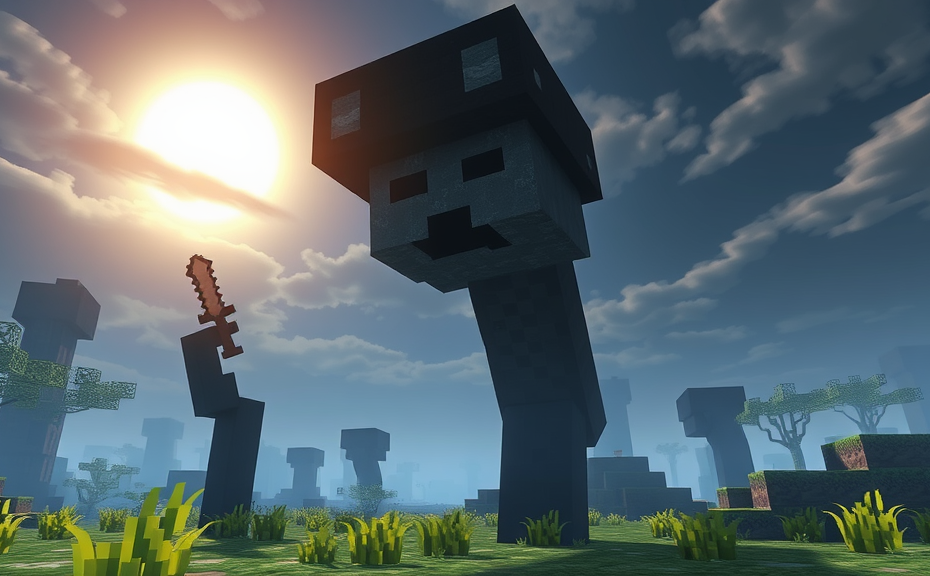
Minecraft has become one of the most popular games among children, offering a vast world where creativity and exploration reign supreme. However, some parents might wonder if the game can be too scary for their kids. Understanding whether Minecraft is scary for kids involves looking at several aspects of the game, including its graphics, gameplay, and community features.
Graphics and Atmosphere
Minecraft’s blocky, pixelated graphics are generally kid-friendly. The visuals are simple and colorful, which can make even the darker environments appear less threatening. For instance, caves and dungeons may seem spooky, but the overall aesthetic doesn’t typically evoke fear. The game’s light-hearted art style helps keep the atmosphere fun rather than frightening.
Gameplay Mechanics
The gameplay in Minecraft is centered around building, exploring, and surviving. While there are hostile mobs like zombies and creepers that can attack players at night, these enemies are more annoying than truly scary. Players can avoid them by staying indoors during nighttime or by setting up defenses. The challenge lies in resource management and strategic planning, rather than in facing terrifying adversaries.
Survival Mode vs. Creative Mode
Minecraft offers two main modes: Survival and Creative. In Survival mode, players must gather resources, build shelters, and fend off monsters, which can sometimes feel intense. However, Creative mode allows players unlimited resources and no hostile mobs, making it a more relaxed experience. Parents can choose which mode is best suited for their child’s comfort level.
Community and Multiplayer Features
Minecraft also includes multiplayer options, allowing kids to play with friends online. While this can be a great way to foster social skills, parents should be aware of potential interactions with strangers. Setting up private servers or joining trusted communities can mitigate risks and ensure a safer gaming environment.
Age Recommendations and Parental Guidance
Many platforms recommend Minecraft for ages 7 and up, but each child is different. Some younger children might find the game exciting without feeling scared, while older kids might enjoy the challenges it presents. Parents should monitor their child’s reaction to the game and adjust accordingly. Setting time limits and discussing in-game experiences can help manage any concerns.
- Monitor Gameplay: Keep an eye on how your child reacts to different elements in the game.
- Discuss In-Game Experiences: Talk about what they encounter and how they handle challenges.
- Set Time Limits: Ensure that gaming doesn’t interfere with other activities like homework or outdoor play.
- Join Them: Playing together can be a fun way to bond and understand their perspective.
Alternatives and Complementary Activities
If parents are still concerned about the game’s potential to scare their kids, there are alternatives and complementary activities to consider. Board games, puzzles, and creative crafts can offer similar stimulating experiences without the digital element. Balancing screen time with offline activities can also promote a healthier lifestyle.
Final Thoughts
Minecraft can be a fantastic tool for fostering creativity and problem-solving skills, but it’s important to gauge whether it suits your child’s personality and comfort level. By understanding the game’s mechanics and providing appropriate guidance, parents can ensure their kids have a positive and enjoyable experience. Whether Minecraft is scary for kids largely depends on individual preferences, so it’s crucial to tailor the experience to meet your child’s needs.
Minecraft has become one of the most popular video games among children, offering a vast sandbox world where creativity and exploration reign supreme. However, the question often arises: Is Minecraft scary for kids? While the game’s blocky graphics might initially seem harmless, there are several aspects that could potentially spook young players.
One of the main concerns is the presence of hostile mobs, which are aggressive creatures that spawn during nighttime or in dark areas. These include creepers, skeletons, zombies, and the notorious Enderman. While these enemies can be frightening, especially in the dark, they can be managed with proper gameplay strategies. For instance, building a shelter or using torches to light up dark areas can prevent mob spawns. Additionally, players can adjust the game settings to reduce the difficulty level, making the experience less daunting.
Understanding the Nighttime
The transition from day to night in Minecraft introduces a new set of challenges. As the sun sets, hostile mobs start appearing, which can be unsettling for younger players. However, this aspect of the game also serves as a teaching moment. It encourages children to think strategically and plan ahead, reinforcing skills like resource management and problem-solving. Parents can help by discussing these elements and guiding their children through the initial fear, turning it into a learning opportunity.
Exploring the Nether and End
Beyond the Overworld, Minecraft offers two additional dimensions: the Nether and the End. These areas introduce more challenging and eerie environments, populated by even more formidable mobs. The Nether, with its lava-filled landscapes and ghastly creatures, can be particularly unnerving. Similarly, the End dimension features the Ender Dragon, a powerful boss that requires significant preparation to defeat. While these areas add depth and excitement to the game, they may not be suitable for very young players. Parents should consider their child’s maturity level before venturing into these dimensions.
Parental Guidance and Settings
Parents play a crucial role in determining whether Minecraft is appropriate for their children. Setting age-appropriate limits and monitoring gameplay can significantly ease concerns. Many parents find it helpful to set designated playtimes and discuss the game’s mechanics and strategies. Additionally, adjusting the game’s difficulty settings can make the experience more manageable for younger players. Enabling peaceful mode eliminates hostile mobs entirely, providing a safer environment for exploration.
Community and multiplayer aspects of Minecraft can also contribute to a positive gaming experience. Playing with friends or family members can turn potential scares into shared adventures and laughter. Many parents encourage cooperative play to foster teamwork and communication skills. Engaging in multiplayer servers can also expose children to a supportive community, where they can learn from others and share their own experiences.
Emotional Impact and Coping Strategies
It’s important to recognize that children’s reactions to scary elements in Minecraft can vary widely. Some may find the experience thrilling, while others may feel genuinely frightened. Open communication between parents and children is key. Listening to their concerns and validating their feelings can help them cope better. Encouraging creative outlets, such as drawing or writing about their experiences, can also be beneficial.
Building a Supportive Environment
A supportive environment at home can greatly enhance a child’s gaming experience. Creating a safe space where children feel comfortable discussing their fears and successes fosters resilience. Parents can also introduce calming activities before bedtime, such as reading books or listening to soothing music, to help children unwind after playing. Ensuring that screen time does not interfere with sleep or other daily routines is essential for maintaining a healthy balance.
While Minecraft can present some scary elements, it doesn’t have to be a source of fear for children. With the right strategies and parental guidance, the game can be an enjoyable and educational experience. By understanding the game’s mechanics, setting appropriate boundaries, and fostering open communication, parents can ensure that their children enjoy Minecraft safely and confidently.
Minecraft has become a global phenomenon since its release, captivating millions of players across various age groups. However, when it comes to children, parents often wonder if the game is appropriate and whether it might be too scary for their little ones. Let’s delve into this topic to help you make an informed decision.
Minecraft is fundamentally a sandbox game, which means players can explore and build in a vast, open-ended environment. Unlike many other video games, Minecraft doesn’t feature graphic violence or intense horror elements. Instead, it presents a more gentle and imaginative world where players can freely create and explore. This makes it generally safe for children, but there are still some aspects to consider.
Understanding the Game’s Atmosphere
Minecraft’s blocky graphics and cartoonish style contribute to a light-hearted atmosphere. The creatures in the game, known as mobs, range from passive animals like cows and sheep to hostile creatures like zombies and skeletons. While these mobs can be frightening at first glance, especially for younger children, they are designed with a playful and non-threatening appearance. For instance, zombies in Minecraft look more like silly, pixelated versions of themselves rather than the terrifying monsters seen in other games.
The Role of Nighttime
One aspect of Minecraft that might seem scary is the transition from day to night. During the night, hostile mobs appear and roam the world, which can be unsettling for young players. However, these mobs only spawn in dark areas, so keeping your child in well-lit areas can mitigate this concern. Additionally, players can build shelters to protect themselves from nighttime threats. Teaching your child how to construct safe spaces within the game can turn a potentially scary situation into an exciting challenge.
Nighttime Tips for Parents
- Create a Safe Zone: Encourage your child to build a shelter or house where they feel safe during the night.
- Play Together: Join in on the gameplay and guide your child through the initial stages, especially the nighttime.
- Adjust Difficulty: Consider lowering the difficulty settings to reduce the number of hostile mobs and make the game less intimidating.
Exploring the Benefits
Beyond the potential fears, Minecraft offers numerous educational and developmental benefits for children. The game encourages creativity, problem-solving, and strategic thinking. Building structures, managing resources, and navigating the game world can enhance your child’s spatial awareness and planning skills. Moreover, multiplayer modes allow children to collaborate with friends, fostering social interaction and teamwork.
Engaging with the Community
Minecraft also has a vibrant community that provides countless resources and creative projects for players. From tutorials to build guides, there’s a wealth of content that can help your child learn new skills and get inspired. Participating in the community can make the game more enjoyable and less daunting, as your child sees how others navigate and enjoy the game.
Community Engagement Tips
- Watch Tutorials: Find family-friendly tutorials online that teach your child how to play and build effectively.
- Join Servers: Explore multiplayer servers that cater to younger players and offer a supportive environment.
- Discuss Builds: Talk with your child about their builds and creations, showing interest and encouraging their creativity.
Setting Boundaries and Guidelines
To ensure a positive experience, set clear boundaries and guidelines for your child’s gameplay. Limit screen time, establish rules around internet safety, and encourage breaks to maintain a healthy balance. Discussing these boundaries openly with your child helps them understand the importance of responsible gaming habits.
Guidelines for Healthy Gameplay
- Set Time Limits: Decide on reasonable time limits for playing Minecraft each day.
- Monitor Online Activity: Keep an eye on your child’s online interactions and ensure they are safe and positive.
- Encourage Variety: Balance Minecraft with other activities like outdoor play, reading, or creative hobbies.
Final Thoughts
Minecraft can be a thrilling adventure for kids, but it’s important to approach it with awareness of potential fears. By understanding the game’s atmosphere, providing support, and setting guidelines, you can help your child navigate the Minecraft world confidently and safely. Remember, the key is to find a balance that ensures your child enjoys the game while also feeling secure.
Minecraft has become one of the most popular games among children, offering a vast world where creativity and exploration thrive. However, some parents might wonder if Minecraft can be too scary for their kids. To address this concern, let’s delve into what makes Minecraft potentially frightening and how you can help your child enjoy the game safely.
Firstly, it’s important to understand that Minecraft’s environment is largely peaceful and controlled by players. The game primarily revolves around building structures, mining resources, and exploring various biomes. However, there are elements within the game that could trigger fear in younger players:
-
Hostile Mobs: At night, hostile mobs like zombies, skeletons, and creepers appear. While these creatures can be scary, they only spawn in dark areas, encouraging players to build shelters or light up their surroundings.
-
Spiders and Endermen: Spiders can climb walls and Endermen can pick up blocks, which might seem intimidating. However, these mobs can be avoided by staying away from dark places or certain biomes where they predominantly appear.
-
The Nether: This alternate dimension is filled with dangerous creatures and lava-filled landscapes. It requires careful preparation and strategy to explore, making it more suitable for older children or those who feel comfortable with a bit more challenge.
Despite these potential fears, Minecraft can be tailored to fit your child’s comfort level. Here are some tips to ensure your child enjoys the game without feeling scared:
-
Adjust Game Settings: You can change the difficulty level to peaceful, eliminating hostile mobs entirely. This setting is perfect for younger players who may find the game too frightening otherwise.
-
Create Safe Zones: Encourage your child to build safe zones or fortresses where they can retreat during nighttime. This gives them a sense of security and control over their environment.
-
Play Together: Joining your child in the game can help alleviate fears. Playing together provides reassurance and allows you to guide them through challenging situations.
-
Set Boundaries: Establish boundaries for exploring dangerous areas like the Nether. This helps manage expectations and ensures your child stays within a comfortable and safe gaming experience.
Moreover, Minecraft offers educational benefits that can outweigh any potential fears. The game enhances problem-solving skills, creativity, and even teaches basic coding concepts through mods and plugins. Engaging with these aspects can shift the focus from fear to fun and learning.
To further enhance the positive experience, consider incorporating Minecraft into family activities. For example, you can build a virtual house together or embark on a treasure hunt within the game. These shared experiences not only strengthen bonds but also make the game a source of joy rather than fear.
While Minecraft does contain elements that might be scary for younger players, these aspects can be managed effectively. By adjusting settings, creating safe spaces, playing together, and setting appropriate boundaries, you can ensure your child enjoys the game in a way that feels safe and enjoyable. Embrace the creative and educational opportunities Minecraft provides, and watch as your child thrives in this digital world.
Minecraft has become one of the most popular video games among children and adults alike, offering a vast sandbox world where players can build, explore, and survive. However, when it comes to younger players, parents often wonder if the game might be too scary. So, is Minecraft scary for kids?
One of the main concerns for parents is the presence of hostile mobs like zombies, skeletons, and creepers. These creatures come out at night and can pose a threat to players who aren’t prepared. For some kids, the sudden appearance of these monsters can be startling, especially if they are playing in dark areas or caves. However, the fear factor can be managed with a few simple adjustments.
Adjusting Game Settings
You can change the difficulty level to peaceful, which removes all hostile mobs from the game. This setting ensures that your child won’t encounter any scary creatures while playing. Another option is to limit the time spent in the game. By keeping play sessions during daylight hours, you can avoid the nighttime spawn of mobs.
Exploring the Game Together
Playing Minecraft together with your child can also help alleviate fears. By exploring the world side-by-side, you can show them how to combat threats and create safe spaces. This shared experience not only builds confidence but also strengthens the bond between parent and child.
Understanding the Fear Factor
It’s important to understand that what one child finds scary may not be the same for another. Some kids might be unfazed by the presence of monsters, while others might need more guidance. Open communication with your child can help you gauge their comfort level and address any concerns they might have.
Creating Safe Environments
Building protective structures like walls and fences around your base can help mitigate the risk of mob attacks. This not only adds a strategic element to the game but also provides a sense of security for young players. Additionally, teaching your child about the mechanics of the game, such as crafting weapons and armor, can empower them to face challenges confidently.
Introducing Minecraft Gradually
If your child is new to Minecraft, consider starting with creative mode. In this mode, there are no hostile mobs, allowing your child to explore and build freely without any fear. As they become more comfortable with the game, you can gradually introduce survival elements and different game modes.
Encouraging Positive Experiences
Focusing on the positive aspects of Minecraft can help shift the focus away from potential fears. Encourage your child to build amazing structures, explore vast landscapes, and embark on exciting adventures. By highlighting the fun and creative elements of the game, you can foster a positive association with Minecraft.
Community and Multiplayer
Minecraft’s multiplayer feature allows children to connect with friends and other players. Engaging in cooperative play can be a great way to reduce feelings of fear, as children work together to build and survive. Make sure to monitor and guide their interactions to ensure a safe and enjoyable experience.
Parental Controls and Monitoring
Using parental controls can help manage your child’s gaming experience. Many platforms offer features that allow you to set time limits, restrict access to certain game modes, and monitor online activity. By staying involved and informed, you can help create a balanced and enjoyable gaming environment for your child.
Addressing Concerns Proactively
It’s natural for parents to worry about their child’s exposure to potentially scary elements in games. By addressing these concerns proactively, you can help ensure that your child enjoys Minecraft in a safe and supportive environment. Remember, every child is different, so tailor your approach based on their individual needs and comfort levels.
While Minecraft does contain elements that could be perceived as scary, there are numerous ways to mitigate these concerns. By adjusting settings, playing together, and fostering a positive gaming experience, you can help your child enjoy the game without fear. Embrace the creativity and fun that Minecraft offers, and watch as your child thrives in this virtual world.
Conclusion
Navigating the world of Minecraft with your kids can be both fun and educational. While the game itself isn’t inherently scary, it’s important to monitor their experiences and ensure they’re comfortable with the content. Setting boundaries, choosing appropriate modes, and engaging in the gameplay together can significantly enhance their experience. Remember, every child is different, so pay attention to their reactions and preferences. By keeping an open dialogue and being involved, you can help them enjoy Minecraft while feeling safe and supported. Whether they’re building grand structures or exploring caves, you can rest assured that they’re developing valuable skills and having a great time.