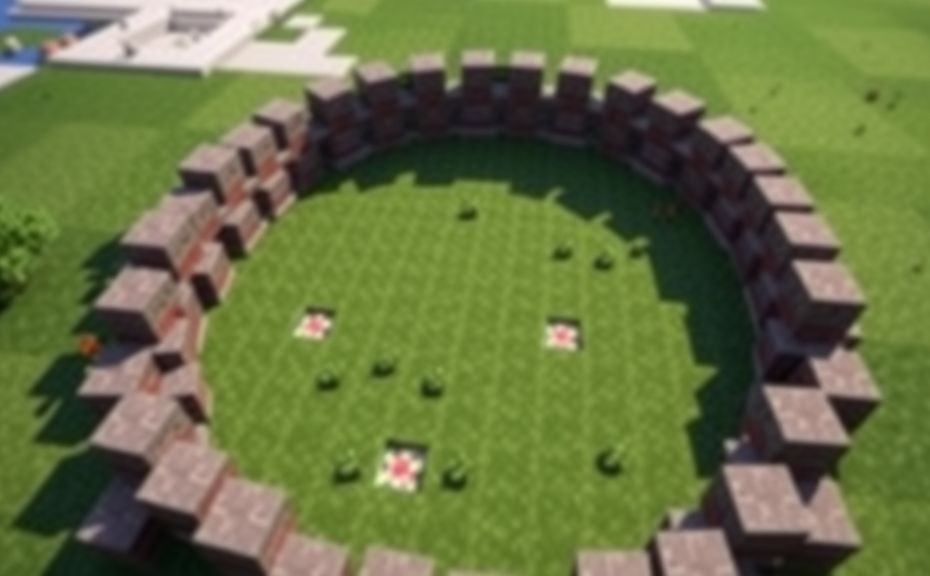
Crafting Perfect Circles: A Comprehensive Guide to Using Minecraft Circle Generators
In the vast world of Minecraft, creating perfect circles can add a touch of elegance to your builds. Whether you’re designing a circular arena, a decorative fountain, or a symmetrical garden, using a circle generator can save you time and effort. In this guide, we’ll explore how to effectively use Minecraft circle generators to achieve flawless circular designs.
Before diving into the specifics, it’s essential to understand why using a circle generator might be beneficial. Manually placing blocks to form a perfect circle can be challenging and time-consuming. By using a generator, you can quickly create the foundation of your design, allowing you to focus more on the aesthetics and less on the tedious task of block placement.
Choosing the Right Circle Generator
There are several circle generators available online, each with its own set of features and capabilities. When selecting a generator, consider the following factors:
- Resolution: Higher resolution means more detailed and smoother circles. Choose a generator that offers high-resolution options for better results.
- Size Options: Ensure the generator allows you to specify the diameter or radius of the circle. This flexibility is crucial for different projects.
- Customization: Some generators let you customize the shape further, like adding inner circles or adjusting the thickness of the outer ring.
- Compatibility: Make sure the generator works seamlessly with the version of Minecraft you are using. Compatibility issues can lead to errors or incomplete designs.
Using a Circle Generator Step-by-Step
Once you’ve chosen a suitable circle generator, follow these steps to create your perfect circle:
- Input Parameters: Enter the desired diameter or radius of your circle. Some generators may also allow you to input the center coordinates.
- Select Block Type: Choose the type of block you want to use for your circle. Common choices include stone, dirt, or even glass for a more decorative look.
- Generate the Circle: Click the generate button to create your circle. Most generators will display a preview before you export it.
- Export and Import: Once satisfied with the preview, export the circle and import it into your Minecraft world. Ensure you place it in the correct location.
Enhancing Your Circle Design
After generating the basic circle, there are numerous ways to enhance and personalize your design:
- Add Color Variations: Experiment with different colored blocks to create patterns or gradients within the circle.
- Incorporate Decorative Elements: Place additional structures like fountains, statues, or flowers around the circle to make it stand out.
- Create Inner Circles: Use the customization options in some generators to create multiple concentric circles, adding depth and complexity to your design.
- Lighting Effects: Add lighting elements like torches or glowstone to highlight the edges of your circle, making it more visible during nighttime gameplay.
Tips for Perfecting Your Circle
To ensure your circle looks as perfect as possible, keep these tips in mind:
- Check for Symmetry: Regularly inspect your circle to ensure it remains symmetrical. Small adjustments can be made while the circle is still in the generator.
- Smooth Edges: If the circle appears jagged, try increasing the resolution settings in the generator. This will smooth out the edges for a cleaner look.
- Test in Different Angles: View your circle from various angles to catch any imperfections. Sometimes, a small adjustment can make a big difference.
- Practice Makes Perfect: Creating perfect circles takes practice. Don’t get discouraged if your first few attempts aren’t flawless. Each try will help you refine your skills.
Common Mistakes to Avoid
When working with circle generators, avoid these common pitfalls:
- Ignoring Resolution Settings: Low-resolution settings can result in a rough, unappealing circle. Always opt for higher resolutions when possible.
- Forgetting Customization Options: Many generators offer customization features that can significantly enhance your design. Take advantage of these options to create a unique look.
- Overlooking Compatibility: Using an incompatible generator can lead to errors or incomplete designs. Always verify compatibility with your Minecraft version.
- Not Checking for Updates: Circle generators are regularly updated to fix bugs and add new features. Keeping your generator up to date ensures you have access to the latest improvements.
Using a Minecraft circle generator can transform your building experience, allowing you to create intricate and visually appealing circular designs effortlessly. By carefully choosing the right generator, following the step-by-step process, and enhancing your design with additional elements, you can craft perfect circles that elevate your builds to the next level. Happy building!
Advanced Techniques for Utilizing Minecraft Circle Generators in Building Projects
In Minecraft, mastering the art of building circular structures can add a unique flair to your creations. Whether you’re crafting a majestic castle, a cozy village, or an intricate maze, a circle generator can streamline your process and enhance the precision of your builds. This article delves into advanced techniques for utilizing Minecraft circle generators in your building projects, providing you with tips and tricks to elevate your architectural skills.
Before diving into the advanced techniques, it’s essential to understand the basics of how a circle generator works. Essentially, a circle generator is a tool or command that helps you create perfect circles in Minecraft. By inputting the desired radius, you can generate a series of blocks arranged in a perfect circular pattern. This tool is invaluable for creating everything from round towers to decorative ponds. Let’s explore some advanced methods to get the most out of your circle generator.
Choosing the Right Circle Generator
First things first, selecting the right circle generator is crucial. There are several types available, each with its own set of features and capabilities. Some are command-based, while others are plugins or mods. For instance, if you prefer a more hands-on approach, a command-based generator might be ideal. However, if you’re looking for something user-friendly, a plugin or mod could be the way to go. Consider your project needs and skill level when choosing the right tool.
Using Command-Based Circle Generators
Command-based circle generators offer unparalleled control and customization. These tools allow you to tweak parameters like radius, block type, and even the orientation of the circle. To use them effectively, you need to be familiar with Minecraft commands. Here’s a simple example:
<code>/fill ~-5 ~ ~-5 ~5 ~ ~5 minecraft:stone replace air</code>
This command fills a cubic area with stone blocks, but you can modify it to create a circular pattern by adjusting the coordinates. Experiment with different commands to achieve the exact shape and size you desire.
Exploring Plugins and Mods
Plugins and mods provide a more streamlined experience, often offering user-friendly interfaces. Popular options include WorldEdit and EssentialsX. These tools typically come with a variety of commands and features that simplify the creation of circular structures. For example, with WorldEdit, you can use the //circle command to generate a circle with ease:
<code>//circle <radius> [material] [orientation]</code>
This command allows you to specify the radius, material type, and orientation, making it incredibly versatile for various projects.
Optimizing Your Circle Generation
To make the most out of your circle generator, consider these optimization tips:
- Layering: Instead of generating a single layer, consider layering multiple circles to create depth. This technique can add realism and complexity to your builds.
- Combining Shapes: Experiment with combining circles with other shapes like squares or triangles. This can create unique and visually appealing structures.
- Customizing Materials: Use different materials for different layers or sections of the circle. This can help differentiate between floors, walls, and ceilings, adding texture and detail to your build.
Adding Texture and Detail
Once you have your basic circle structure in place, you can add texture and detail to make it stand out. Consider using different block types for the inner and outer edges of the circle. You can also incorporate patterns or designs within the circle to give it a personalized touch. For example, you might use quartz for the outer edge and cobblestone for the inner edge, creating a subtle gradient effect.
Integrating Circles into Larger Projects
Circles can serve as the foundation for larger, more complex structures. For instance, you can use a circle as the base for a tower, a fountain, or even a decorative garden. By integrating circles into these projects, you can create cohesive and aesthetically pleasing builds. Consider the following steps:
- Planning: Before starting, plan how the circle will fit into your overall design. Think about the scale, placement, and purpose of the circle.
- Building: Start by generating the circle using your chosen method. Once you have the basic shape, begin adding details and textures.
- Integration: Integrate the circle into the surrounding environment. This might involve connecting it to pathways, buildings, or other landscape elements.
Expanding Your Skills
As you become more proficient with circle generators, you can start experimenting with more advanced techniques. For example, try creating overlapping circles to form intricate patterns. You can also experiment with different orientations and rotations to create dynamic and varied structures.
- Overlapping Circles: Overlapping circles can create beautiful, organic patterns. Try placing multiple circles at different angles and radii to see how they interact.
- Rotations and Transformations: Use commands or plugins to rotate and transform your circles. This can help you create asymmetrical designs or add movement to your builds.
Creating Realistic Environments
To make your builds look more realistic, consider incorporating natural elements like trees, water, and foliage around your circles. This can help blend the structure into the surrounding environment. For example, you might place a small pond inside a circular area and surround it with grass and flowers.
<code>/setblock ~ ~ ~ water</code>
Using commands like this can help you create a seamless and immersive environment.
Mastering the use of circle generators in Minecraft opens up a world of possibilities for your builds. From simple decorative elements to complex architectural designs, circles can add a unique touch to your creations. By choosing the right generator, optimizing your builds, and integrating circles into larger projects, you can take your Minecraft building skills to the next level. Happy building!
Exploring the Best Minecraft Circle Generator Tools Available Online
In the vast world of Minecraft, creating perfect circles can sometimes be a daunting task, especially when you’re aiming for precision in your builds. Whether you’re designing a castle, a park, or simply want to enhance your landscape, a Minecraft circle generator can be a game-changer. These tools help streamline the process, making it easier to achieve the desired results with minimal effort. Here’s a look at some of the best Minecraft circle generator tools available online.
One of the most popular circle generators is the Minecraft Circle Generator by Mineverse. This tool allows you to input the radius of the circle you wish to create and generates a pattern that you can easily follow within the game. It’s user-friendly and provides detailed instructions on how to place blocks according to the generated pattern. The interface is straightforward, making it accessible even for beginners.
Another excellent option is the Circle Maker available on Planet Minecraft. This tool offers more customization options, allowing you to choose the size, type of blocks, and even the color scheme of your circle. It also provides a downloadable template that you can import directly into your Minecraft world. The additional features make it a versatile choice for both casual players and experienced builders.
If you prefer a mobile solution, the Minecraft Circle Generator app for Android and iOS devices is worth considering. This app brings the convenience of circle generation right to your fingertips. You can adjust the settings on the go and generate patterns instantly. It’s particularly useful if you’re playing on a tablet or smartphone and want to avoid switching between multiple devices.
For those who enjoy using web-based tools, the Circle Generator by BlockWorks is another great option. This tool supports a wide range of block types and offers the ability to save your patterns for future use. It also includes a feature that allows you to preview the circle before generating the final pattern, ensuring you get exactly what you envision. The preview function is particularly helpful in avoiding mistakes and saving time.
The Block Pattern Generator by CraftPixel is a comprehensive tool that goes beyond just circle generation. It can create various shapes and patterns, including rings, spirals, and more. While it’s not exclusively focused on circles, its versatility makes it a valuable resource for any Minecraft builder. The interface is clean and intuitive, making it easy to navigate through different functionalities.
The Minecraft Circle Tool by Gamepedia is a reliable option for those looking for a straightforward approach. This tool focuses solely on generating perfect circles and provides clear, step-by-step instructions. It’s designed with simplicity in mind, ensuring that even those new to Minecraft can use it effectively. The straightforward nature of this tool makes it a go-to for many players.
When choosing a Minecraft circle generator, consider your specific needs. If you’re looking for ease of use and a simple interface, Mineverse or Gamepedia might be the best fit. For more customization options and advanced features, Planet Minecraft or BlockWorks could be preferable. Mobile users may find the app by Minecraft Circle Generator more convenient.
Using these tools can significantly enhance your building experience in Minecraft. They reduce the time spent on manual calculations and placements, allowing you to focus more on creativity and less on tedious tasks. Whether you’re building a small garden or an elaborate fortress, these generators can help you achieve professional-looking results with minimal effort.
Remember, while these tools are incredibly useful, they should be seen as aids rather than replacements for your own creativity. Experimenting with different designs and placements can lead to unique and stunning structures. So, don’t hesitate to use these generators to kickstart your projects, but also feel free to put your personal touch on them.
There are several high-quality Minecraft circle generator tools available online that cater to various needs and preferences. By leveraging these tools, you can bring your creative visions to life more efficiently and with greater precision. Happy building!
Enhancing Your Minecraft Experience with Creative Circle Designs Generated by Software
Minecraft has captured the hearts of millions with its endless possibilities for creativity and building. One fascinating aspect of the game is designing intricate patterns and structures, including circles. While drawing perfect circles manually can be challenging, using a circle generator can significantly enhance your Minecraft experience. These tools help you create precise and beautiful circular designs, whether for aesthetic purposes or functional needs like building arenas or gardens.
One popular option for generating circles in Minecraft is the Minecraft Circle Generator. This tool allows you to input the desired diameter and choose between different types of circles, such as flat or spherical. It then provides you with a step-by-step guide on how to place blocks to achieve the desired shape. Whether you’re a beginner or an experienced player, these generators can save you time and effort while still producing impressive results.
To get started with a Minecraft circle generator, you typically need to visit a website dedicated to such tools. Many websites offer user-friendly interfaces where you can easily adjust parameters like the radius, material type, and even the orientation (flat or vertical). Once you’ve configured your settings, the generator outputs a pattern or a set of coordinates that you can follow within the game. This process is straightforward and ensures accuracy, which is crucial when working with precise designs.
Why Use a Minecraft Circle Generator?
Using a Minecraft circle generator offers several advantages. First, it helps maintain symmetry and precision, which can be difficult to achieve manually, especially for larger circles. Second, it saves time, allowing you to focus on other aspects of your build or simply enjoy the game more. these tools enable you to explore creative designs that might be beyond your current skills, pushing your boundaries and enhancing your overall experience in the game.
Step-by-Step Guide to Using a Minecraft Circle Generator
- Choose Your Tool: Select a reputable Minecraft circle generator website. Look for one with clear instructions and positive user reviews.
- Input Parameters: Enter the desired diameter and select the type of circle (flat or spherical). You may also choose the block type to be used in the design.
- Generate: Click the generate button to receive your pattern or coordinate list.
- Copy Coordinates: Copy the generated coordinates and paste them into your clipboard.
- Place Blocks: In-game, use the coordinates to place blocks according to the pattern provided. Ensure you are in the correct location before placing each block.
- Adjust as Needed: Fine-tune your circle by making minor adjustments if necessary. This might involve tweaking some blocks for better symmetry or aesthetics.
Examples of Creative Circle Designs
Once you master the use of a circle generator, you can create a variety of designs:
- Arena: Build a circular arena for PvP battles or other events. Use different materials for the floor and walls to create contrast.
- Garden: Design a circular garden with flower beds, paths, and decorative elements. Consider adding water features for a serene atmosphere.
- Art Installation: Create an art installation by using different colored blocks to form intricate patterns within the circle. This could be a tribute to a favorite artist or a personal project.
- Custom Structures: Incorporate circular designs into larger structures, such as domes or towers, for added visual appeal.
By leveraging a Minecraft circle generator, you can elevate your builds and explore new creative avenues within the game. These tools not only simplify the process but also open up a world of possibilities for both beginners and seasoned players. Whether you’re looking to add a touch of elegance to your builds or tackle more ambitious projects, a circle generator is an invaluable resource.
Remember, the key to a successful design is experimentation and practice. Start with simple circles and gradually move to more complex patterns. Share your creations with the community and gather feedback to refine your skills further. With time, you’ll find yourself creating stunning circular designs that enhance your Minecraft experience and inspire others.
So why wait? Dive into the world of Minecraft circle generation today and see how it can transform your builds and gameplay. Happy crafting!
The Future of Circle Creation in Minecraft: Innovations Beyond Basic Circle Generators
In the vast world of Minecraft, where creativity knows no bounds, players have always sought innovative ways to craft intricate designs. One such design element that has captured the imagination of many is the circle. While basic circle generators have been a staple for years, the future of circle creation in Minecraft is poised to bring a new level of sophistication and ease to this process. From advanced algorithms to community-driven tools, the landscape of circle generation is evolving rapidly.
Traditionally, players have relied on simple circle generators or manually plotting points to create circles in Minecraft. These methods, while effective, can be time-consuming and require a fair bit of mathematical precision. However, with advancements in technology and the collective effort of the Minecraft community, the future looks promising for those looking to craft more intricate and detailed circular structures.
Automated Circle Tools
One of the most exciting developments in the realm of circle creation is the advent of automated circle tools. These tools leverage sophisticated algorithms to generate perfect circles with minimal input from the user. For instance, some tools allow players to input the radius of the circle and automatically plot the necessary points. This not only saves time but also ensures accuracy, making it easier for both novice and experienced players to incorporate circles into their builds.
Community-Driven Innovations
The Minecraft community plays a crucial role in driving innovation in circle creation. Players share their own custom scripts and mods that can automate the process even further. These community-driven solutions often come with additional features like customizable patterns and textures, allowing for a greater degree of personalization. Forums and dedicated websites are hubs where players exchange ideas, troubleshoot issues, and collectively push the boundaries of what’s possible with circle generation.
Integration with Building Blocks
As the game evolves, so too does the variety of building blocks available to players. Advanced circle generators now support a wide range of materials, from basic blocks like wool and stone to more specialized ones like stained glass and concrete. This integration allows for more vibrant and visually appealing circular designs. For example, players can now easily create colorful mandalas or intricate stained-glass windows with just a few clicks, enhancing the aesthetic appeal of their creations.
Real-Time Preview Features
Another significant improvement in the future of circle creation is the addition of real-time preview features. These tools allow players to see how their circle will look as they adjust settings such as radius, texture, and color. Real-time previews ensure that players can fine-tune their designs before finalizing them, reducing the need for trial and error. This feature is particularly useful for large-scale projects where precision is key.
Collaborative Circle Generation
With the rise of multiplayer servers, collaborative circle generation has become increasingly popular. Tools that facilitate group work enable multiple players to contribute to a single project simultaneously. This not only speeds up the process but also fosters a sense of community among players. Whether it’s a massive community monument or a collaborative art piece, these tools make it easier for groups to work together seamlessly.
Advanced Customization Options
Future circle generators will likely offer even more advanced customization options. Players might be able to choose from a variety of shapes within the circle, such as spirals, waves, or even fractals. These advanced features would open up new possibilities for creative expression, allowing players to create unique and complex designs that were previously difficult to achieve. Imagine being able to craft a dynamic, animated circle that changes over time—this could revolutionize how we think about circle-based designs in Minecraft.
Accessibility for All Skill Levels
One of the key goals of future circle generators is to make the process accessible to all skill levels. Beginners should be able to generate perfect circles with minimal effort, while experienced players can take advantage of advanced features. By offering intuitive interfaces and detailed tutorials, these tools can help players of all backgrounds unleash their creativity without feeling overwhelmed by technical complexities.
Expanding Beyond Circles
While the focus here is on circles, it’s worth noting that the same principles and technologies could be applied to other geometric shapes and designs. Squares, triangles, and even more complex polygons could benefit from similar advancements in automation and customization. This could lead to a broader range of design possibilities, empowering players to create more diverse and intricate structures within the game.
As Minecraft continues to evolve, the future of circle creation looks bright. With advancements in automation, customization, and community collaboration, players will have more tools at their disposal to bring their creative visions to life. Whether you’re a seasoned builder or just starting out, the innovations beyond basic circle generators promise to enhance the gaming experience and unlock new levels of creativity.
Conclusion
As you dive deeper into the world of Minecraft, mastering the art of circle creation can elevate your building projects to new heights. Whether you’re crafting intricate designs by hand or leveraging advanced tools, the possibilities are endless. By exploring the best circle generator tools available online, you can unlock creative freedom and bring your visions to life more efficiently. Embrace these innovations to enhance your gameplay experience, making your builds stand out with precision and beauty. The future of circle creation in Minecraft holds even more exciting developments, promising even greater control and creativity. So, keep experimenting, learning, and pushing the boundaries of what’s possible in this beloved sandbox game. With each new technique and tool, you’ll find yourself crafting increasingly complex and stunning structures, turning your Minecraft world into a masterpiece.