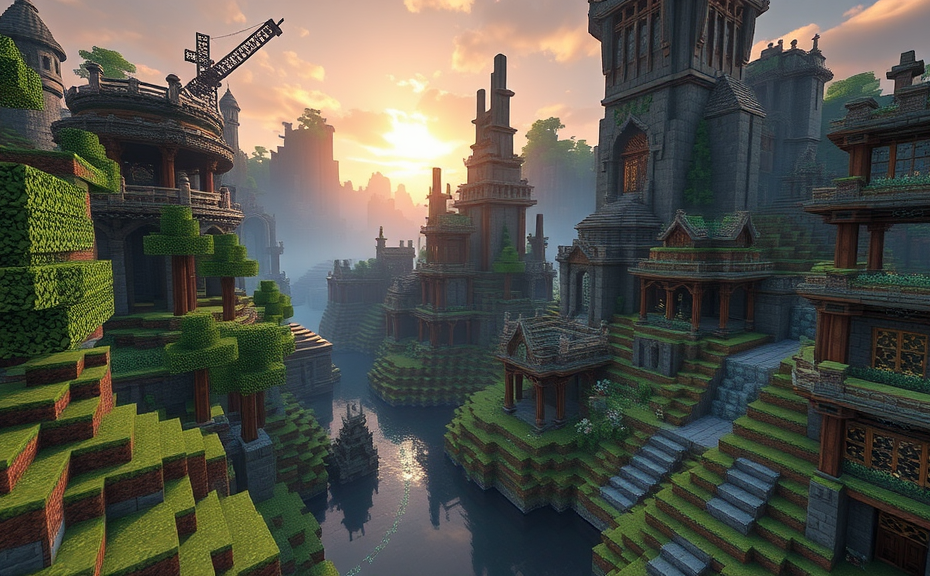
Exploring the Benefits and Features of Minecraft Realms
Minecraft Realms is a subscription-based service designed to make it easier for players to host their own multiplayer servers. Whether you’re looking to play with friends or join a community, Realms offers a straightforward way to set up and manage your server. Here’s a closer look at the benefits and features that make Minecraft Realms stand out.
One of the most significant advantages of Minecraft Realms is its ease of use. Setting up a server can often be a daunting task, requiring technical knowledge and ongoing maintenance. With Realms, you simply subscribe and start playing. The service handles all the behind-the-scenes work, including server hosting, backups, and updates. This means you can focus on enjoying the game rather than worrying about server management.
Accessibility and Flexibility
Realms is accessible on multiple platforms, including Windows 10, Android, iOS, and consoles like Xbox and PlayStation. This flexibility ensures that players can connect and play together regardless of the device they are using. Whether you’re on the go or at home, you can easily join your Realm and continue your adventures.
Subscription Plans
- Free Trial: Minecraft Realms offers a free trial period, allowing you to test the service before committing to a subscription.
- Monthly Plan: For regular users, there are monthly plans available. These plans come with different server sizes, so you can choose one that fits your needs.
- Family Sharing: If you have a family account, you can share your Realm with up to ten family members, making it a great option for families who want to play together.
Customization Options
Realms allows for a high degree of customization. You can choose from various world types, including survival, creative, and adventure modes. Additionally, you can adjust settings such as difficulty levels and game rules to tailor the experience to your preferences. This level of control ensures that everyone in your group can enjoy the game the way they like.
World Templates
- Pre-built Worlds: Realms offers pre-built worlds that you can instantly load, providing a quick way to start playing without the hassle of creating a world from scratch.
- World Templates: There are also templates available that offer unique themes and challenges, adding variety to your gameplay.
Security and Privacy
Security and privacy are crucial aspects of any online gaming platform. Realms includes features designed to keep your server safe. You can control who joins your Realm through invite-only settings, ensuring that only invited players can access your world. Additionally, Realms provides regular backups, so even if something goes wrong, you can restore your world to a previous state.
Invite System
- Invite-Only Access: You can restrict access to your Realm by sending invites to specific players. This feature helps maintain a controlled environment and keeps your world private.
- Backup System: Regular backups ensure that your progress is never lost. You can restore your world to a previous backup point if needed.
Community Features
Minecraft Realms fosters a sense of community among players. You can easily connect with other Realms users and join their servers. This feature opens up new opportunities for collaboration and social interaction within the Minecraft universe. Whether you’re building a massive city or embarking on an epic quest, Realms connects you with like-minded players.
Server Discovery
- Discover Other Realms: You can browse and join other Realms, expanding your network of friends and potential allies.
- Joining Communities: Joining other Realms allows you to explore different worlds and participate in diverse activities.
Technical Support and Updates
Realms comes with robust technical support, ensuring that you can get help whenever you need it. The service also receives regular updates, which means you’ll always have access to the latest features and improvements. This commitment to ongoing development ensures that Realms remains a top choice for multiplayer Minecraft experiences.
Customer Support
- 24/7 Support: Realms offers customer support around the clock, helping you resolve any issues quickly.
- Regular Updates: Frequent updates ensure that the service stays current with the latest Minecraft developments.
Minecraft Realms simplifies the process of hosting a multiplayer server, offering accessibility, customization, security, and community features. It’s a powerful tool for enhancing your Minecraft experience, whether you’re playing with friends or exploring new worlds.
Setting Up Your Own Minecraft Realm: A Step-by-Step Guide
Minecraft Realms is a fantastic service offered by Mojang that allows you to create and manage your own private multiplayer server. This means you can play with friends or family without worrying about hosting issues. Here’s a step-by-step guide to help you set up your own Minecraft Realm.
First things first, you need to ensure you have a valid Minecraft account and a subscription to Minecraft Realms. Realms subscriptions are available for both Java and Bedrock editions, so choose the one that suits your gaming platform.
Choosing Your Subscription Plan
When setting up your Realm, you’ll need to select a subscription plan. There are different plans available depending on how many players you want to invite and the duration of the subscription. Plans range from monthly to annual subscriptions, and you can choose based on the number of slots you need. For instance, a small plan might offer up to 3 slots, while a large plan could accommodate up to 10 slots.
Step 1: Accessing Minecraft Realms
To get started, open Minecraft and navigate to the Realms section. You can find this under the “Multiplayer” tab in the main menu. Once there, you’ll see an option to create a new Realm. Click on it to proceed.
Step 2: Configuring Your Realm Settings
After clicking on the “Create Realm” button, you’ll be prompted to configure several settings. Start by choosing the world type. You can opt for a freshly generated world or import an existing one. Next, decide on the game mode—Survival, Creative, Adventure, or Spectator. Each mode offers a different gameplay experience, so pick the one that best fits your group’s preferences.
Step 3: Selecting Subscription Plan
In this step, you need to select your preferred subscription plan. Review the details provided, including the number of slots and the price. Choose the plan that aligns with your needs and budget. Remember, you can change your plan later if necessary.
Step 4: Inviting Friends
Once your Realm is created, you can start inviting friends. Navigate to the “Invite” tab within the Realm settings. You can share the invitation link via email, social media, or any other communication method you prefer. Make sure everyone has access to the link and knows how to join the Realm.
Step 5: Customizing Your Realm
Customization is key to making your Realm unique. You can adjust various settings like difficulty level, world border, and more. Additionally, you can install add-ons or resource packs to enhance the visual appeal or introduce new gameplay elements. Check the official Minecraft website for tutorials on how to do this.
Step 6: Managing Your Realm
Managing your Realm involves monitoring player activity and handling administrative tasks. You can view logs, manage invites, and even reset the world if needed. Regularly check these features to keep your Realm running smoothly.
Step 7: Keeping Your Realm Secure
Security is crucial when managing a public Realm. Set strong passwords and enable two-factor authentication where possible. Educate your players about safe practices and monitor for any suspicious behavior. This ensures a safe and enjoyable experience for everyone involved.
Troubleshooting Common Issues
- Connection Problems: If players are having trouble connecting, ensure their versions of Minecraft are up to date and check the Realm status on the official website.
- World Corruption: If your world becomes corrupted, try restoring from backups or resetting the world. Regular backups can prevent data loss.
- Lag and Performance Issues: To reduce lag, limit the number of players, reduce the number of mods or add-ons, and ensure your device meets the recommended specifications.
Final Tips
Remember, the key to enjoying Minecraft Realms is communication and collaboration. Keep lines of communication open with your friends and regularly update them on any changes or updates. Also, don’t hesitate to reach out to Mojang support if you encounter persistent issues.
By following these steps, you can easily set up and manage your own Minecraft Realm, ensuring a fun and engaging experience for you and your friends. Happy building!
Maximizing Gameplay with Minecraft Realms: Tips and Tricks
Minecraft Realms is a fantastic service that allows players to easily set up and manage their own multiplayer worlds. Whether you’re looking to play with friends or host a community server, Realms offers a convenient and accessible solution. Here are some tips and tricks to maximize your gameplay experience with Minecraft Realms.
Understanding Minecraft Realms
Minecraft Realms is a subscription-based service that lets you create and manage a private Minecraft world. It’s ideal for hosting a server that you can access from anywhere, anytime. With Realms, you don’t need to worry about managing the technical aspects of running a server; it’s all taken care of behind the scenes. You simply invite your friends, and you’re ready to start building and exploring together.
Choosing the Right Plan
Before diving into Minecraft Realms, consider which plan suits your needs best. There are different tiers available, each offering varying levels of storage and player slots. For casual gaming with a small group of friends, the basic plan might be sufficient. However, if you’re planning on hosting larger events or have more storage needs, opt for a higher-tier plan. Carefully evaluating your requirements ensures you get the most out of your subscription.
Backing Up Your World
Regularly backing up your Minecraft Realms world is crucial. While Realms takes automatic backups, it’s wise to manually back up your world periodically. This way, you can restore your world to a previous state if something goes wrong. To do this, go to the Realms settings, select “Backup,” and follow the prompts to download a backup file to your device.
Inviting Friends and Setting Permissions
One of the best features of Minecraft Realms is the ability to easily invite friends. When you set up your Realm, you’ll receive a unique URL that you can share with your friends. They can join your world by clicking the link and following the prompts. Additionally, you can customize permissions for each player, allowing or restricting certain actions based on their role. For example, you might want to give builders full access while limiting other players to spectator mode.
Managing Player Roles
To ensure smooth gameplay, it’s important to manage player roles effectively. By default, every invited player has builder permissions, which means they can build, destroy, and interact with the world. However, you can change these permissions to suit your needs. For instance, you might designate certain players as moderators who can kick or ban others if necessary. This helps maintain order and keeps the game enjoyable for everyone.
Optimizing Performance
To get the best performance out of your Minecraft Realms world, consider optimizing various settings. One key aspect is adjusting the view distance. A higher view distance means more detailed landscapes but also requires more resources. Adjust this setting based on your internet speed and the number of players in the world. Additionally, make sure your device meets the minimum system requirements to avoid lag and ensure a smooth gaming experience.
Tweaking Server Settings
You can further optimize your Minecraft Realms world by tweaking server settings. From the Realms management page, you can enable or disable certain features like command blocks, multiplayer game options, and more. Disabling unnecessary features can help reduce server load and improve performance. Experiment with different settings to find the optimal configuration for your world.
Expanding Your World
If you find that your initial world size isn’t enough, you can expand it using the Realms management interface. Expanding the world gives you more space to build and explore, which is particularly useful for large-scale projects or expanding communities. Be aware that expanding the world does require additional storage, so make sure you have the necessary plan before proceeding.
Adding Custom Content
To enhance your Minecraft Realms experience, consider adding custom content such as resource packs and texture packs. These modifications can completely change the look and feel of your world, making it more visually appealing and immersive. Resource packs modify how items and blocks appear, while texture packs change the overall appearance of the environment. Both types of content are easy to install and can significantly elevate your gameplay experience.
Engaging with the Community
Minecraft Realms isn’t just about playing with friends; it’s also a great way to engage with the broader Minecraft community. Joining or creating a community server can introduce you to new players and ideas. You can share tips, collaborate on projects, and even organize events. Engaging with others can add a new dimension to your gameplay and help you discover new ways to enjoy Minecraft.
Hosting Events and Challenges
To keep things interesting and foster community engagement, consider hosting regular events and challenges in your Minecraft Realms world. Events could range from building contests to treasure hunts. Challenges can range from survival races to parkour courses. These activities not only provide fun and engaging experiences for your players but also help build a sense of community within your world.
By following these tips and tricks, you can maximize your gameplay experience with Minecraft Realms. Whether you’re playing casually with friends or hosting large-scale events, Realms provides a robust platform that makes it easy to create and manage your own multiplayer world. Enjoy building, exploring, and creating memories with your friends and community!
Comparing Minecraft Realms to Other Hosting Options
Minecraft Realms offers players a convenient way to host their own multiplayer servers without the technical hassle. However, it’s essential to compare Minecraft Realms with other hosting options to understand its strengths and limitations. Whether you’re looking for more control over your server, better performance, or a wider range of customization options, there are several alternatives to consider.
Let’s start by examining some key aspects where Minecraft Realms stands out:
- Setup Ease: One of the biggest advantages of Minecraft Realms is how simple it is to set up. With just a few clicks, you can launch a server and invite friends. No need to worry about technical configurations or managing hardware.
- Automatic Updates: Realms automatically update to the latest version of Minecraft, ensuring that you and your friends are always playing on the most current software.
- Cloud Storage: Realms come with built-in cloud storage, making it easy to back up your world and restore it if needed.
- Subscription Model: Realms operate on a subscription basis, which can be cost-effective for small groups. However, larger groups might find this model less economical.
Alternative Hosting Options
When considering alternatives, you’ll encounter various hosting services that offer different levels of control and customization.
Dedicated Servers
Dedicated servers provide the highest level of control and flexibility. You have full administrative access to the server, allowing you to install plugins, modify game settings, and manage user permissions. Here are some popular dedicated server options:
- Bought Server: Buying a dedicated server gives you complete ownership and control. Providers like Apex Hosting and Shockbyte offer robust features and reliable uptime.
- Self-Hosting: For those with technical expertise, self-hosting a Minecraft server on your own hardware is an option. This requires significant knowledge and resources but offers maximum control.
VPS Hosting
A Virtual Private Server (VPS) is another viable option. It offers a balance between control and ease of setup compared to dedicated servers. VPS providers like Vultr and DigitalOcean allow you to configure your server environment according to your needs.
- Cost-Effective: VPS hosting can be more cost-effective than dedicated servers while still offering substantial control.
- Scalability: You can easily scale resources up or down based on your server’s demand.
Managed Hosting Services
Managed hosting services offer a middle ground between the simplicity of Realms and the control of dedicated servers. These services handle most of the technical aspects, allowing you to focus on gameplay. Some popular managed hosting providers include:
- PureCrystals: Offers a user-friendly interface and a wide range of plugins and mods.
- MCProHosting: Provides a variety of server plans with excellent customer support.
Community-Focused Hosting
Some hosting options cater specifically to community-driven servers, offering features that enhance social interaction and collaboration:
- ServerLectron: Known for its robust community features and user management tools.
- Host Havoc: Specializes in community-focused hosting with customizable options for different server sizes.
Performance and Reliability
When comparing Minecraft Realms to other hosting options, performance and reliability are crucial factors. Realms generally offer good performance for small groups, but larger groups may experience lag due to limited resources. Dedicated servers and VPS options can provide superior performance, especially with proper optimization.
- Realms: Ideal for small groups and casual play. Offers automatic updates and seamless integration with Minecraft.
- Dedicated Servers: Best for large communities requiring extensive customization and high performance.
- VPS Hosting: A balanced option, offering good performance and scalability for mid-sized groups.
- Managed Hosting: Suitable for those who want a mix of control and ease of use, often with excellent support.
Customization and Plugins
One of the main drawbacks of Minecraft Realms is the limited ability to customize the server. If you want to add custom plugins, mods, or tweak game settings, you’ll need to look elsewhere.
- Realms: Limited customization options. Best suited for vanilla Minecraft experiences.
- Dedicated Servers: Full access to plugins, mods, and server settings. Highly customizable.
- VPS Hosting: Can install custom plugins and mods with some technical know-how.
- Managed Hosting: Offers a range of pre-installed plugins and easy configuration through a web interface.
Cost Considerations
Cost is another important factor when choosing a hosting option. Realms are subscription-based, which can be economical for small groups. Larger groups or those with more demanding requirements might find dedicated servers or VPS hosting more cost-effective in the long run.
- Realms: Subscription-based pricing, affordable for small groups.
- Dedicated Servers: Higher upfront costs but can be more cost-effective for large groups.
- VPS Hosting: Flexible pricing models, suitable for groups of varying sizes.
- Managed Hosting: Often comes with additional fees for premium features and support.
Final Thoughts
Choosing the right hosting option depends on your specific needs. If you’re looking for simplicity and convenience, Minecraft Realms is hard to beat. However, if you need more control, customization, or performance, dedicated servers, VPS hosting, or managed hosting services might be better suited for your needs. Each option has its pros and cons, so weigh them carefully before making a decision.
Creating a Community: Managing Your Minecraft Realm Effectively
Minecraft Realms offers a fantastic platform for players to build and manage their own community within the game. Whether you’re a seasoned player or just starting out, creating and managing a Realm can be both rewarding and challenging. Here’s how you can effectively manage your Minecraft Realm and foster a thriving community.
First things first, when setting up your Realm, consider the size of the world you want to allocate. A larger world allows more room for creativity and expansion, but it also requires more resources. You can choose from small, medium, and large worlds based on your needs. For a bustling community, a medium or large world might be ideal, providing enough space for various projects and activities.
Setting Up Permissions
To ensure a smooth and enjoyable experience for all members, set up permissions carefully. Minecraft Realms offers different permission levels like Owner, Admin, Member, and Observer. As the owner, you have full control over who can join and what they can do. You can assign Admin roles to trusted friends or community leaders who can help moderate the Realm. Members can build, explore, and interact with the environment, while Observers can only spectate. Tailoring these permissions according to the roles and responsibilities of each member will help maintain order and prevent unwanted changes.
Communicating with Your Community
Effective communication is key to building a strong community. Set up a dedicated server chat or use external platforms like Discord or Slack to keep everyone informed about updates, events, and changes. Regular announcements and updates will keep your community engaged and excited about what’s happening in your Realm. Encourage members to share ideas and suggestions, fostering a collaborative environment where everyone feels valued.
- Regular Updates: Keep your Realm fresh and exciting by adding new features, structures, or challenges. This could be anything from building a new town center to hosting weekly events.
- Events and Challenges: Organize events like treasure hunts, building contests, or survival challenges. These activities not only add variety but also encourage teamwork and friendly competition.
Managing Resources
Managing resources efficiently is crucial for a smoothly running Realm. Make sure you have enough server slots to accommodate all your members. If you’re nearing capacity, consider upgrading to a larger plan. Additionally, keep an eye on storage and bandwidth usage. Overloading these resources can lead to lag and other performance issues.
Encourage your community to practice good resource management. Teach them to avoid wasting materials and to store items properly. Implementing rules around resource gathering and distribution can prevent conflicts and ensure fairness.
Building a Welcoming Environment
A welcoming environment is essential for attracting and retaining members. Make sure the initial setup of your Realm is appealing and inviting. Design a beautiful spawn area with helpful signs and information boards. Consider creating landmarks or areas of interest that draw people in. Regularly updating these spaces keeps them interesting and encourages exploration.
Be proactive in addressing any issues that arise. If someone reports a problem, investigate it promptly and take appropriate action. Responding quickly to bugs, griefing, or other problems shows that you value your community’s experience.
Don’t forget to have fun! While managing a Realm can be demanding, remember that the ultimate goal is to enjoy the game with your friends and fellow players. Celebrate milestones, achievements, and the growth of your community. Share your experiences and adventures with others, and invite new members to join in the fun.
By following these tips, you can create a vibrant and engaging Minecraft Realm that serves as a hub for creative expression and social interaction. With the right approach, your Realm can become a beloved part of the Minecraft community, offering endless possibilities for fun and collaboration.
Conclusion
Minecraft Realms offers a seamless experience for players looking to host their own servers, combining ease of setup with robust features that enhance gameplay. Whether you’re setting up a realm for friends and family or managing a larger community, Realms provide a hassle-free solution that keeps your game running smoothly. By exploring its benefits and following our step-by-step guide, you can create an engaging environment that stands out from other hosting options. Remember, the key to maximizing your realm lies in understanding how to optimize settings and engage your community effectively. With the right tips and tricks, you can foster a thriving space where creativity and collaboration thrive. So, dive into the world of Minecraft Realms and transform your gaming experience today!