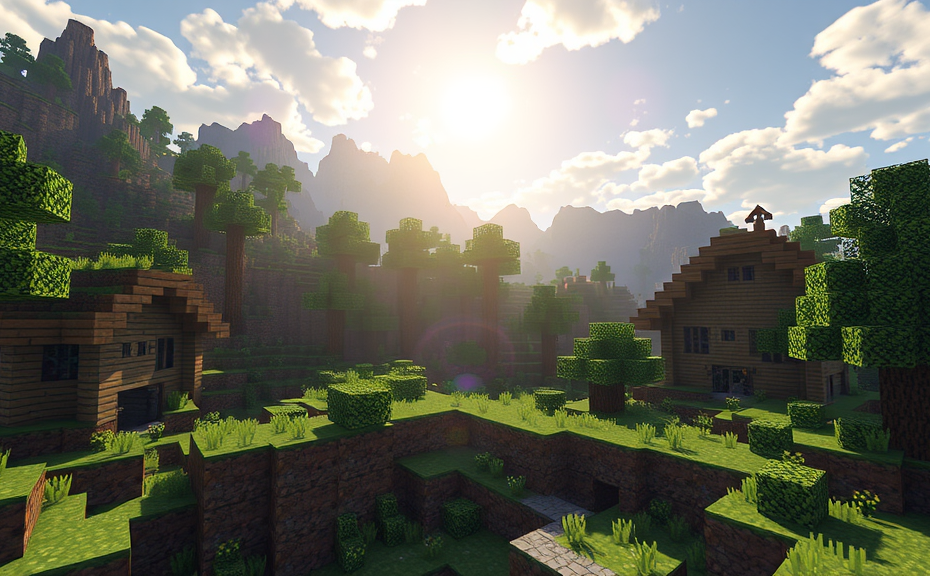
Playing Minecraft can be a lot of fun, but some players find that it gives them headaches. If you’re one of these players, you might wonder why this happens and how to prevent it. Let’s dive into the reasons behind this issue and explore some strategies to help you enjoy the game without discomfort.
Minecraft involves a lot of visual stimulation. The game features bright colors, intricate textures, and fast-paced action, especially when playing in survival mode or building complex structures. These elements can strain your eyes and cause headaches over time. Additionally, the screen refresh rate and brightness settings on your device can also contribute to eye strain. It’s important to adjust these settings to comfortable levels to reduce the risk of headaches.
Another factor could be the amount of time spent playing. Sitting in front of a screen for extended periods without breaks can lead to eye fatigue and headaches. It’s recommended to take frequent breaks, ideally every 20 minutes, to look away from the screen and rest your eyes. This practice, known as the 20-20-20 rule (every 20 minutes, look at something 20 feet away for 20 seconds), can significantly alleviate eye strain and prevent headaches.
The way you play Minecraft can also affect your comfort level. For instance, playing with high graphic settings can put more strain on your computer’s hardware, which might indirectly cause headaches due to increased heat and noise from the fans. Lowering the graphics settings can help reduce this strain. Similarly, playing in full-screen mode can be overwhelming for some players, causing dizziness or headaches. Switching to windowed mode might provide a more comfortable experience.
Your posture while playing can also play a role. Slouching or sitting in an uncomfortable position can lead to neck and back pain, which can manifest as headaches. Make sure your gaming setup supports good posture, with your screen at eye level and your chair providing adequate support. Taking care of your physical comfort can go a long way in preventing headaches.
If you still experience headaches despite making these adjustments, it might be helpful to consult an optometrist. They can check for any underlying vision issues that could be exacerbated by playing Minecraft. Wearing glasses or adjusting your prescription might be necessary to ensure your eyes aren’t strained during gameplay.
If Minecraft gives you a headache, there are several factors to consider and steps you can take to mitigate this issue. Adjusting your screen settings, taking regular breaks, changing your gameplay style, maintaining good posture, and consulting a professional if needed can help you enjoy the game without discomfort. Remember, the goal is to have fun and stay healthy!
Common Questions About Minecraft and Headaches
- Why do I get a headache when I play Minecraft?
- How can I prevent Minecraft-induced headaches?
- Is it normal to get a headache from playing Minecraft?
- Can lowering graphic settings help reduce headaches?
- What should I do if I still experience headaches after making changes?
Tips to Enjoy Minecraft Without Headaches
- Adjust screen brightness and contrast to comfortable levels.
- Follow the 20-20-20 rule to reduce eye strain.
- Switch to windowed mode instead of full-screen mode.
- Ensure proper posture while playing.
- Consult an optometrist if headaches persist.
Additional Resources
Community Feedback
- “I found that reducing my screen brightness helped a lot!” – JohnDoe
- “Taking breaks really made a difference for me.” – JaneSmith
By addressing these aspects, you can enhance your gaming experience and minimize the chances of experiencing headaches while playing Minecraft. Happy crafting!
Minecraft has captivated millions of players around the world with its creative and immersive gameplay. However, some players find themselves experiencing headaches while playing. If you’ve found yourself asking, “Why does Minecraft give me a headache?” you’re not alone. Here’s a closer look at why this happens and some tips to help you enjoy the game more comfortably.
One of the main culprits behind Minecraft-induced headaches is screen strain. The game features bright, contrasting colors and flickering light effects that can strain your eyes. To reduce eye strain, try adjusting the brightness and contrast settings on your monitor. You might also consider enabling the Gamma option in Minecraft’s video settings. Lowering the gamma level can make the screen less harsh on your eyes.
Another factor contributing to headaches is prolonged exposure to the game. Spending hours in front of a screen without breaks can lead to eye fatigue and tension headaches. It’s important to take regular breaks. Follow the 20-20-20 rule: every 20 minutes, look away from the screen and focus on something 20 feet away for at least 20 seconds. This helps relax your eye muscles and reduces the risk of developing a headache.
The way you position yourself while playing Minecraft can also impact how your body feels. Poor posture can cause neck and shoulder pain, which can lead to headaches. Make sure your chair supports your back properly, and your screen is at eye level. Your feet should be flat on the floor, and your elbows should be at a 90-degree angle when using the keyboard or mouse. Adjusting your workspace can significantly alleviate physical discomfort.
Some players experience headaches due to the game’s fast-paced elements, especially during combat or when exploring dark caves. These situations can trigger stress and anxiety, leading to tension headaches. To manage stress, try playing in peaceful areas or during calm weather conditions. You can also enable Night Vision in the game settings to make it easier to see in darker environments.
Eye movements and tracking can also contribute to headaches. Minecraft involves a lot of quick movements and tracking of objects on the screen, which can strain your eye muscles. Reducing the speed of camera movements can help. In the game settings, you can adjust the Mouse Sensitivity to a lower setting. This makes it easier for your eyes to track movement without excessive strain.
If you still experience headaches despite these adjustments, it may be worth considering consulting a healthcare professional. They can help determine if there are underlying issues that need addressing, such as vision problems or migraines. Sometimes, headaches can be a sign of other health concerns that require medical attention.
Minecraft can indeed cause headaches due to various factors like screen strain, prolonged playtime, poor posture, stress, and eye movements. By making simple adjustments to your gaming environment and habits, you can mitigate these issues and continue enjoying the game safely. Remember, taking care of your health is essential, even when indulging in your favorite activities.
To enhance your gaming experience further, consider using external tools like blue light filters or ergonomic accessories. Blue light glasses can help filter out harmful blue light emitted by screens, reducing eye strain. Ergonomic keyboards and mice can provide better support and comfort, minimizing physical discomfort.
Don’t hesitate to reach out to the Minecraft community for advice. Forums, social media groups, and YouTube channels dedicated to the game can offer valuable tips and tricks from fellow players who have faced similar challenges. Sharing experiences and learning from others can be incredibly helpful in finding solutions that work best for you.
By understanding the reasons behind Minecraft-induced headaches and implementing these strategies, you can ensure a more comfortable and enjoyable gaming experience. Happy crafting!
Minecraft is a game that has captured the hearts of millions around the world, offering endless possibilities for creativity and exploration. However, some players find themselves dealing with an unexpected side effect: headaches. If you’re one of those players, you might wonder why Minecraft gives you a headache. Let’s dive into some reasons and explore potential solutions.
One common reason for headaches while playing Minecraft could be the visual strain. The game’s blocky graphics and the constant need to focus on the screen can lead to eye fatigue. This is especially true if you play for extended periods without breaks. To alleviate this, try adjusting the brightness and contrast settings on your monitor. Additionally, consider using the blue light filter feature on your device, which can reduce eye strain caused by prolonged exposure to screens.
Screen resolution can also play a role. Playing on a lower resolution setting might cause your eyes to work harder to interpret the game’s visuals. Check your game settings and ensure you’re running Minecraft at a resolution that matches your monitor’s native resolution. This can help reduce visual strain and potentially prevent headaches.
The sound effects and music in Minecraft can be another contributing factor. While the game’s soundtrack is designed to enhance the immersive experience, some players find the soundscape overwhelming. Experiment with different audio settings. Turning down the volume or muting certain sound effects might help reduce the cognitive load and prevent headaches. Additionally, consider using noise-cancelling headphones to minimize external distractions.
Posture and ergonomics are often overlooked but can significantly impact how you feel after a gaming session. Sitting in an uncomfortable position or using a desk setup that isn’t ergonomically sound can lead to physical discomfort, including headaches. Make sure your chair supports your back, your feet are flat on the floor, and your screen is at eye level. Taking regular breaks to stretch and move around can also help alleviate tension and prevent headaches.
Gameplay intensity can also contribute to headaches. Engaging in fast-paced activities like PvP (player versus player) combat or exploring dangerous areas can increase stress levels, leading to tension headaches. If you notice that certain activities trigger your headaches, try taking more frequent breaks or opting for less intense gameplay modes. For instance, peaceful mode can be a relaxing alternative to the challenges of survival mode.
Dehydration and lack of sleep are other factors that can exacerbate headaches. Gaming sessions can sometimes extend late into the night, disrupting normal sleep patterns. Ensure you stay hydrated by drinking plenty of water throughout the day. Aim for at least seven to eight hours of sleep each night to help your body recover and reduce the likelihood of headaches.
If you’ve tried adjusting these various factors and still experience frequent headaches, it might be worth consulting a healthcare professional. Persistent headaches could indicate a more serious underlying issue that requires medical attention.
If Minecraft gives you a headache, there are several steps you can take to mitigate the issue. From adjusting your screen settings and audio preferences to improving your posture and staying hydrated, making small changes can go a long way in enhancing your gaming experience. Remember, the key is to balance fun with self-care to ensure you can enjoy Minecraft without discomfort.
By addressing these factors, you can continue to explore the vast worlds of Minecraft while keeping headaches at bay. Happy crafting!
Minecraft has captured the hearts of millions with its blocky universe and endless possibilities. However, some players find themselves experiencing headaches while playing. If you’re one of them, you might wonder why Minecraft gives you a headache and how to alleviate it. Let’s dive into the reasons behind these discomforts and explore some practical solutions.
One common reason for headaches when playing Minecraft is the intense focus required to build and explore. The game demands constant attention to detail, whether you’re crafting intricate structures or battling mobs. This sustained concentration can strain your eyes and brain, leading to headaches. To mitigate this, take frequent breaks. The 20-20-20 rule is particularly effective: every 20 minutes, look away from the screen and focus on something 20 feet away for at least 20 seconds. This helps reduce eye strain.
The flickering light from your screen can also contribute to headaches. Modern screens emit blue light, which can interfere with your sleep cycle and cause discomfort. Consider adjusting your screen’s brightness to a comfortable level. Many monitors and laptops offer blue light filter settings that can help reduce the intensity of blue light emission. Additionally, using software like f.lux can automatically adjust your screen’s color temperature based on the time of day, making it easier on your eyes.
Another factor could be the visual complexity of Minecraft’s worlds. The game features a high level of detail, with numerous blocks and textures that can overwhelm your visual system. This overload can lead to headaches, especially if you play for extended periods. Simplifying your gameplay experience can help. For instance, you can reduce the number of mods you use, as too many can clutter your screen and increase cognitive load. Similarly, lowering the render distance in your settings can decrease the amount of visual information your brain needs to process.
Your posture while playing Minecraft can also play a significant role in causing headaches. Sitting in an uncomfortable position for hours can lead to tension in your neck and shoulders, which can radiate pain to your head. Make sure your gaming setup promotes good posture. Your chair should support your back, and your screen should be at eye level. Taking regular breaks to stretch and move around can also alleviate physical tension.
Sometimes, the cause of your headache might be more than just the game itself. If you frequently experience headaches while playing Minecraft, it could be a sign of underlying issues like migraines or eye strain. Consulting a healthcare professional can help diagnose and treat these conditions effectively. They can provide personalized advice and recommend treatments tailored to your specific needs.
Ensure your hardware is up to date. An outdated graphics card or insufficient RAM can cause lag and stuttering, which can exacerbate headaches. Upgrading your hardware or optimizing your game settings can significantly improve your gaming experience and reduce the risk of headaches.
If Minecraft gives you a headache, there are several steps you can take to alleviate the discomfort. From taking frequent breaks and adjusting your screen settings to improving your posture and consulting a healthcare professional, these strategies can help you enjoy the game without the pain. Remember, the key is to balance enjoyment with care for your health.
Conclusion
If you’re experiencing headaches while playing Minecraft, consider adjusting your gameplay settings to reduce visual strain. Lowering graphic settings, increasing font sizes, and taking regular breaks can significantly help. Additionally, ensure your screen is at eye level and maintain a comfortable distance to minimize eye fatigue. For those sensitive to screen flicker, enabling Minecraft’s V-Sync can also alleviate symptoms. Remember, prioritizing your health over extended gaming sessions is crucial. By implementing these strategies, you can enjoy Minecraft without discomfort, ensuring a smoother and more enjoyable gaming experience.