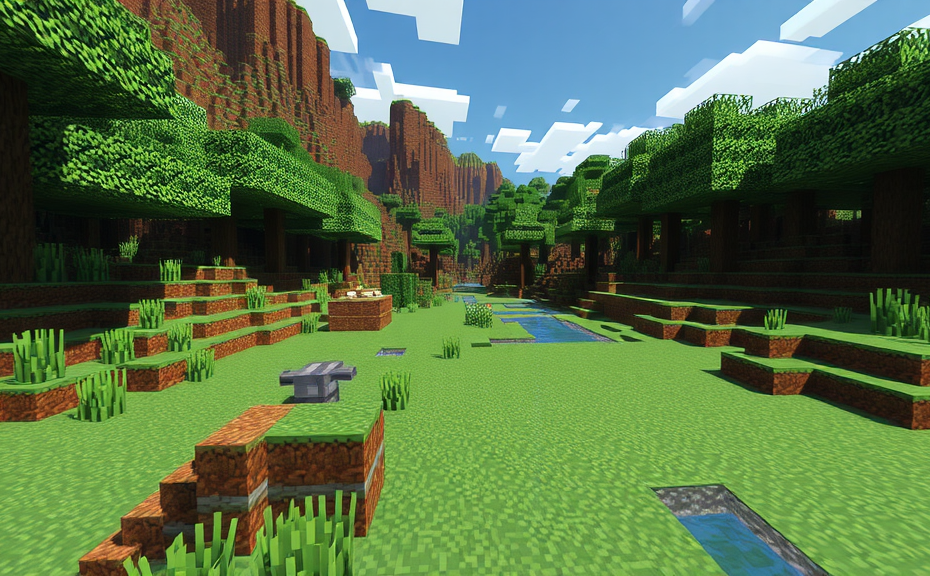
Minecraft is a game that has captured the hearts of millions around the world, but many players have noticed that it can consume a significant amount of memory on their devices. This can lead to lag, crashes, and other performance issues, which can be frustrating when you’re in the middle of building your latest masterpiece. Understanding why Minecraft uses so much memory can help you optimize your gameplay experience.
One of the main reasons Minecraft consumes a lot of memory is its vast and intricate world generation. Each chunk of the Minecraft world is generated procedurally, and each chunk can contain a vast amount of data. From the terrain to the blocks, trees, and structures, all these elements require memory to load and render. As you explore and build, more chunks are loaded into memory, increasing the overall memory usage.
The game’s modding community also plays a role in memory consumption. Mods add new features, blocks, and even entire dimensions to the game, expanding its capabilities but also increasing the memory footprint. While mods enhance the game experience, they can significantly increase the amount of data the game needs to manage, leading to higher memory usage.
Additionally, Minecraft’s rendering engine is another factor contributing to high memory usage. The game uses a complex system to render blocks, textures, and lighting effects. As you move around in the game, the engine constantly updates these visual elements, requiring a substantial amount of memory. Higher graphical settings, like detailed textures and complex shaders, can further increase memory demands.
Another aspect that impacts memory usage is the number of entities in the game. Entities include mobs, items, and even particles like fire and water. Each entity requires memory to track its position, behavior, and interactions with the environment. Large numbers of entities, especially during intense mob fights or when spawning lots of items, can cause the game to use more memory than usual.
Players who run multiple instances of Minecraft simultaneously, such as for multiplayer servers or mod development, also face higher memory consumption. Each instance runs independently, loading its own set of resources into memory. This can quickly overwhelm the available memory, especially on systems with limited RAM.
To mitigate these issues, there are several strategies you can employ to reduce Minecraft’s memory usage:
- Optimize Graphics Settings: Lowering graphic settings can significantly reduce the amount of memory needed. Reducing the resolution, turning off complex shaders, and using simpler textures can help.
- Limit Mods: Be selective about the mods you install. Only keep those that enhance your gameplay experience and remove others that you don’t need.
- Manage Chunks: Limit the number of chunks loaded in your world. You can do this by staying within a smaller area or by using plugins that unload unused chunks in multiplayer servers.
- Update Java: Make sure you are using the latest version of Java, as updates often include performance improvements that can help reduce memory usage.
- Increase RAM Allocation: If your system allows, allocate more RAM to Minecraft. This can be done through the game’s launch options, allowing it to use more of your system’s resources.
By understanding why Minecraft uses so much memory and implementing these strategies, you can enjoy a smoother and more enjoyable gaming experience. Remember, optimizing your game doesn’t mean sacrificing fun; it’s about finding the right balance between performance and enjoyment.
Ultimately, Minecraft’s high memory usage is a result of its rich, expansive world and the numerous features it offers. While this can sometimes lead to performance issues, knowing how to manage and optimize your system can help you get the most out of this beloved game. Happy crafting!
Minecraft has become one of the most beloved games worldwide, offering players a vast sandbox where creativity and exploration reign supreme. However, many players have noticed that Minecraft can be quite demanding on their computer’s memory, often leading to performance issues. If you’ve found yourself wondering why Minecraft uses so much memory, you’re not alone. Let’s dive into the reasons behind this and explore some strategies to manage memory usage effectively.
One of the primary reasons Minecraft consumes a significant amount of memory is its expansive world generation. The game generates terrain dynamically as you explore, which requires a substantial amount of RAM to store all the data related to blocks, chunks, and entities. Each chunk of land contains numerous pieces of information, including block types, lighting levels, and biome data, all of which contribute to the overall memory footprint.
Another factor contributing to high memory usage is the variety of mods and resource packs players often install. Mods can introduce new features, items, and even entire dimensions, each adding more data to the game’s memory. Resource packs, while primarily focused on enhancing visual appeal, also increase the load on your system’s memory. These additions mean that even if you’re running the base game, customizations can push your system to its limits.
The complexity of your world also plays a role. Large, intricate builds with numerous redstone contraptions, command blocks, and complex structures can significantly increase memory consumption. Redstone mechanisms, in particular, can consume a lot of memory due to the way they interact with the game’s logic and physics systems. Similarly, command blocks and plugins in multiplayer servers add layers of complexity that require additional memory resources.
Additionally, the number of entities in your world can impact memory usage. Entities include not only mobs like zombies and creepers but also dropped items, paintings, and arrows. Each entity requires its own set of data to track position, movement, health, and other attributes, which can quickly add up in a bustling Minecraft world.
To manage memory usage more effectively, consider optimizing your world settings. For instance, reducing the render distance can help lower the amount of data the game needs to process. You can do this by going to the video settings menu and adjusting the view distance to a lower setting. This change won’t affect your gameplay significantly but can make a noticeable difference in performance.
Updating your Minecraft version can also help. Newer versions often come with optimizations that reduce memory usage. Keep your game updated to take advantage of these improvements. Additionally, ensure your Java version is up to date, as newer Java versions can enhance performance and reduce memory consumption.
- Reduce render distance in the video settings.
- Keep Minecraft and Java updated to the latest versions.
- Limit the number of mods and resource packs.
- Optimize your world by removing unnecessary structures and entities.
If you’re playing on a server, discuss with the administrators about optimizing the server configuration. This might include tweaking server settings to limit the number of entities or reducing the complexity of the world.
Understanding why Minecraft uses so much memory involves recognizing factors like world generation, mods, complexity, and the sheer number of entities. By implementing the strategies mentioned above—such as reducing render distance, updating software, limiting mods, and optimizing your world—you can manage memory usage more effectively and enjoy a smoother gaming experience.
Minecraft, one of the most popular sandbox games around, can sometimes leave players scratching their heads over why it uses so much memory. Whether you’re playing on a modest PC or a high-end gaming rig, Minecraft’s memory usage can be a concern. Understanding why Minecraft consumes so much memory can help you optimize your gameplay experience.
Firstly, let’s delve into what causes Minecraft to use a lot of memory. The game is built with Java, which means it relies heavily on the Java Virtual Machine (JVM). The JVM allocates memory to the game based on various factors, including the world size, the number of entities, and the complexity of textures and shaders. As you explore larger worlds or build intricate structures, the amount of data the game needs to manage increases, leading to higher memory usage.
One significant factor is the sheer size and detail of Minecraft’s worlds. Each block in the game represents a unit of space, and each entity, whether it’s a mob, a player, or an item, requires memory to function. When you’re building massive structures or exploring expansive biomes, the game has to keep track of every single block and entity, which can quickly add up. Additionally, the game generates terrain dynamically, meaning it constantly updates and stores data about the environment, contributing to its memory footprint.
Another aspect is the mod ecosystem. Mods, or modifications, can significantly increase Minecraft’s memory usage. These custom additions often add new features, blocks, and entities, which require extra memory to load and run. If you have a lot of mods installed, especially those that introduce heavy graphics or complex mechanics, you might notice a substantial uptick in memory consumption.
Textures and shaders also play a crucial role in Minecraft’s memory usage. High-resolution texture packs and advanced shaders can enhance the visual appeal of the game but come with a cost. These graphical enhancements require more memory to render, especially when you’re dealing with large, detailed landscapes or dynamic lighting effects. While these improvements make the game look stunning, they do demand more resources from your system.
To manage Minecraft’s memory usage effectively, there are several steps you can take. One of the simplest methods is adjusting the game’s allocated memory. By default, Minecraft may not allocate enough RAM for your system. You can increase the amount of memory available to Minecraft by editing the launcher settings. For instance, you can set the maximum heap size to a higher value, like 4GB or even 6GB, depending on your system’s capabilities. This adjustment helps ensure that the game has enough resources to handle larger worlds and more complex builds.
- Check Your System Specifications: Before making changes, verify your system’s total RAM and ensure you have enough free memory for other applications.
- Optimize Graphics Settings: Lowering the resolution, disabling fancy graphics, and reducing the view distance can help reduce memory usage.
- Limit Mods: If you’re using mods, consider which ones are essential and remove those that aren’t critical. Some mods may be more memory-intensive than others.
- Update Java: Ensure you have the latest version of Java installed, as updates often include performance improvements and optimizations.
By understanding the reasons behind Minecraft’s memory usage and implementing some of these strategies, you can enhance your gameplay experience. Whether you’re a casual player or a dedicated builder, managing memory efficiently ensures smoother performance and fewer crashes. Remember, a little tweaking can go a long way in optimizing your Minecraft sessions.
Minecraft’s reliance on Java, the complexity of its worlds, and the impact of mods and graphical enhancements all contribute to its high memory usage. With the right adjustments, however, you can enjoy a seamless gaming experience without the frustration of lag or crashes. So, the next time you find yourself puzzled by Minecraft’s memory demands, remember these tips and tricks to keep your game running smoothly.
Minecraft is one of the most popular games in the world, attracting millions of players across various platforms. Despite its widespread appeal, many users have noticed that the game consumes a significant amount of memory, leading to performance issues. Understanding why Minecraft uses so much memory can help players optimize their gaming experience.
One of the primary reasons Minecraft requires a lot of memory is its vast, procedurally generated worlds. These worlds are composed of millions of blocks, each needing to be stored and rendered in real-time. As players explore and build, the game dynamically generates new chunks of terrain, which adds to the memory load. Additionally, the game’s block-based mechanics mean that even small structures can consume substantial resources.
The modding community has also contributed to Minecraft’s high memory usage. Mods can introduce new features, items, and blocks, increasing the complexity of the game. While these additions enhance the gameplay experience, they often require more memory to function properly. Players who install numerous mods may notice a significant increase in memory consumption.
Another factor contributing to Minecraft’s memory demands is its lighting system. The game uses dynamic lighting, which means that light levels are calculated based on the position of the sun, torches, and other light sources. This calculation process consumes memory, especially in large, complex structures where light sources are abundant.
Textures and resource packs also play a role in Minecraft’s memory usage. High-resolution texture packs can significantly increase the memory footprint of the game. While these packs enhance the visual quality, they require more RAM to store and render the higher detail textures.
To manage Minecraft’s memory consumption, players can take several steps. One effective method is to allocate more RAM to the game. Most players find that setting the allocated memory to at least 2GB, but ideally 4GB or more, can greatly improve performance. This can usually be done through the game’s launch options or configuration files.
Reducing the number of mods installed can also help decrease memory usage. Players should prioritize essential mods and remove those that are less critical. Similarly, using lower resolution texture packs can reduce the memory load while still maintaining a visually appealing experience.
Optimizing the game’s settings can further improve performance. Players can adjust settings such as view distance, render distance, and graphics quality to balance between visual fidelity and performance. Reducing these settings can help conserve memory without significantly compromising the gaming experience.
For server administrators, managing memory usage is crucial to ensure smooth gameplay for multiple players. Allocating sufficient RAM to the server is essential, but it’s also important to monitor memory usage over time. Tools like server monitoring software can help track memory consumption and identify potential bottlenecks.
Players should also consider updating their hardware. Modern CPUs and GPUs can handle Minecraft’s demands more efficiently than older systems. Upgrading components like RAM, the CPU, or the GPU can significantly improve performance and reduce lag.
Minecraft’s high memory usage stems from its expansive worlds, modding capabilities, lighting calculations, and high-resolution textures. By allocating more RAM, reducing mods and textures, optimizing settings, and upgrading hardware, players can mitigate these effects and enjoy a smoother gaming experience. These steps not only improve performance but also ensure that the game remains enjoyable for everyone.
Remember, the key to a great Minecraft experience lies in balancing the game’s demands with your system’s capabilities. With the right adjustments, you can minimize memory usage and maximize fun.
Minecraft is a game that has captured the hearts of millions around the world, offering endless possibilities for creativity and exploration. However, some players have noticed that the game can consume a significant amount of memory, leading to performance issues. If you’ve experienced lag or crashes, understanding why Minecraft uses so much memory can help you optimize your gameplay experience.
One of the primary reasons Minecraft uses a lot of memory is its vast and detailed world. Each block in the game, whether it’s a simple dirt block or a complex redstone contraption, requires memory to store its data. As you build larger structures or explore expansive landscapes, the game’s memory usage naturally increases. This is especially true when you’re playing with mods or custom resource packs that add more textures and features, each requiring additional memory to load.
Optimizing Your Game Settings
To mitigate high memory usage, adjusting your game settings can make a noticeable difference. Reducing the render distance, lowering the graphics quality, and decreasing the view distance can significantly reduce the amount of memory needed. These settings control how many blocks the game renders at once, which directly impacts memory consumption. Additionally, setting the maximum memory allocation in the game’s launcher to a higher value can help accommodate the increased demands.
Hardware Considerations
Your computer’s hardware also plays a crucial role in how efficiently Minecraft runs. Having a powerful processor and sufficient RAM can help manage the memory demands more effectively. For instance, if you’re running other applications simultaneously, they too require memory, leaving less available for Minecraft. Ensuring your system meets the minimum requirements and ideally exceeds them can alleviate some of the memory strain.
Managing Mods and Resource Packs
If you’re using mods or custom resource packs, these can also contribute to higher memory usage. While they enhance the game’s functionality and visual appeal, they often come with additional data and scripts that need to be loaded into memory. To minimize the impact, consider using only essential mods and resource packs, and regularly updating them to ensure compatibility and efficiency.
- Check for updates to your mods and resource packs.
- Disable or remove non-essential mods and resource packs.
- Consider using lightweight alternatives if possible.
Server-Side Issues
For those who play on multiplayer servers, server-side issues can also affect memory usage. Servers with large or complex worlds, numerous entities, or high player counts will require more memory to handle the load. If you notice frequent lag or crashes on a server, it might be worth reaching out to the server administrators to see if they can optimize their setup or if there are known issues affecting performance.
Tweaking Java Settings
Minecraft runs on the Java platform, and tweaking certain Java settings can help manage memory more effectively. Increasing the heap size allocated to Minecraft through the Java Virtual Machine (JVM) settings can provide more memory for the game to use. However, this should be done cautiously, as allocating too much memory can cause instability or even crash your system.
- Open the Minecraft launcher.
- Go to the “Installations” tab.
- Select your version and click “Edit.”
- In the JVM arguments section, increase the allocated memory (e.g., -Xmx2G for 2GB).
Final Tips for Optimal Performance
Keeping your operating system and drivers up to date can also help improve overall system performance, indirectly benefiting Minecraft. Regularly cleaning up your system of unnecessary files and optimizing storage can free up resources, making it easier for the game to run smoothly.
Minecraft’s memory usage can be influenced by various factors, including the complexity of the world, the hardware you’re using, and the mods and resource packs you employ. By carefully managing these aspects, you can enjoy a smoother and more enjoyable gaming experience.
Conclusion
Understanding why Minecraft uses so much memory can help you optimize your gameplay experience. By adjusting settings like render distance and texture packs, you can manage memory usage effectively. Monitoring your system’s performance and making informed choices about your Minecraft setup ensures smoother gameplay. Remember, balancing visuals with performance is key to enjoying the expansive world of Minecraft without constant crashes or lag. Keep your game updated and consider upgrading hardware if necessary. With these strategies, you can enjoy Minecraft’s vast landscapes and endless creativity without being bogged down by memory issues. Embrace the journey, explore new worlds, and continue to build incredible structures—all while keeping memory consumption in check.